08地图世界:走一步发生了什么
GameMap、Position、Player、Overworld.move、地图上的物体和观察者模式
- 说出地图这一层的规则类(world 包)和画面类(ui 包)各有哪些,谁用字段存着谁
- 读懂
tiles[row][column],自己算出 (6,12) 为什么走不过去、(13,0) 为什么不能再往上 - 讲清楚 CPosition 为什么“不可变”、为什么要改写
equals - 一行一行讲 COverworld 的
move:先检查、再移动、再通知、最后让脚下的物体自己反应 - 说出 CMarker、CMysteryBox、CExit 怎样用同一个
interact做三件不同的事(多态) - 指出观察者模式的三个位置:谁登记(
addListener)、谁通知(notifyListeners)、谁收到(COverworldScreen) - 从按下 → 键到屏幕变成下一帧,按顺序说出每一个被调用的方法
- 用英语说:Overworld holds the rules of the map; OverworldScreen only shows them and is told about changes through OverworldListener.
在 第 1 章 里你已经在地图上走过一遍:从起点 (10,18) 往右走 8 格,再往上走 2 格,捡到一个 Poison。那一章只看画面。这一章打开代码,只回答一个问题:按一次方向键,程序里到底发生了什么?
先提醒几个前面学过的词(细讲在 第 1 章、第 2 章):类(class)是一段代码的“模板”,对象(object)是按模板 new 出来的一个具体的东西;字段(field)是对象里存数据的变量;方法(method)是对象能做的事;构造器(constructor)是 new 的时候自动运行的那段代码。彩色带圆圈的名字(比如 COverworld)是项目自己的类,点一下能看它的卡片;灰底的 Label、ImageView、Pane 是 JavaFX 自带的部件。
1. 先看全局:地图画面背后有哪些对象
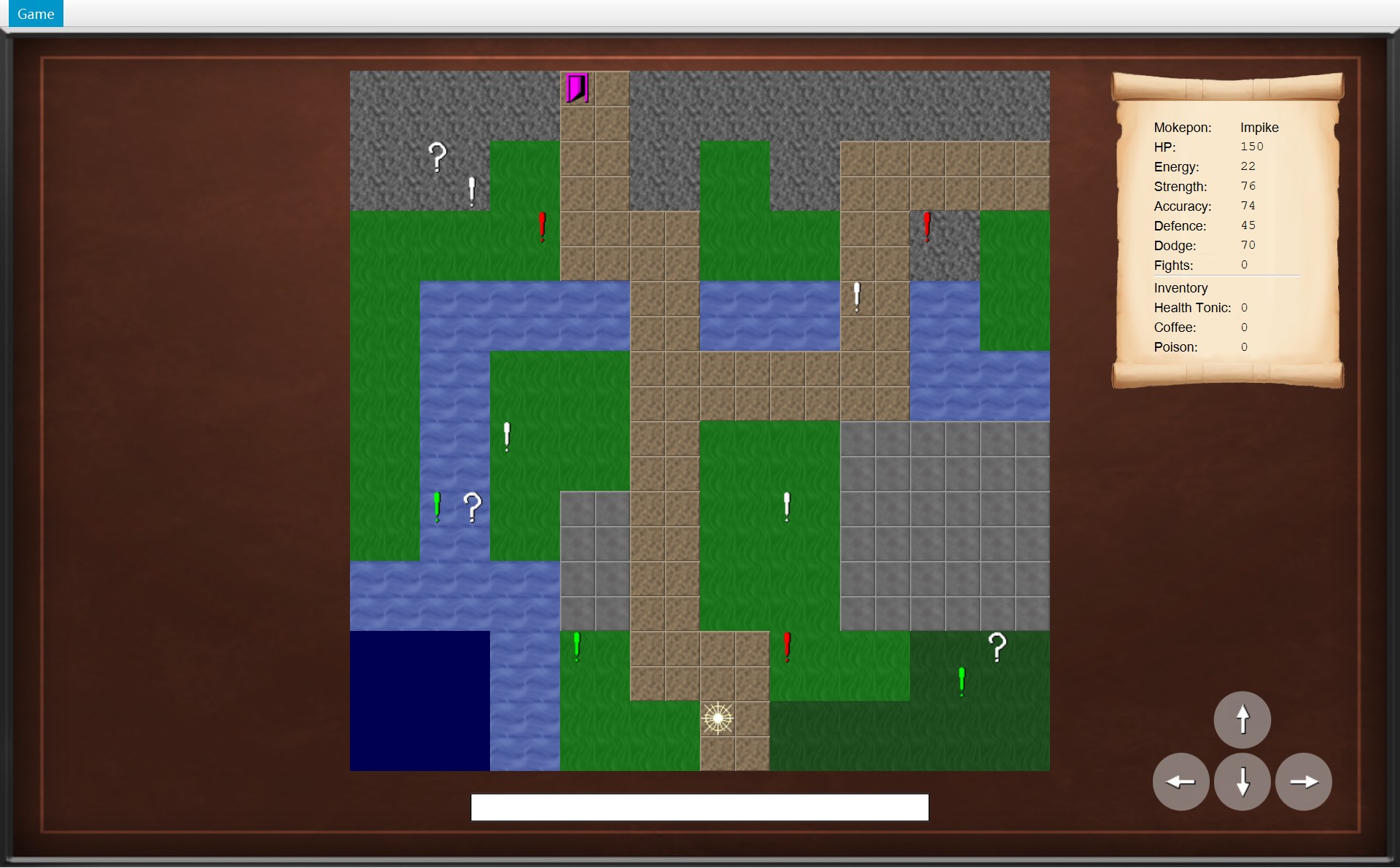
先看一眼刚进地图时的画面。第 1 章已经说过每一块是谁画的;这一次看每一块背后的数据存在哪个对象里。
 123456
- 1地形:400 个格子的图片。它们画的是 CGameMap 里存的二维数组
tiles(第 2 节) - 2玩家:画在 CPlayer 的字段
position那一格,现在是 (10,18)(第 3、4 节) - 3地图上的物体:COverworld 的列表
objects里一共 14 个(10 个感叹号、3 个问号箱、1 扇门),这是问号箱 (18,16)(第 5 节) - 4
- 5四个方向按钮:每个能不能点,问的是 COverworld 的
canMove(方向)(第 7 节) - 6状态栏:COverworld 发来通知时,COverworldScreen 在这里写一句话(第 6 节)
这些对象分成两堆,放在两个包(package)里:
- world 包:规则。CGameMap(地图)、CPosition(一个格子)、EDirection(方向)、CPlayer(玩家)、COverworld(这一局的规则中心)、AMapObject 和它的三个子类、CSprite(物体的样子)、IOverworldListener(通知用的接口)。这个包里一行 JavaFX 都没有(没有任何
import javafx),它不知道屏幕长什么样。地形 ETerrain 在 model 包里,也不认识 JavaFX。 - ui 包:画面。COverworldScreen(整个地图画面)、CMapView(画地图)、CPlayerStatsScroll(画卷轴)。它们读规则对象里的数据,把它画出来;玩家按键时,把“想往哪走”交给 COverworld。
图里有一个“绕回来”的地方,是本章最重要的设计:画面 COverworldScreen 用字段 world 存着 COverworld(画面认识规则);可是 COverworld 并不存着 COverworldScreen,它只存着一串 IOverworldListener(一个接口(interface))。COverworldScreen 实现(implements)了这个接口,所以它能被放进那个列表。规则只认识接口,不认识画面——这就是第 6 节的观察者模式(Observer)。
另外两个画面类也直接存着规则对象:CMapView 也用字段 world 存着同一个 COverworld(它要读物体和玩家的位置),CPlayerStatsScroll 用字段 player 存着 CPlayer(它要读赢了几场、背包里有几个)。方向永远是“画面存着规则”;规则这边一个画面类都不存。
| 类 | 一句话(在哪一节) |
|---|---|
| CGameMap、ETerrain | 地图的每一格是什么地形,哪些地形能走(第 2 节) |
| CPosition、EDirection | 一个格子 (x,y);四个方向各让 x、y 变多少(第 3 节) |
| CPlayer、COverworld | 玩家站在哪、有什么;走路的规则(第 4 节) |
| AMapObject、CMarker、CMysteryBox、CExit、CSprite | 地图上的物体,踩上去各自做什么(第 5 节) |
| IOverworldListener | 规则怎么通知画面(第 6 节) |
| COverworldScreen、CMapView、CPlayerStatsScroll | 把这些画出来(第 7 节) |
第 8 节把它们串起来:按一次 →、踩一次问号箱,一步一步回放。
2. 地图:GameMap 和 Terrain
数据文件里的 20 行字母
地图不是画出来的,是写出来的。数据文件 mokepon.game 第 402–421 行,每行一串 20 个字母,一个字母就是一个格子。map.tiles.0 是最上面一行,map.tiles.19 是最下面一行。
4021map.tiles.0=RRRRRRPPRRRRRRRRRRRR403map.tiles.1=RRRRRRPPRRRRRRRRRRRR404map.tiles.2=RRRRGGPPRRGGRRPPPPPP405map.tiles.3=RRRRGGPPRRGGRRPPPPPP406map.tiles.4=GGGGGGPPPPGGGGPPRRGG407map.tiles.5=GGGGGGPPPPGGGGPPRRGG408map.tiles.6=GGWWWWWWPPWWWWPPWWGG409map.tiles.7=GGWWWWWWPPWWWWPPWWGG410map.tiles.8=GGWWGGGGPPPPPPPPWWWW411map.tiles.9=GGWWGGGGPPPPPPPPWWWW412map.tiles.10=GGWWGGGGPPGGGGBBBBBB413map.tiles.11=GGWWGGGGPPGGGGBBBBBB4142map.tiles.12=GGWWGGBBPPGGGGBBBBBB415map.tiles.13=GGWWGGBBPPGGGGBBBBBB416map.tiles.14=WWWWWWBBPPGGGGBBBBBB417map.tiles.15=WWWWWWBBPPGGGGBBBBBB4183map.tiles.16=OOOOWWGGPPPPGGGGFFFF419map.tiles.17=OOOOWWGGPPPPGGGGFFFF4204map.tiles.18=OOOOWWGGGGPPFFFFFFFF421map.tiles.19=OOOOWWGGGGPPFFFFFFFF- 1第 402 行
map.tiles.0(最上面一排):R = ROCKS(深灰色碎石);第 6、7 列的两个 P = PATH(小路),门 (6,0) 画在第 6 列这一格上 - 2第 414 行
map.tiles.12=GGWWGGBBPPGGGGBBBBBB:从 0 数,第 6 个字母是 B(BARRIER,浅灰色方砖墙),所以 (6,12) 是墙 - 3第 418–421 行开头的
OOOO:左下角深蓝色的 OCEAN(大海) - 4第 420 行
map.tiles.18的第 10 个字母是 P:玩家起点 (10,18) 是一格小路
读文件、把字母变成对象,是 CMapParser 的 parseTiles 做的(细节在 第 5 章):每一行造一个 Terrain[],每个字母用 Terrain.fromSymbol(字母) 换成一个地形,最后交给 new GameMap(...)。
Terrain:七种地形,两种不能走
4public enum Terrain {51 BARRIER('B', false),62 FOREST('F', true),73 GRASS('G', true),84 OCEAN('O', false),95 PATH('P', true),106 ROCKS('R', true),117 WATER('W', true);12 13 private final char symbol;14 private final boolean walkable;15 16 Terrain(char symbol, boolean walkable) {17 this.symbol = symbol;18 this.walkable = walkable;19 }20 21 public boolean isWalkable() {22 return walkable;23 }- 1BARRIER 'B',false:浅灰色方砖墙,例如 (6,12)–(7,13)
- 2FOREST 'F',true:深绿色森林,(18,18)–(19,19)
- 3GRASS 'G',true:草地,(0,4)–(1,5)
- 4OCEAN 'O',false:深蓝色大海,(0,16)–(3,19)
- 5PATH 'P',true:棕色小路,(8,4)–(9,5)
- 6ROCKS 'R',true:深灰色碎石(不是方砖),(0,0)–(1,1)
- 7WATER 'W',true:浅蓝色的水,(4,6)–(5,7),也能走
GameMap:把字母表存成二维数组
6/* The map from the data file: the terrain of every tile, where the player starts,7 * and the objects on it when a game begins. It never changes while a game is played.8 */9public class GameMap {10 /* tiles[row][column], so the first index is y and the second index is x. */111 private final Terrain[][] tiles;12 private final Position startPosition;13 private final List<MapObject> objects;14 15 public GameMap(Terrain[][] tiles, Position startPosition, List<MapObject> objects) {16 /* Copy every row, so no other class can change the tiles (no privacy leak). */17 this.tiles = new Terrain[tiles.length][];18 for (int row = 0; row < tiles.length; row++) {192 this.tiles[row] = tiles[row].clone();20 }21 this.startPosition = startPosition;223 this.objects = List.copyOf(objects);23 }24 25 /* Every row has the same number of tiles, so the first row gives the width. */26 public int getWidth() {27 return tiles[0].length;28 }29 30 public int getHeight() {31 return tiles.length;32 }33 34 public Position getStartPosition() {35 return startPosition;36 }37 38 public List<MapObject> getObjects() {39 return objects;40 }41 42 public Terrain getTerrain(Position position) {434 return tiles[position.getY()][position.getX()];44 }一行一行看:
- 红 1(第 11 行)
private final Terrain[][] tiles:一个二维数组(array)。注释写得很清楚:tiles[row][column],第一个下标是 y(第几行),第二个下标是 x(第几列)。这和我们写坐标 (x,y) 的顺序正好相反,最容易搞错。 - 红 2(第 17–20 行):构造器不直接存别人给的数组,而是先造一个同样多行的新数组,再把每一行
clone()(复制)一份放进去。第 18 行for (int row = 0; row < tiles.length; row++)是计数的 for 循环(for loop),括号里分号隔开三段:先row = 0;每一圈开始前检查row < tiles.length(20),不成立就停;每一圈做完执行row++(row 加 1,自增 increment)。所以大括号里的第 19 行一共跑 20 次,row 依次是 0、1、……、19(第 2 章第 4 节)。 - 红 3(第 22 行)
List.copyOf(objects):地图上开局时的 14 个物体,也复制成一份不能修改的列表(List.copyOf)。 - 第 26–32 行:
getWidth()是第 0 行有几个格子tiles[0].length= 20;getHeight()是一共几行tiles.length= 20。 - 红 4(第 43 行)
getTerrain(position)返回tiles[position.getY()][position.getX()]:先 y 后 x。
用 (6,12) 试一下:getTerrain(new Position(6, 12)) → tiles[12][6] → 第 12 行,再取这一行的第 6 个:
| x(列) | 4 | 5 | 6 | 7 | 8 | 9 |
|---|---|---|---|---|---|---|
tiles[12][x] | G | G | B | B | P | P |
结果是 BARRIER。如果写反成 tiles[6][12],取到的是地图第 6 行 GGWWWWWWPPWWWWPPWWGG 从 0 数第 12 个字母 W(水),完全是另一个格子。
类注释说 CGameMap “never changes while a game is played”。整个程序只有一个 CGameMap 对象(CGameWindow 的字段 map),每开一局新游戏都用它。它不变,所以上一局捡掉的箱子、打败的感叹号,不会影响下一局——变化的东西都放在每局新造的 COverworld 里(第 4 节)。
isWalkable:能不能站上去,要过两道关
46 /* The player can only stand on a walkable tile inside the map. */47 public boolean isWalkable(Position position) {482 return isInside(position) && getTerrain(position).isWalkable();49 }50 51 private boolean isInside(Position position) {52 return position.getX() >= 0 && position.getX() < getWidth()531 && position.getY() >= 0 && position.getY() < getHeight();54 }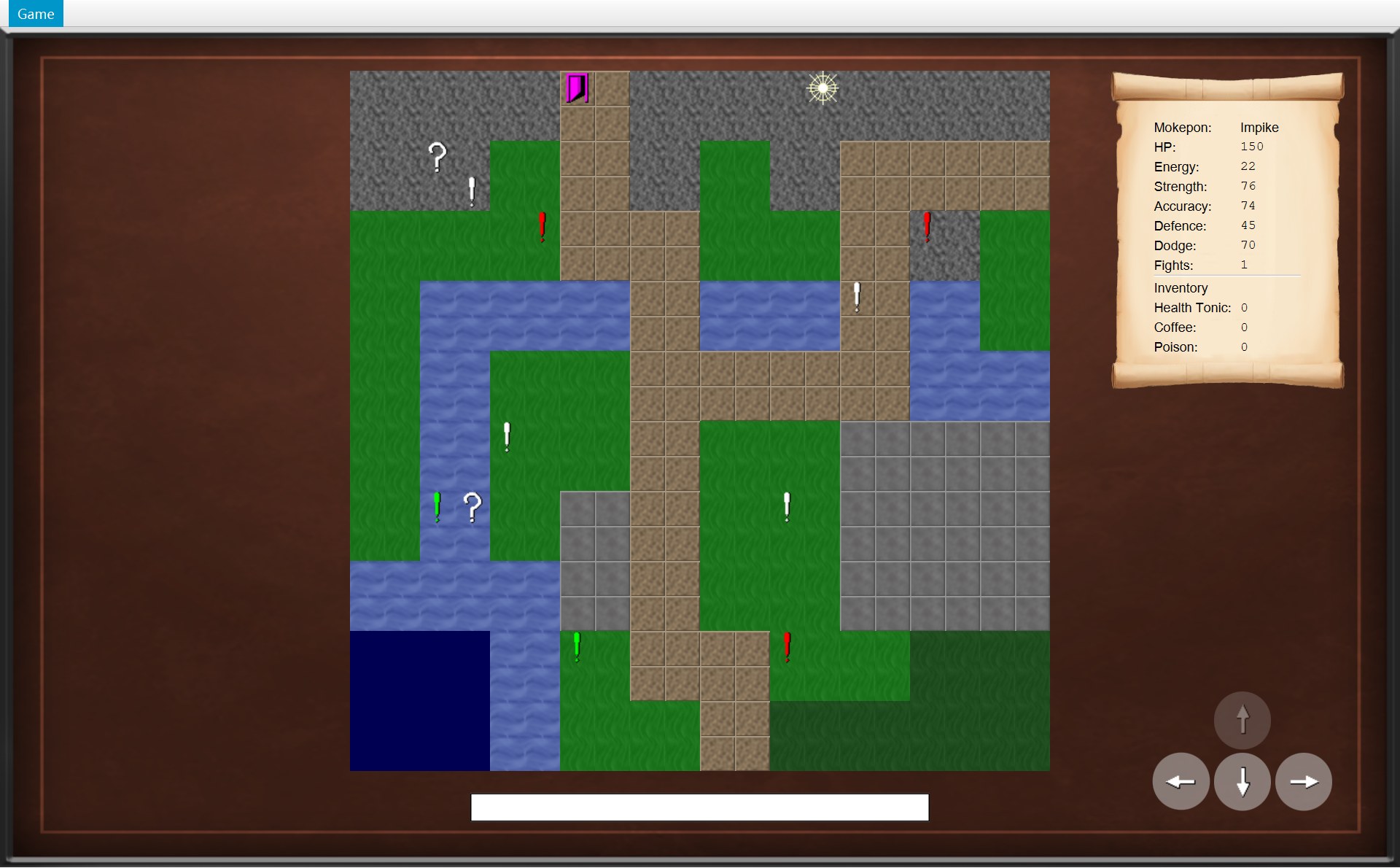
- 1玩家在最上面一排 (13,0)。再往上是 (13,−1):y = −1,红 1
position.getY() >= 0不成立,isInside返回 false。那里只有棕色的背景框,已经不是地图了
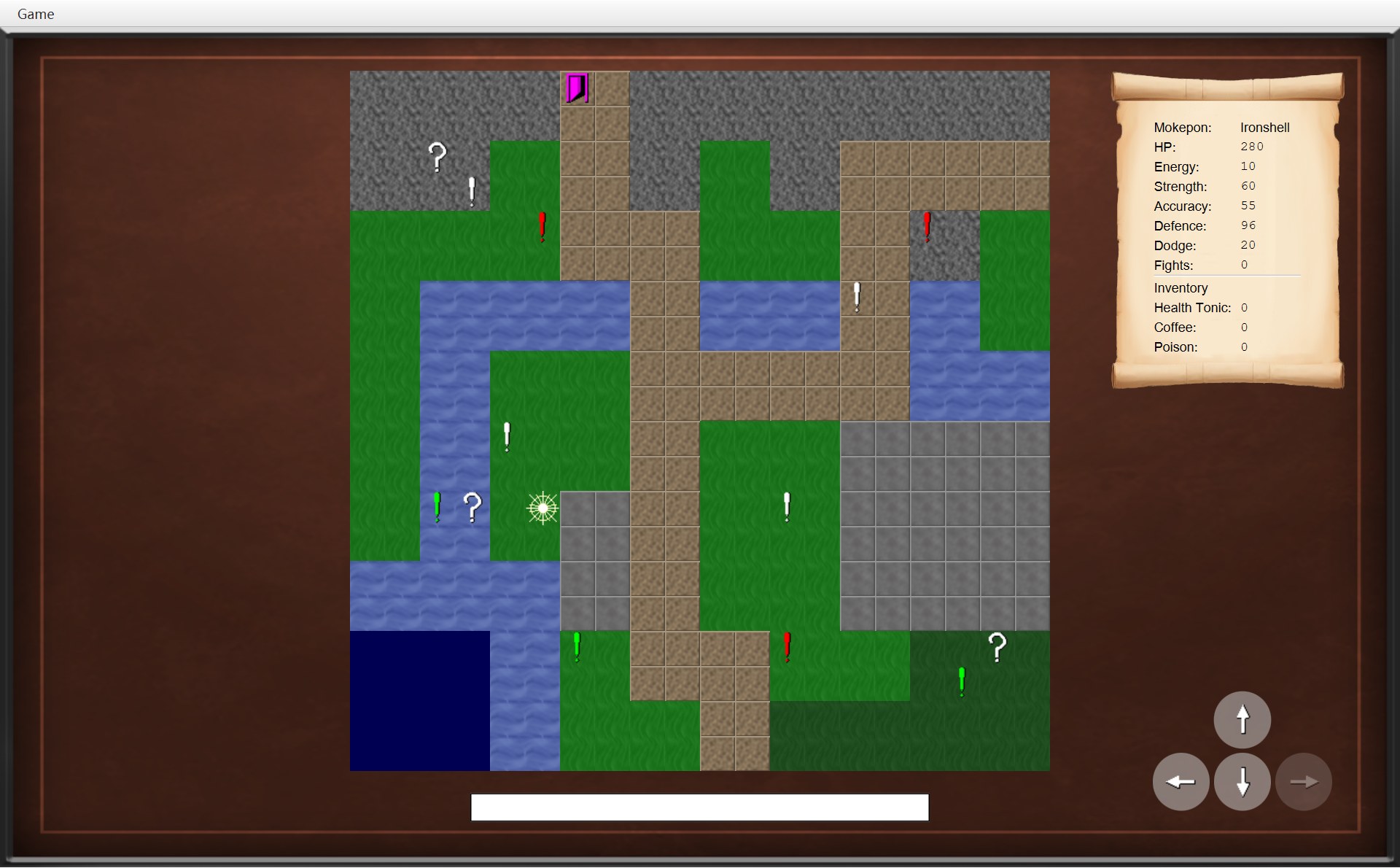
- 2玩家(这一局选的是 Ironshell)在 (5,12)。右边 (6,12) 在地图里面,但地形是 BARRIER:红 2
getTerrain(...).isWalkable()返回 false
isWalkable 只有一行(第 48 行):isInside(position) && getTerrain(position).isWalkable()。两道关都过,才能站上去:
- 在地图里面吗?(
isInside,第 51–54 行,红 1)0 ≤ x < 20 并且 0 ≤ y < 20。 - 这块地形能走吗?(第 48 行
&&右边,红 2)BARRIER 和 OCEAN 不能走,其他五种都能。
3. 格子和方向:Position、Direction
Position:一个格子,永远不变
5/* A tile on the map. x is the column and y is the row, and (0, 0) is the top left tile.6 * A position never changes; moving makes a new position instead.7 */8public class Position {91 private final int x;10 private final int y;11 12 public Position(int x, int y) {13 this.x = x;14 this.y = y;15 }⋯ 省略第 16–24 行25 /* The position one tile away in the given direction. */26 public Position move(Direction direction) {272 return new Position(x + direction.getXChange(), y + direction.getYChange());28 }29 30 /* Two positions are equal when they point to the same tile. */31 @Override32 public boolean equals(Object other) {33 if (this == other) {34 return true;35 }36 if (other == null || getClass() != other.getClass()) {37 return false;38 }39 Position position = (Position) other;403 return x == position.x && y == position.y;41 }42 43 /* Equal positions must give the same hash code. */44 @Override45 public int hashCode() {46 return Objects.hash(x, y);47 }48}- 红 1(第 9–10 行):只有两个字段
x、y,都是private final(final = 构造器里赋值以后再也不能改)。类里也没有setX这样的方法。所以一个 CPosition 对象造出来以后,永远指着同一个格子。这种对象叫不可变对象(immutable object)。 - 红 2(第 27 行)
move(direction)不改自己,而是return new Position(...):造一个新的格子还回去。(10,18).move(RIGHT)得到一个新对象 (11,18),原来的 (10,18) 还是 (10,18)。 - 红 3(第 40 行)
equals:两个 CPosition 只要 x 一样、y 一样,就算“相等”。
下面两张小图画的是内存里的对象。变量和字段里存的不是对象本身,而是“指向它的箭头”,叫引用(reference)。左图:玩家走一步以后,previousPosition 指着旧的 (10,18),position 指着 move 新造的 (11,18),旧对象一点没变。右图:箱子的格子和玩家的格子都是 (18,16),但它们是两个不同的对象。
为什么要做成不可变?因为 CPosition 被到处共享:CPlayer 存着它,AMapObject 存着它,CGameMap 的起点也是它。getPosition() 可以放心地把它交出去——拿到的人改不了它,所以不会有隐私泄露。想“走一步”,只能换一个新的 CPosition(上面左图)。
Direction:四个方向,y 往下变大
4public enum Direction {51 UP(0, -1),62 DOWN(0, 1),73 LEFT(-1, 0),84 RIGHT(1, 0);9 10 private final int xChange;11 private final int yChange;12 13 Direction(int xChange, int yChange) {14 this.xChange = xChange;15 this.yChange = yChange;16 }- 1UP (0, −1):(10,18) → (10,17),y 少 1,往上走
- 2DOWN (0, 1):→ (10,19),y 多 1,往下
- 3LEFT (−1, 0):→ (9,18)
- 4RIGHT (1, 0):→ (11,18)
EDirection 也是枚举,每个方向存两个数:x 变多少(xChange)、y 变多少(yChange)。Position.move 就是 new Position(x + xChange, y + yChange)。注意 UP 是 y − 1:类注释(第 3 行)写着 “y grows downwards, so up takes one away from y”,第 0 行在最上面,往上走行号变小。
格子换成截图上的像素,公式在 第 1 章:截图 x = 320 + 32 × x,截图 y = 65 + 32 × y(320 是地图左右居中的结果,65 = 地图离游戏区顶部 40 + 菜单栏 25,32 是 MapView.TILE_SIZE)。拿几张真实截图里玩家图片 playerView 的位置核对一下:
| 截图 | Player.position | 320 + 32x | 65 + 32y | 截图里 playerView 在 |
|---|---|---|---|---|
| overworld-start | (10,18) | 640 | 641 | (640, 641) |
| walk-01 | (11,18) | 672 | 641 | (672, 641) |
| walk-09 | (18,17) | 896 | 609 | (896, 609) |
| overworld-blocked | (5,12) | 480 | 449 | (480, 449) |
| exit-walk-07 | (13,0) | 736 | 65 | (736, 65) |
每一行都对得上。规则类(CPosition、CPlayer、COverworld)只认识格子,不知道像素;换算只在 CMapView 的 placeOnTile 里做(第 7 节)。
4. Player 和 Overworld:规则的中心
Player:站在哪、有什么、赢了几场
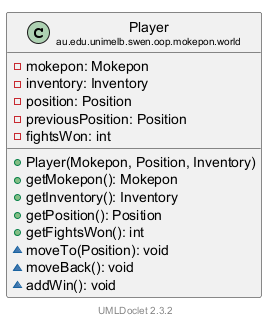
图标的读法在 第 3 章第 4 节。下面是代码:
9public class Player {10 private final Mokepon mokepon;11 private final Inventory inventory;12 private Position position;13 /* The tile before the last move, so the player can run back to it. */14 private Position previousPosition;15 private int fightsWon = 0;16 17 public Player(Mokepon mokepon, Position startPosition, Inventory inventory) {18 this.mokepon = mokepon;19 this.inventory = inventory;20 this.position = startPosition;21 this.previousPosition = startPosition;22 }⋯ 省略第 23–39 行401 void moveTo(Position newPosition) {41 previousPosition = position;42 position = newPosition;43 }44 45 /* Go back to the tile the player stood on before the last move. */462 void moveBack() {47 position = previousPosition;48 }49 503 void addWin() {51 fightsWon++;52 }53}五个字段:mokepon(你选的那只)、inventory(背包)、position(现在的格子)、previousPosition(上一步的格子)、fightsWon(赢了几场,一开始是 0)。前两个是 final,一局里不会换;后三个会变。构造器把 position 和 previousPosition 都设成起点。
会改这些字段的只有三个方法,它们的作用都能在真实截图里看到:
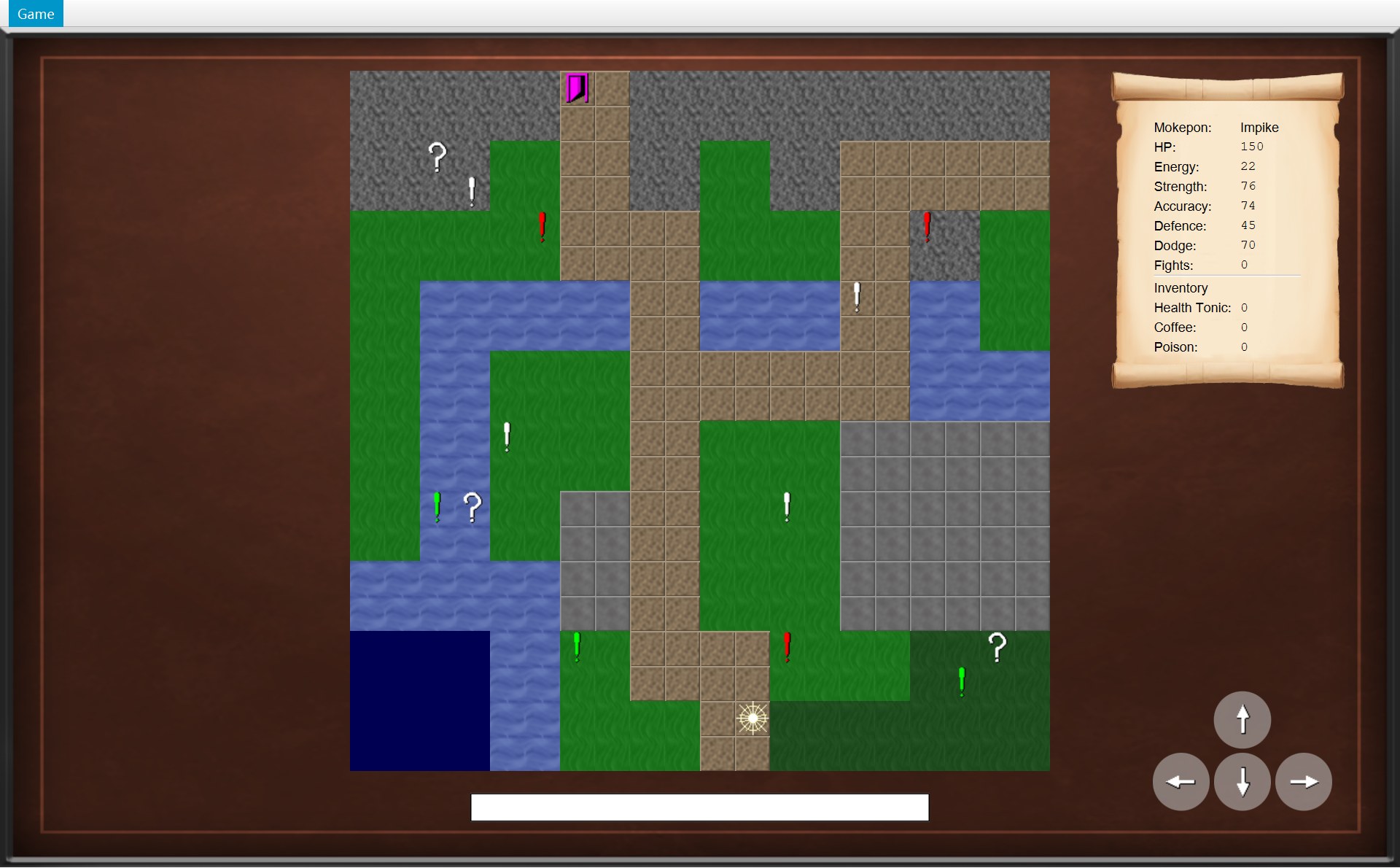
- 1
moveTo((11,18))以后:previousPosition= (10,18)(左边一格),position= (11,18)
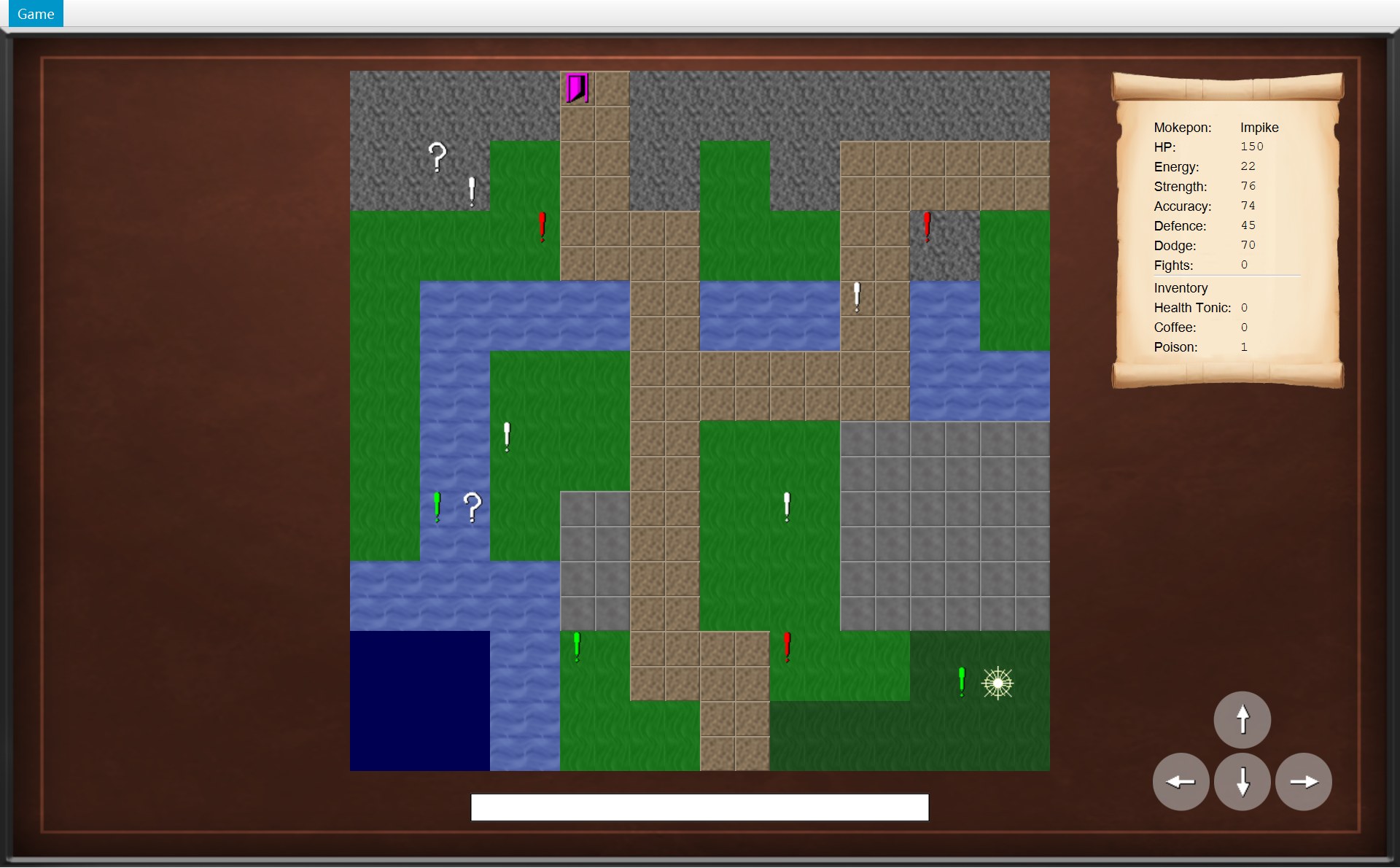
- 2踩上 (17,17) 的感叹号后点 Run Away!:
moveBack()把position设回previousPosition(18,17)
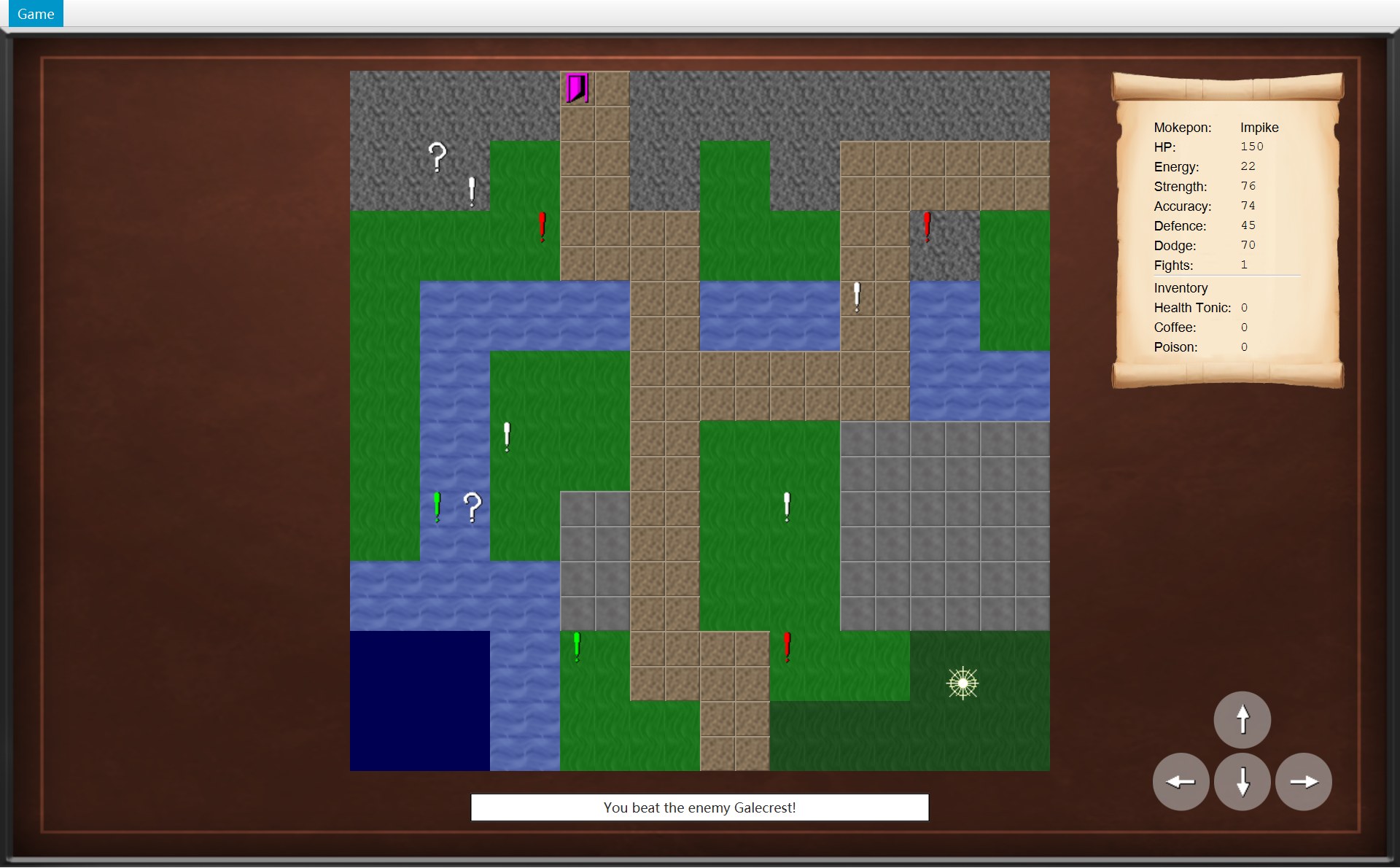
- 3打赢一场回来:
addWin()让fightsWon从 0 变成 1,卷轴写 Fights: 1
注意 moveBack 只改 position,不改 previousPosition。所以逃跑以后两个字段都是 (18,17)。addWin 里的 fightsWon++ 是“自己加 1”,等于 fightsWon = fightsWon + 1(自增 increment)。
Overworld:这一局的规则中心
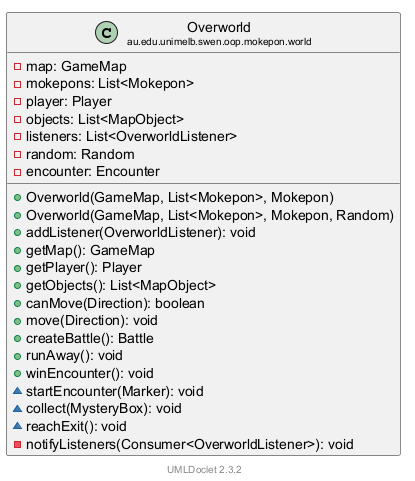
七个字段,一个一个说:
map:那张不变的 CGameMap。mokepons:全部 36 只 Mokepon 的列表,踩到感叹号时从里面挑敌人(第 9 章)。player:这一局的 CPlayer。objects:还留在地图上的物体。开局 14 个,捡掉一个箱子、打败一个感叹号就少一个。listeners:登记过的监听者(第 6 节),类型是接口 IOverworldListener。random:随机数生成器,挑敌人用。encounter:正在进行的遇敌。注释说没有遇敌时它是null。
构造器:每一局都从头开始
28 /* Start a new game on the map with the chosen Mokepon. */29 public Overworld(GameMap map, List<Mokepon> mokepons, Mokepon playerChoice) {301 this(map, mokepons, playerChoice, new Random());31 }32 33 /* Start a new game with a chosen random number generator. */34 public Overworld(GameMap map, List<Mokepon> mokepons, Mokepon playerChoice, Random random) {35 this.map = map;36 this.mokepons = List.copyOf(mokepons);37 this.random = random;382 Inventory inventory = new Inventory(ItemCatalogue.getAll());393 this.player = new Player(playerChoice, map.getStartPosition(), inventory);40 /* Copy the objects, so collecting a box or beating a marker never changes the map. */414 this.objects = new ArrayList<>(map.getObjects());42 }- 红 1(第 30 行):CGameWindow 用的是 3 个参数的构造器。它只有一行
this(map, mokepons, playerChoice, new Random()):补上一个新的随机数生成器,交给 4 个参数的构造器去做真正的事。这叫构造器链(constructor chaining),写法是this(...)(第 2 章第 2 节)。4 个参数的版本可以传入一个自己选的Random(比如固定种子,每次挑出同样的敌人)。在这个项目里,别的类只用 3 个参数的版本(CGameWindow 第 59 行);4 个参数的版本只被它通过this(...)调用。 - 第 35–37 行:存下地图
map;List.copyOf(mokepons)把 36 只 Mokepon 复制成一份只读列表(和 CGameMap 第 22 行同一种写法);存下随机数生成器random。 - 红 2(第 38 行):
new Inventory(ItemCatalogue.getAll()):一个新背包,Health Tonic、Coffee、Poison 都是 0 个。 - 红 3(第 39 行):
new Player(playerChoice, map.getStartPosition(), inventory):玩家站在起点 (10,18),fightsWon= 0。 - 红 4(第 41 行):
new ArrayList<>(map.getObjects()):把地图的 14 个物体复制进自己的列表。注释写着原因:“so collecting a box or beating a marker never changes the map”。
这三种“列表”很像,但不一样,考试问封装时常用:
| 代码 | 在哪 | 复制了吗 | 能改吗 |
|---|---|---|---|
List.copyOf(objects) | CGameMap 构造器 | 复制 | 不能(改就抛异常) |
new ArrayList<>(...) | COverworld 构造器 | 复制 | 能:collect 要 remove |
Collections.unmodifiableList(objects) | COverworld.getObjects | 不复制,只读窗口 | 别人不能改;COverworld 删了东西,窗口里马上看得到 |
getObjects 和 canMove
56 /* Other classes can read the objects but cannot change them. */57 public List<MapObject> getObjects() {58 return Collections.unmodifiableList(objects);59 }60 61 public boolean canMove(Direction direction) {62 return map.isWalkable(player.getPosition().move(direction));63 }getObjects() 给 CMapView 读“地图上还剩哪些物体”,返回的是只读视图(unmodifiable view):CMapView 能读,删不了。
canMove(direction) 只有一行,从里往外读:player.getPosition() 取现在的格子 → .move(direction) 算出旁边那一格(一个新 CPosition)→ map.isWalkable(...) 问地图能不能站。它只是问一问,不会移动玩家。所以画面可以随便调用它,用来决定按钮灰不灰(第 7 节)。
move:一行一行读
65 /* Move the player one tile, then let every object on the new tile react. */66 public void move(Direction direction) {671 if (!canMove(direction)) {68 return;69 }702 player.moveTo(player.getPosition().move(direction));713 notifyListeners(listener -> listener.onPlayerMoved());72 73 /* Loop over a copy, because a mystery box removes itself from the list. */744 for (MapObject object : new ArrayList<>(objects)) {75 if (object.isAt(player.getPosition())) {765 object.interact(this);77 }78 }79 }- 红 1(第 67–69 行)先检查。
!读作“不”,把 true 变成 false、false 变成 true(逻辑运算符)。所以if (!canMove(direction))读作“如果不能往这个方向走”。不能走就return,后面的代码一行都不执行(提前返回(early return))。不会报错,玩家只是原地不动。 - 红 2(第 70 行)再移动。重新算出旁边那一格,交给
player.moveTo(...)。 - 红 3(第 71 行)再通知。告诉所有监听者“玩家动了”:
notifyListeners(listener -> listener.onPlayerMoved())。括号里的写法叫 lambda,第 6 节讲。画面收到后马上调用update(),改好画面上的部件(真正画到屏幕上要等这次按键全部处理完,第 8 节)。 - 红 4(第 74–75 行)最后看脚下。
for (MapObject object : 列表)是 for-each 循环,读成:“对列表里的每一个物体,把它叫做object,做一遍大括号里的事”。大括号里问它:你在玩家现在这一格吗(isAt)? - 红 5(第 76 行)让它自己反应。在的话,调用
object.interact(this),把自己(这个 COverworld)交给它。是感叹号就开始遇敌,是箱子就被捡起,是门就结束游戏(第 5 节)。COverworld 自己不用判断它是哪一种物体。
还有一个顺序要记住:先通知 onPlayerMoved,再处理脚下的物体。所以踩到箱子那一步,画面会被更新两次:一次因为“走了一步”,一次因为“捡到了东西”。第 8 节的动画会看到。
5. 地图上的物体:MapObject 一家
先看地图上的三种物体,再看它们被踩到时运行的代码。三段代码各只有一行,编号和右图一样:
24 @Override25 void interact(Overworld world) {261 world.startEncounter(this);27 }18 @Override19 void interact(Overworld world) {202 world.collect(this);21 }10 @Override11 void interact(Overworld world) {123 world.reachExit();13 }- 1感叹号 CMarker(这是 (12,16) 的红色感叹号):踩上去 →
world.startEncounter(this),开始遇敌 - 2问号箱 CMysteryBox (18,16):踩上去 →
world.collect(this),被捡起 - 3门 CExit (6,0):踩上去 →
world.reachExit(),游戏结束
三段代码都长得一样:@Override void interact(Overworld world),里面调用参数 world 的一个方法。它们是同一个父类的三个子类:
3/* Something that sits on one tile of the map and reacts when the player steps onto it.4 * The overworld treats every object the same way and lets each one decide what happens.5 */61public abstract class MapObject {7 private final Position position;8 private final Sprite sprite;9 102 protected MapObject(Position position, Sprite sprite) {11 this.position = position;12 this.sprite = sprite;13 }⋯ 省略第 14–22 行23 public boolean isAt(Position other) {243 return position.equals(other);25 }26 27 /* Each kind of object reacts in its own way, and asks the world to make the change.28 * Only the overworld calls this, when the player steps onto the object.29 */304 abstract void interact(Overworld world);31}- 红 1(第 6 行)
public abstract class:抽象类,不能直接new MapObject(...),只能 new 它的子类。UML 上它的圆圈里是 A,名字是斜体。 - 红 2(第 10 行):构造器是 protected 的,只给子类的构造器用
super(position, sprite)调用。每个物体都有一个格子和一个样子(CSprite)。 - 红 3(第 24 行)
isAt(other)用的就是 CPosition 的equals(第 3 节)。 - 红 4(第 30 行)
abstract void interact(Overworld world);:抽象方法,只有名字,没有大括号里的代码。每个子类必须自己写。前面没有修饰符,是包内可见:只有 world 包里的类能调用它,实际上只有Overworld.move第 76 行调用(注释也写着 “Only the overworld calls this”)。
三个子类的 interact 都只有一行,各自“回头”调用 COverworld 的一个方法。被回头调用的这三个方法在这里:
102 /* Called by a marker when the player steps onto it. */103 void startEncounter(Marker marker) {104 Terrain terrain = map.getTerrain(marker.getPosition());105 Mokepon enemy = marker.chooseEnemy(mokepons, terrain, random);106 encounter = new Encounter(marker, player.getMokepon(), enemy, terrain);107 notifyListeners(listener -> listener.onEncounter(encounter));108 }109 110 /* Called by a mystery box when the player steps onto it. A box can only be collected once. */111 void collect(MysteryBox box) {112 objects.remove(box);113 player.getInventory().add(box.getItem());114 notifyListeners(listener -> listener.onItemCollected(box.getItem()));115 }116 117 /* Called by the exit when the player steps onto it. */118 void reachExit() {119 notifyListeners(listener -> listener.onExitReached(player.getFightsWon()));120 }画成顺序图,就是一来一回:COverworld 调用物体的 interact(this),把自己交出去;物体再拿着这个参数调用 COverworld 的方法。这种“你调用我,我再回头调用你”叫回头调用(callback)。
| 踩到的 | interact 里写的 | COverworld 做的事 | 发出的通知 |
|---|---|---|---|
| CMarker(感叹号) | world.startEncounter(this) | 看这一格的地形,用这个感叹号的 picker 挑敌人,new Encounter(...) | onEncounter(第 9 章) |
| CMysteryBox(问号箱) | world.collect(this) | 从 objects 删掉这个箱子,背包里这种道具 +1 | onItemCollected |
| CExit(门) | world.reachExit() | 不改任何数据 | onExitReached(第 15 章) |
Sprite:物体长什么样
7public class Sprite {8 /* An empty colour means the image is shown as it is. */9 private static final String NO_TINT = "";10 11 private final String imagePath;12 private final String colour;13 14 /* A sprite that is not tinted, such as a mystery box. */15 public Sprite(String imagePath) {162 this(imagePath, NO_TINT);17 }18 191 public Sprite(String imagePath, String colour) {20 this.imagePath = imagePath;21 this.colour = colour;22 }⋯ 省略第 23–31 行32 public boolean hasTint() {33 return !colour.isEmpty();34 }- 1感叹号:用 2 个参数的构造器造,
colour是这一组的颜色(这个是 red,右边那个绿的是 lime,另一组是 white),hasTint()是 true,画的时候被染色 - 2问号箱:用 1 个参数的构造器造,
colour是空字符串NO_TINT,hasTint()是 false,按原图画
CSprite 只存两个字符串:图片文件的路径,和颜色的名字(比如 "red")。第 9 行 private static final String NO_TINT = "" 是一个常量:空字符串,意思是“不染色”(static final 第 7 节细讲)。第 16 行:1 个参数的构造器用 this(imagePath, NO_TINT) 交给 2 个参数的构造器,又是一次构造器链。第 33 行 return !colour.isEmpty():颜色字符串“不是空的”就要染色。
CSprite 不认识 JavaFX,不会真的去染色。真正染色的是画面那边的 CMapView:
73 /* Markers and the exit are tinted with their colour; mystery boxes are not. */74 private ImageView createObjectView(MapObject object) {75 Sprite sprite = object.getSprite();76 ImageView objectView = createTileView(getImage(sprite.getImagePath()),77 object.getPosition());78 if (sprite.hasTint()) {79 UiStyle.tint(objectView, sprite.getColour());80 }81 return objectView;82 }UiStyle.tint 用 JavaFX 的一盏彩色灯光照这张图:白色的部分变成灯的颜色,黑边还是黑的(染色)。原图的感叹号是白色的,所以 red 组变红、lime 组变绿;white 组也被“染”了,只是染成白色,看起来和原图一样。门染成 magenta(洋红)。把颜色存成文字、在 ui 包里才染色,规则包就不用 import javafx——这是规则与界面分离。
6. 观察者模式:Overworld 怎么告诉画面
问题是这样的:玩家走了一步,COverworld 改了 CPlayer 的 position。屏幕上的星形图片怎么知道要挪?COverworld 在 world 包里,不认识 COverworldScreen。办法是:先定一个接口,写清楚“地图上会发生哪几件事”。
6/* Observer: the things that happen in the overworld which a listener (such as a screen)7 * may want to show. The overworld calls these methods; it does not know what they do.8 */9public interface OverworldListener {10 11 /* The player is now on a different tile. */12 void onPlayerMoved();13 14 /* The player stepped onto a marker and met a wild Mokepon. */15 void onEncounter(Encounter encounter);16 17 /* The player picked up an item from a mystery box. */18 void onItemCollected(Item item);19 20 /* The player won the battle of the last encounter. */21 void onEncounterWon(Mokepon enemy);22 23 /* The player stepped onto the exit and finished the game. */24 void onExitReached(int fightsWon);25}接口里只有五个方法的名字,没有代码。注释第一个词就是 “Observer”,后面写着 “The overworld calls these methods; it does not know what they do.”。意思是:谁想知道地图上发生了什么,就实现这个接口;COverworld 只管调用,不管对方拿去做什么。COverworldScreen 的类声明是:
public class OverworldScreen extends GameScreen implements OverworldListener
它继承(extends)AGameScreen,同时实现(implements)IOverworldListener,所以五个方法它都得写(第 72–112 行)。
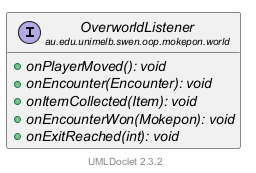
COverworld 这一边只有三段代码:
231 private final List<OverworldListener> listeners = new ArrayList<>();⋯ 省略第 24–43 行44 public void addListener(OverworldListener listener) {452 listeners.add(listener);46 }⋯ 省略第 47–121 行122 /* Send the same message to every registered listener.123 * The lambda says which listener method to call.124 */125 private void notifyListeners(Consumer<OverworldListener> message) {126 for (OverworldListener listener : listeners) {1273 message.accept(listener);128 }129 }- 红 1(第 23 行):一个
List<OverworldListener>,一开始是空的。 - 红 2(第 45 行)
addListener:往列表里加一个监听者。参数类型是接口,所以任何实现了它的对象都能加进来。 - 红 3(第 127 行)
notifyListeners:第 126 行 for-each 遍历列表,对每一个监听者执行一次message.accept(listener)。
这段 lambda 从哪里出发、到哪里结束,用下面这个四步的小动画看一遍:
71 notifyListeners(listener -> listener.onPlayerMoved());⋯ 省略第 72–124 行125 private void notifyListeners(Consumer<OverworldListener> message) {126 for (OverworldListener listener : listeners) {127 message.accept(listener);128 }72 @Override73 public void onPlayerMoved() {74 /* A successful move clears the old message. */75 statusBar.setText("");76 update();77 }- 第 71 行:
listener -> listener.onPlayerMoved()这一段不会马上运行。它被当成一个值,作为参数交给notifyListeners。箭头左边的listener是它自己的参数名,现在还没有值。 - 第 125 行:
notifyListeners用参数message收下这段 lambda。message的类型是Consumer<OverworldListener>,它唯一的抽象方法accept的内容,就是这段 lambda。 - 第 126 行 for-each:对
listeners里的每一个,叫它listener,执行第 127 行message.accept(listener)。现在列表里只有 1 个:startGame登记的 COverworldScreen(下一个动画讲它怎么进来的)。 accept(listener)把这个 listener 放进 lambda 的参数,运行箭头右边:listener.onPlayerMoved()。listener 实际上是 COverworldScreen,所以运行它的第 73–76 行:清空状态栏,update()。COverworld 全程只知道“这是一个 IOverworldListener”。
谁登记?GameWindow.startGame
列表一开始是空的,总得有人把画面放进去。这个人是 CGameWindow:在选择界面点 Choose Mokepon 时,它的 startGame 按顺序做四件事。下面一步一步看。顺序图的读法见 第 1 章第 3 节:每根竖虚线是一个对象,从上往下是时间,实线箭头 = 调用,绕回自己 = 调用自己的方法;灰色的虚线箭头 = new 一个新对象。正在讲的那一步,箭头会变成红色、流动的虚线——那只是高亮,不管它是不是 new。顺序图下面是这一步正在运行的代码。
58 public void startGame(Mokepon playerChoice) {59 world = new Overworld(map, mokepons, playerChoice);60 overworldScreen = new OverworldScreen(world, images, this);61 world.addListener(overworldScreen);62 showScreen(overworldScreen);63 }29 public Overworld(GameMap map, List<Mokepon> mokepons, Mokepon playerChoice) {30 this(map, mokepons, playerChoice, new Random());31 }34 public Overworld(GameMap map, List<Mokepon> mokepons, Mokepon playerChoice, Random random) {35 this.map = map;36 this.mokepons = List.copyOf(mokepons);37 this.random = random;38 Inventory inventory = new Inventory(ItemCatalogue.getAll());39 this.player = new Player(playerChoice, map.getStartPosition(), inventory);40 /* Copy the objects, so collecting a box or beating a marker never changes the map. */41 this.objects = new ArrayList<>(map.getObjects());55 public OverworldScreen(Overworld world, GameImages images, GameNavigator navigator) {56 super(navigator);57 this.world = world;⋯ 省略第 58–59 行60 GameMap map = world.getMap();61 double mapX = (UiStyle.GAME_WIDTH - map.getWidth() * MapView.TILE_SIZE) / 2.0;62 double mapBottom = MAP_Y + map.getHeight() * MapView.TILE_SIZE;63 mapView = new MapView(world, images, mapX, MAP_Y);64 statsScroll = new PlayerStatsScroll(world.getPlayer(), STATS_X, STATS_Y,65 STATS_WIDTH, STATS_HEIGHT);66 statusBar = createStatusBar(mapBottom + STATUS_GAP);67 68 addToView(mapView.getNode(), statsScroll.getNode(), createMovePad(images), statusBar);69 update();44 public void addListener(OverworldListener listener) {45 listeners.add(listener);46 }- 1玩家在起点 (10,18)
71 notifyListeners(listener -> listener.onPlayerMoved());⋯ 省略第 72–124 行125 private void notifyListeners(Consumer<OverworldListener> message) {126 for (OverworldListener listener : listeners) {127 message.accept(listener);128 }- 第 59 行
new Overworld(map, mokepons, playerChoice):造这一局的规则对象。3 个参数的构造器只有一行this(..., new Random()):补上随机数生成器,交给 4 个参数的构造器(构造器链)。 - 4 个参数的构造器:存下
map,复制 36 只 Mokepon 的列表,new Inventory(...)(三种道具都是 0 个),new Player(...)(站在起点 (10,18)),再把 14 个物体复制进自己的objects。第 23 行的listeners这时还是空列表。 - CGameWindow 第 60 行
new OverworldScreen(world, images, this),运行画面的构造器:第 57 行先把world存进自己的字段;第 60–61 行读world.getMap(),算出地图放在哪;第 63 行造 CMapView(它读getObjects()和玩家位置),第 64 行造 CPlayerStatsScroll(读getPlayer()),第 66 行造状态栏;第 68 行连同 4 个按钮一起放进画面,第 69 行自己update()一次,第一帧就画好了。注意:这时 COverworld 还不认识它。 - 第 61 行
world.addListener(overworldScreen):listeners.add(listener)。参数类型是接口 IOverworldListener;COverworldScreen 写了implements OverworldListener,所以放得进去。现在列表里有 1 个对象。登记观察者的是 CGameWindow,考试常问 “Who registers the observer?” - 第 62 行
showScreen(overworldScreen):窗口中间换成地图画面。你看到的就是这一帧,玩家(红 1)在 (10,18)。 - 以后每次
move成功,第 71 行notifyListeners(...)。第 126 行的 for 遍历listeners,里面就是第 4 步登记的那个画面,对它执行message.accept(listener),也就是onPlayerMoved()。假如漏写第 61 行:列表是空的,循环一次都不跑。规则里玩家照样在走,屏幕却永远停在 (10,18)。
五个通知,画面各做什么
| 通知 | 谁发(COverworld 的方法) | 什么时候 | COverworldScreen 做什么 |
|---|---|---|---|
onPlayerMoved() | move、runAway | 走成功一步;逃跑退回上一格 | 清空状态栏,update() |
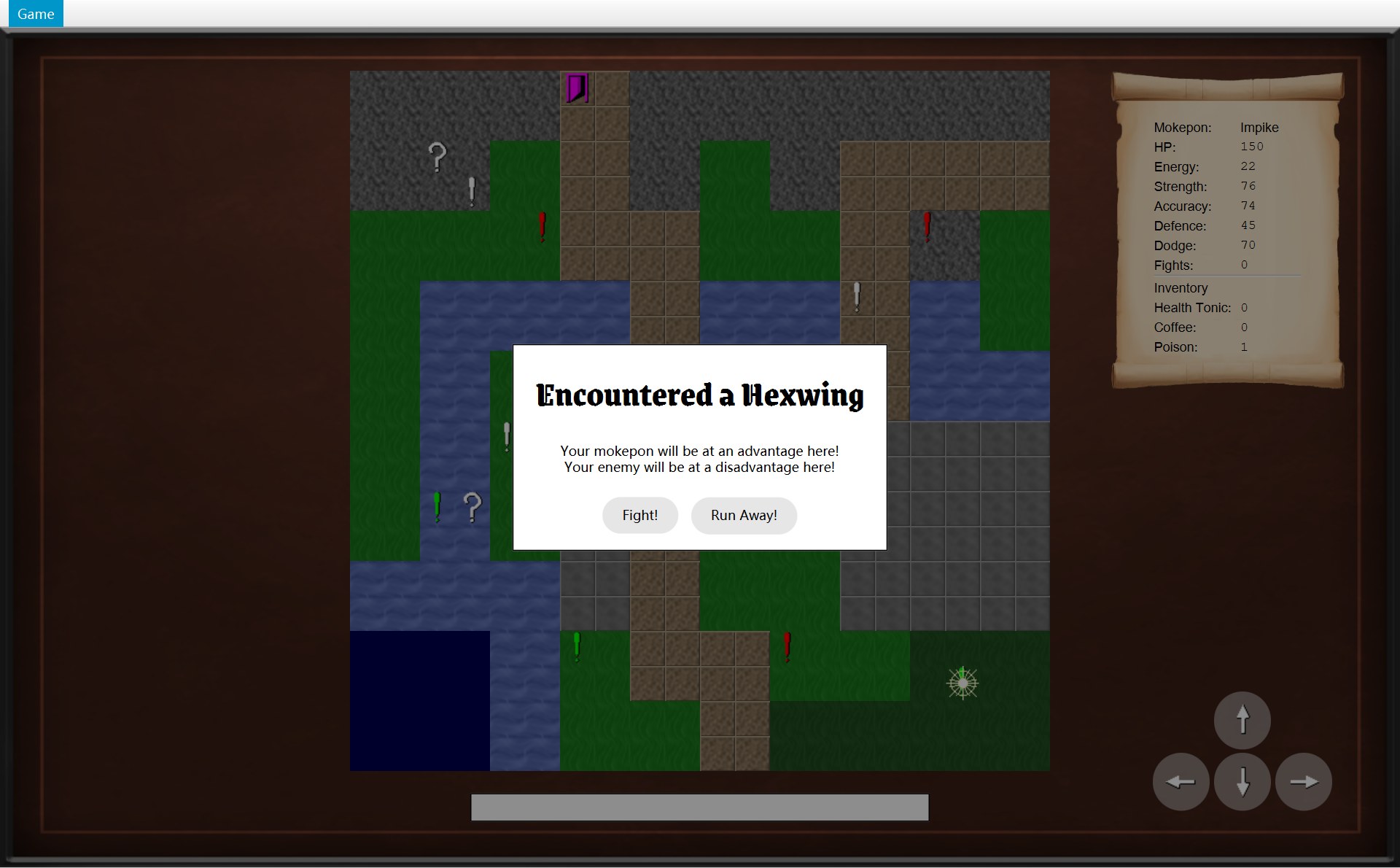
onEncounter(encounter) | startEncounter(CMarker 调的) | 踩上感叹号 | 弹出遇敌框(第 9 章) |
onItemCollected(item) | collect(CMysteryBox 调的) | 踩上问号箱 | 状态栏写 You picked up a …!,update() |
onEncounterWon(enemy) | winEncounter(CGameWindow.winBattle 调的) | 打赢回到地图 | 状态栏写 You beat the enemy …!,update() |
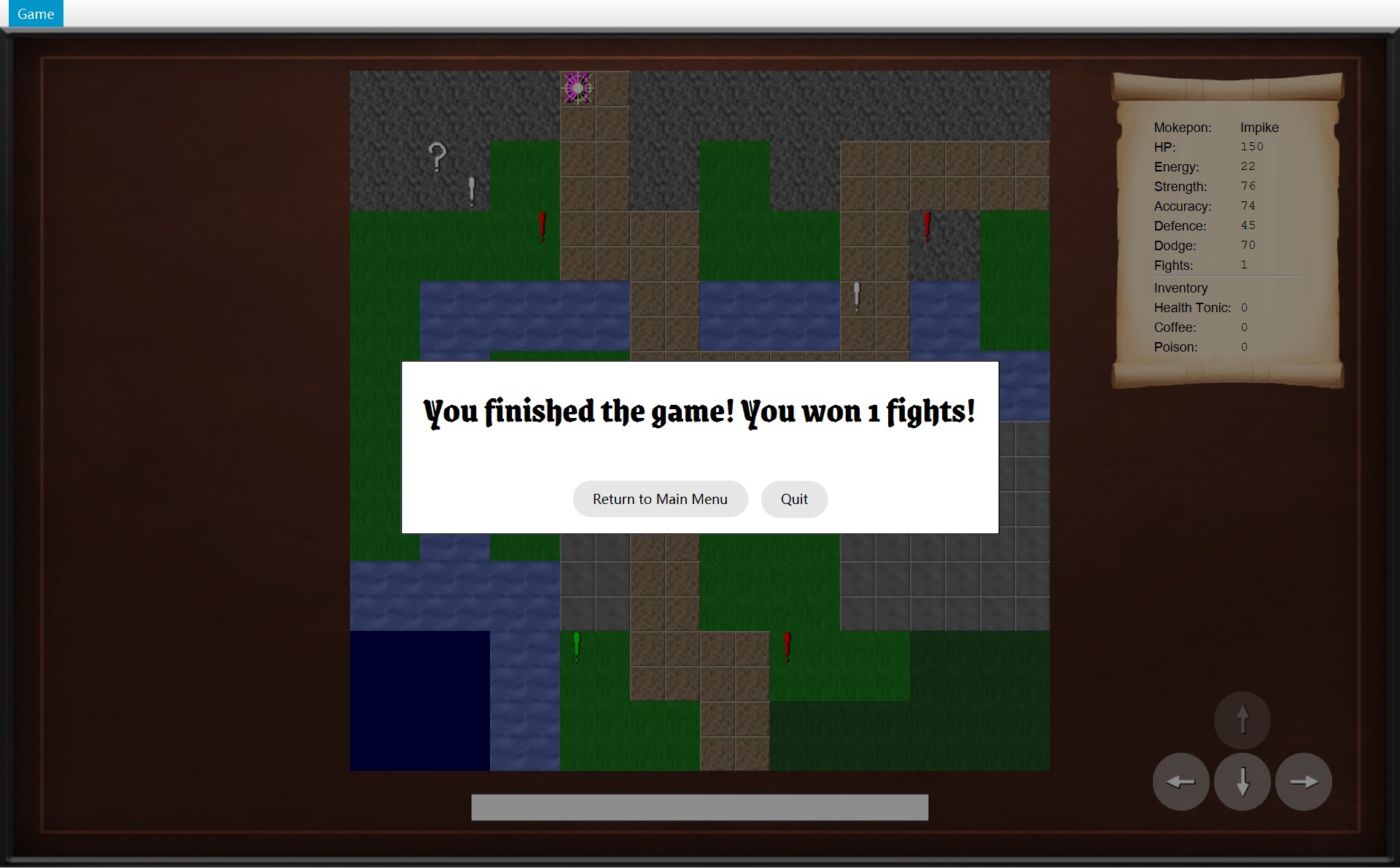
onExitReached(fightsWon) | reachExit(CExit 调的) | 踩上门 | 弹出游戏结束框(第 15 章) |
下面是代码和它在真实游戏里的结果,编号一一对应(鼠标放在图下的说明上,代码里同号的行会一起亮):
72 @Override73 public void onPlayerMoved() {74 /* A successful move clears the old message. */75 statusBar.setText("");76 update();77 }78 79 @Override80 public void onEncounter(Encounter encounter) {813 ModalDialog dialog = new ModalDialog("Encountered a " + encounter.getEnemy().getName());82 for (String message : encounter.getTerrainMessages()) {83 dialog.addMessage(message);84 }85 dialog.addButton("Fight!", event -> {86 closeDialog();87 getNavigator().startBattle();88 });89 dialog.addButton("Run Away!", event -> {90 closeDialog();91 world.runAway();92 });93 showDialog(dialog);94 }95 96 @Override97 public void onItemCollected(Item item) {981 statusBar.setText("You picked up a " + item.getName() + "!");99 update();100 }101 102 @Override103 public void onEncounterWon(Mokepon enemy) {1042 statusBar.setText("You beat the enemy " + enemy.getName() + "!");105 update();106 }107 108 @Override109 public void onExitReached(int fightsWon) {1104 showDialog(createGameEndDialog("You finished the game! You won " + fightsWon111 + " fights!"));112 }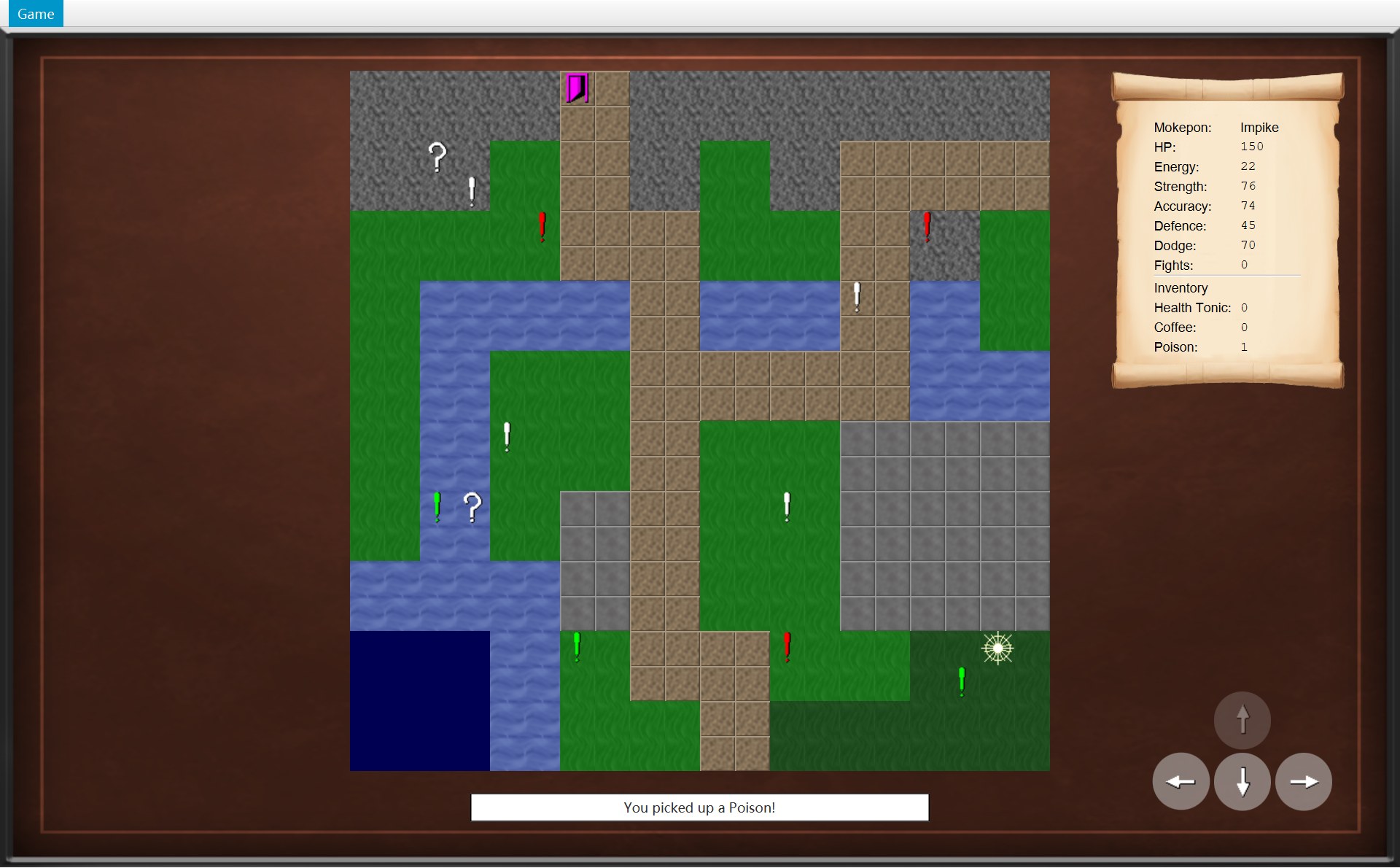
- 1
onItemCollected:"You picked up a " + item.getName() + "!"
- 2
onEncounterWon:"You beat the enemy " + enemy.getName() + "!"
- 3
onEncounter:new ModalDialog("Encountered a " + 敌人名字)
- 4
onExitReached(1):"You finished the game! You won " + fightsWon + " fights!"
- 红 1(第 98 行):
"You picked up a " + item.getName() + "!"。字符串之间的+是把文字接起来(字符串拼接):"You picked up a "+"Poison"+"!"="You picked up a Poison!"。写进状态栏,再update()(第 99 行)。 - 红 2(第 104 行):同样的拼法,敌人的名字接在
"You beat the enemy "后面。这次打败的是 Galecrest(敌人是随机挑的,每次可能不同)。 - 红 3(第 81–93 行):造一个对话框,标题是
"Encountered a "+ 敌人名字;第 82–84 行 for-each 把地形提示一条一条加进去;第 85–92 行加两个按钮,每个按钮后面跟一个 lambda(event -> { ... }),只有点了按钮才运行:Fight! 去打仗,Run Away! 调用world.runAway()。第 93 行showDialog把框显示出来。细节在 第 9 章第 3 节。 - 红 4(第 110–111 行):游戏结束框。
fightsWon是 int,和字符串相加时会自动变成文字"1"。这个框在 第 15 章讲。
为什么这样设计?COverworld 只认识接口 IOverworldListener,不知道收消息的是一个 JavaFX 画面,也不知道它会写状态栏还是弹框。所以:
- 规则包不依赖画面包:world 包里没有一个
import ...ui,也没有import javafx。可以不打开窗口,只用代码测试 COverworld。 - 想多一个监听者(比如一个记录每一步的日志类),只要再实现接口、再
addListener,COverworld 不用改。 - 本来是“规则依赖画面”的方向,被一个接口倒过来了:两边都依赖 IOverworldListener。这也是依赖倒置(Dependency Inversion)的例子。第 16 章把它和别的模式放在一起比较。
7. 画面这一边:OverworldScreen、MapView、PlayerStatsScroll
构造器:每一块放在哪
30 private static final int MAP_Y = 40;31 /* The player stats scroll in the top right. */32 private static final int STATS_X = 1015;33 private static final int STATS_Y = 40;34 private static final int STATS_WIDTH = 215;35 private static final int STATS_HEIGHT = 292;36 /* The status bar sits under the map, in the centre. */37 private static final int STATUS_WIDTH = 420;38 private static final int STATUS_HEIGHT = 26;39 private static final int STATUS_GAP = 20;40 private static final String STATUS_STYLE = "-fx-background-color: white;"41 + "-fx-border-color: black;";42 /* The round movement buttons in the bottom right. */43 private static final int PAD_X = 1054;44 private static final int PAD_Y = 607;45 private static final int BUTTON_SIZE = 52;46 private static final int BUTTON_GAP = 4;47 private static final int ICON_SIZE = 32;⋯ 省略第 48–54 行55 public OverworldScreen(Overworld world, GameImages images, GameNavigator navigator) {56 super(navigator);57 this.world = world;58 59 /* Centre the map across the screen, whatever its size. */60 GameMap map = world.getMap();61 double mapX = (UiStyle.GAME_WIDTH - map.getWidth() * MapView.TILE_SIZE) / 2.0;62 double mapBottom = MAP_Y + map.getHeight() * MapView.TILE_SIZE;631 mapView = new MapView(world, images, mapX, MAP_Y);642 statsScroll = new PlayerStatsScroll(world.getPlayer(), STATS_X, STATS_Y,65 STATS_WIDTH, STATS_HEIGHT);663 statusBar = createStatusBar(mapBottom + STATUS_GAP);67 684 addToView(mapView.getNode(), statsScroll.getNode(), createMovePad(images), statusBar);69 update();70 }- 1地图
mapView(CMapView):放在 (mapX, MAP_Y) - 2卷轴
statsScroll(CPlayerStatsScroll) - 3状态栏
statusBar(一个Label) - 4方向按钮:
createMovePad(images)造的GridPane;第 68 行addToView把四块按顺序放进画面
位置全是算出来的,算一遍和截图对一对(游戏区的坐标加上菜单栏 25 就是截图坐标):
| 部件 | 截图里 | 代码怎么算 |
|---|---|---|
| 1 地图 | (320, 65) | x = (1280 − 20 × 32) / 2.0 = 320.0;y = MAP_Y = 40 |
| 2 卷轴 | (1015, 65) | STATS_X = 1015,STATS_Y = 40,215 × 292 |
| 3 状态栏 | (430, 725) | x = (1280 − 420) / 2.0 = 430;y = 地图底边 (40 + 20 × 32 = 680) + STATUS_GAP 20 = 700 |
| 4 按钮 | (1054, 632) | PAD_X = 1054,PAD_Y = 607 |
第 61 行除以 2.0 而不是 2:写 2.0 让结果直接是 double(mapX 是 double,CMapView 构造器第 30 行的参数 x 也是 double)。在这个项目里 1280 − 宽 × 32 一定是 32 的倍数,写 2 其实也不会丢小数;用 2.0 是一个好习惯:以后把窗口宽度或格子大小改成别的数,也不会被整数除法(两个 int 相除,小数直接扔掉)截断。第 59 行注释说 “whatever its size”,意思是位置用 map.getWidth() 算出来,没有写死 320:换一张别的大小的地图,它照样居中。
方向按钮:GridPane 里的四格
152 /* Up sits above down, with left and right on either side of down. */153 private GridPane createMovePad(GameImages images) {154 GridPane pad = new GridPane();155 pad.setHgap(BUTTON_GAP);156 pad.setVgap(BUTTON_GAP);157 pad.setLayoutX(PAD_X);158 pad.setLayoutY(PAD_Y);1591 pad.add(createMoveButton(Direction.UP, images), 1, 0);1602 pad.add(createMoveButton(Direction.LEFT, images), 0, 1);1613 pad.add(createMoveButton(Direction.DOWN, images), 1, 1);1624 pad.add(createMoveButton(Direction.RIGHT, images), 2, 1);163 return pad;164 }165 166 private GameButton createMoveButton(Direction direction, GameImages images) {167 ImageView icon = UiStyle.createIcon(UiStyle.loadImage(images.getButtonImage(direction)),168 ICON_SIZE);169 GameButton button = new GameButton(icon, BUTTON_SIZE / 2);170 button.setMinSize(BUTTON_SIZE, BUTTON_SIZE);171 button.setPrefSize(BUTTON_SIZE, BUTTON_SIZE);172 button.addPressEffect();173 button.setOnAction(event -> movePlayer(direction));174 moveButtons.put(direction, button);175 return button;176 }- 1UP 放在第 1 列、第 0 行:x = 1054 + 52 + 4 = 1110,y = 632
- 2LEFT:第 0 列、第 1 行 → (1054, 688)
- 3DOWN:第 1 列、第 1 行 → (1110, 688)
- 4RIGHT:第 2 列、第 1 行 → (1166, 688)
GridPane(网格布局)的 add(按钮, 列, 行) 先写列、再写行。每个按钮是一个 CGameButton,圆角半径 BUTTON_SIZE / 2 = 26,正好是 52 的一半,所以是圆的。第 173 行 button.setOnAction(event -> movePlayer(direction)):点按钮时调用 movePlayer,和按方向键走的是同一个方法。第 174 行把按钮存进 moveButtons(一个“方向 → 按钮”的 EnumMap),update() 要用它。
按键:handleKey 和 movePlayer
25 private static final Map<KeyCode, Direction> ARROW_KEYS = Map.of(26 KeyCode.UP, Direction.UP,27 KeyCode.DOWN, Direction.DOWN,28 KeyCode.LEFT, Direction.LEFT,29 KeyCode.RIGHT, Direction.RIGHT);⋯ 省略第 30–113 行114 /* The arrow keys move the player. Other keys are not used here. */115 @Override116 protected void handleKey(KeyEvent event) {117 Direction direction = ARROW_KEYS.get(event.getCode());118 if (direction != null) {119 movePlayer(direction);120 event.consume();121 }122 }123 124 /* The overworld does nothing if the move is not possible.125 * Nothing can move while a dialog is open.126 */127 private void movePlayer(Direction direction) {128 if (!isDialogOpen()) {129 world.move(direction);130 }131 }- 第 25–29 行
ARROW_KEYS:一个“键 → 方向”的表(Map),用 Map.of 一次造好,不能修改。它也是static final:整个程序只有一份。 - 第 117 行:用按下的键去查表。不是方向键(比如字母 A),查到的是 null(什么都没有)。第 118 行
direction != null读作“direction 不是空的”:查到了方向才进if,否则什么都不做。 - 第 119–120 行:调用
movePlayer(direction),然后event.consume()(消费事件),这个方向键就算处理完了。 - 第 128–129 行
movePlayer:!isDialogOpen()读作“没有对话框开着”,这时才world.move(direction)。
update():按钮什么时候变灰
133 /* Make the map, the scroll and the buttons match the world. */134 private void update() {135 mapView.update();136 statsScroll.update();137 for (Map.Entry<Direction, GameButton> entry : moveButtons.entrySet()) {1381 entry.getValue().setUsable(world.canMove(entry.getKey()));139 }140 }- 1→ 按钮变淡:第 138 行
setUsable(false)。另外三个方向都能走,照常
- 2原因:玩家(Ironshell)在 (5,12)
- 3右边 (6,12) 是 BARRIER:
canMove(RIGHT)→isWalkable返回 false(和第 2 节的图是同一张截图)
update() 做三件事:重画地图(mapView.update()),更新卷轴(statsScroll.update()),再把四个按钮挨个问一遍。第 137 行 for (Map.Entry<Direction, GameButton> entry : moveButtons.entrySet()) 也是 for-each:entrySet() 是这张表里所有“方向 → 按钮”的配对,每一对叫一个 Map.Entry;entry.getKey() 是方向,entry.getValue() 是按钮。第 138 行 setUsable(world.canMove(方向))。画面自己不懂地形,它只问规则。
这一章里出现了好几张“表”。Map 就是一张“键 → 值”的表:给一个键,查出一个值。EnumMap、HashMap、LinkedHashMap 只是存法不同(主要是遍历时的顺序不同),用法一样(第 2 章第 5 节)。它们里面真正装着什么:
| 字段 | 类型 | 键 → 值(真实内容) |
|---|---|---|
ARROW_KEYS | Map.of 造的,改不了 | KeyCode.UP 对应 Direction.UP;DOWN、LEFT、RIGHT 也一样,一共 4 对 |
moveButtons | EnumMap<Direction, GameButton> | UP 对应向上的圆按钮,DOWN 对应向下的,LEFT 对应向左的,RIGHT 对应向右的,一共 4 对。EnumMap 按枚举的顺序遍历,所以 update() 依次问 UP、DOWN、LEFT、RIGHT |
itemValues(CPlayerStatsScroll) | LinkedHashMap<Item, Label> | Health Tonic 对应一个写着 "0" 的 Label,Coffee 对应 "0",Poison 对应 "0"(捡到箱子以后变成 "1")。按放进去的顺序遍历 |
objectViews(CMapView) | HashMap<MapObject, ImageView> | 14 个物体,每个对应自己的那张图片 |
loadedImages(CMapView) | HashMap<String, Image> | 图片文件路径对应读好的图片(同一个路径只读一次) |
50 /* A disabled button fades out as a whole, including its text and image. */51 public void setUsable(boolean usable) {52 setDisable(!usable);53 setBackgroundOpacity(NORMAL);54 setOpacity(usable ? 1 : DISABLED_OPACITY);55 }setDisable(!usable):! 把 true 变 false,所以能用(true)→ 不禁用(false),不能用 → 禁用,按钮点不动。setOpacity(usable ? 1 : DISABLED_OPACITY) 是三元运算符:能用就完全不透明(1),不能用就 0.4,整个按钮连箭头一起变淡(第 6 章讲 CGameButton)。
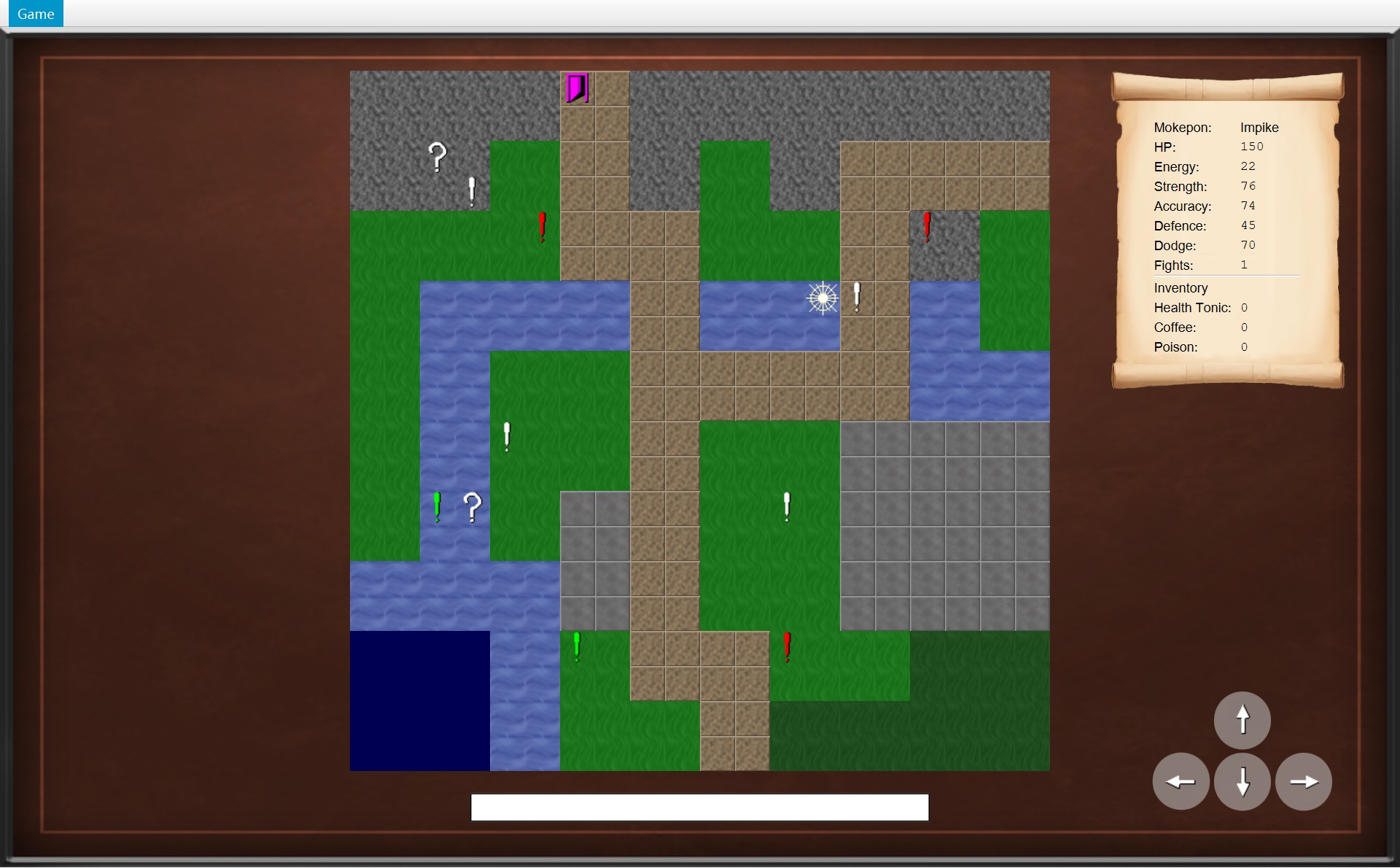
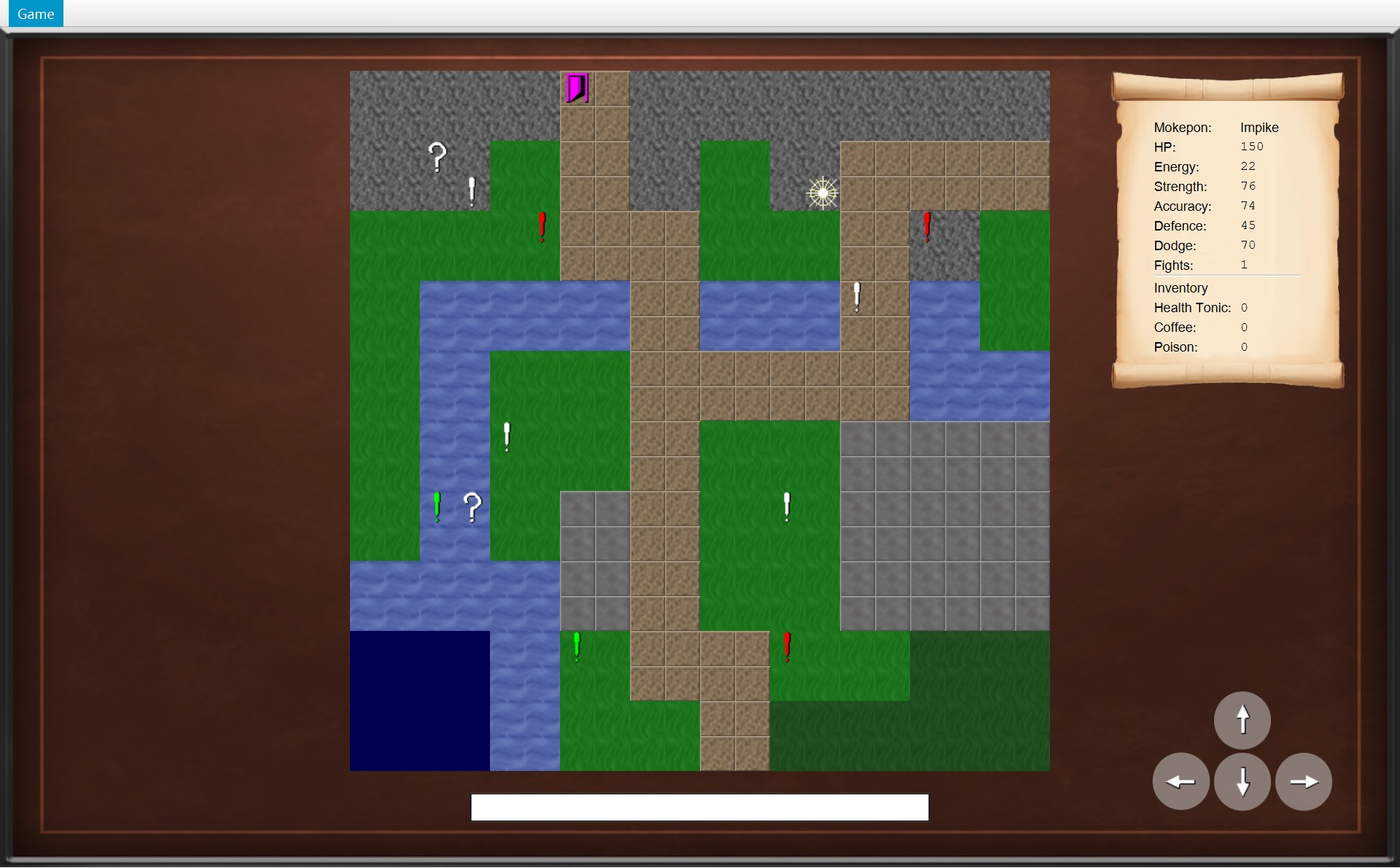
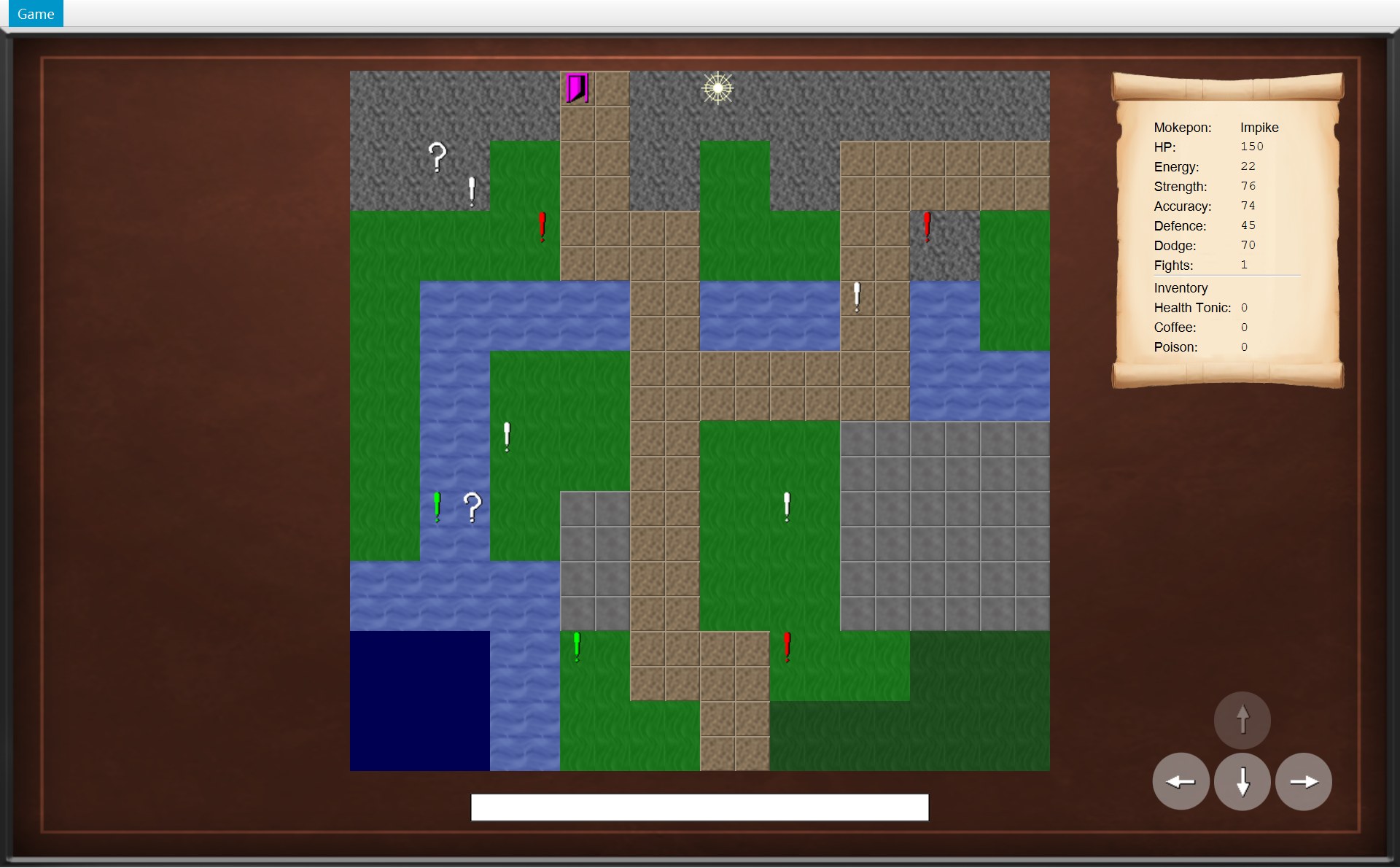
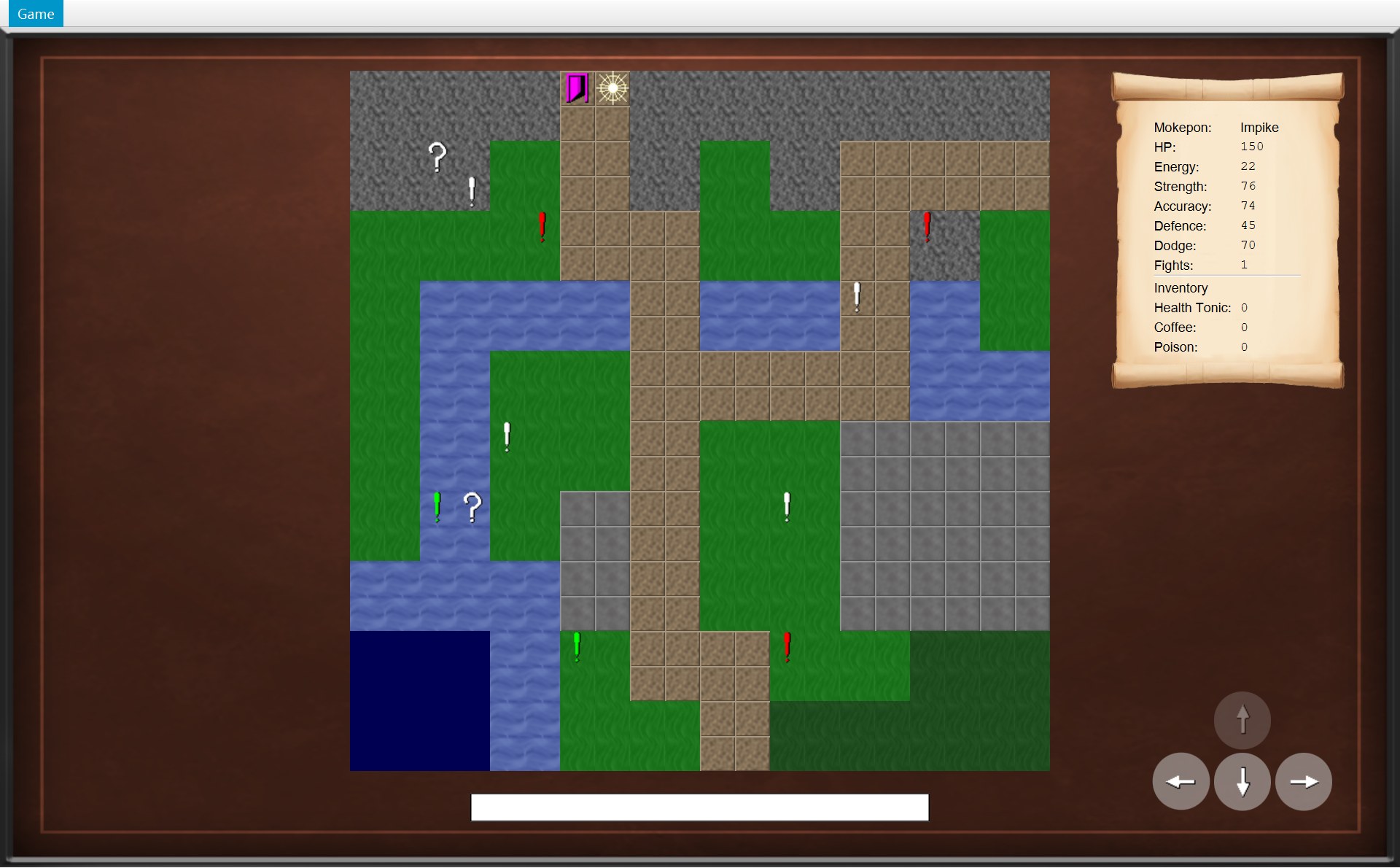
下面是真实游戏里走向出口的一串截图。看右下角的按钮:每一帧都是 update() 刚问过四次 canMove 的结果。(这一串不是每一步都截了图,中间有几步省略。)
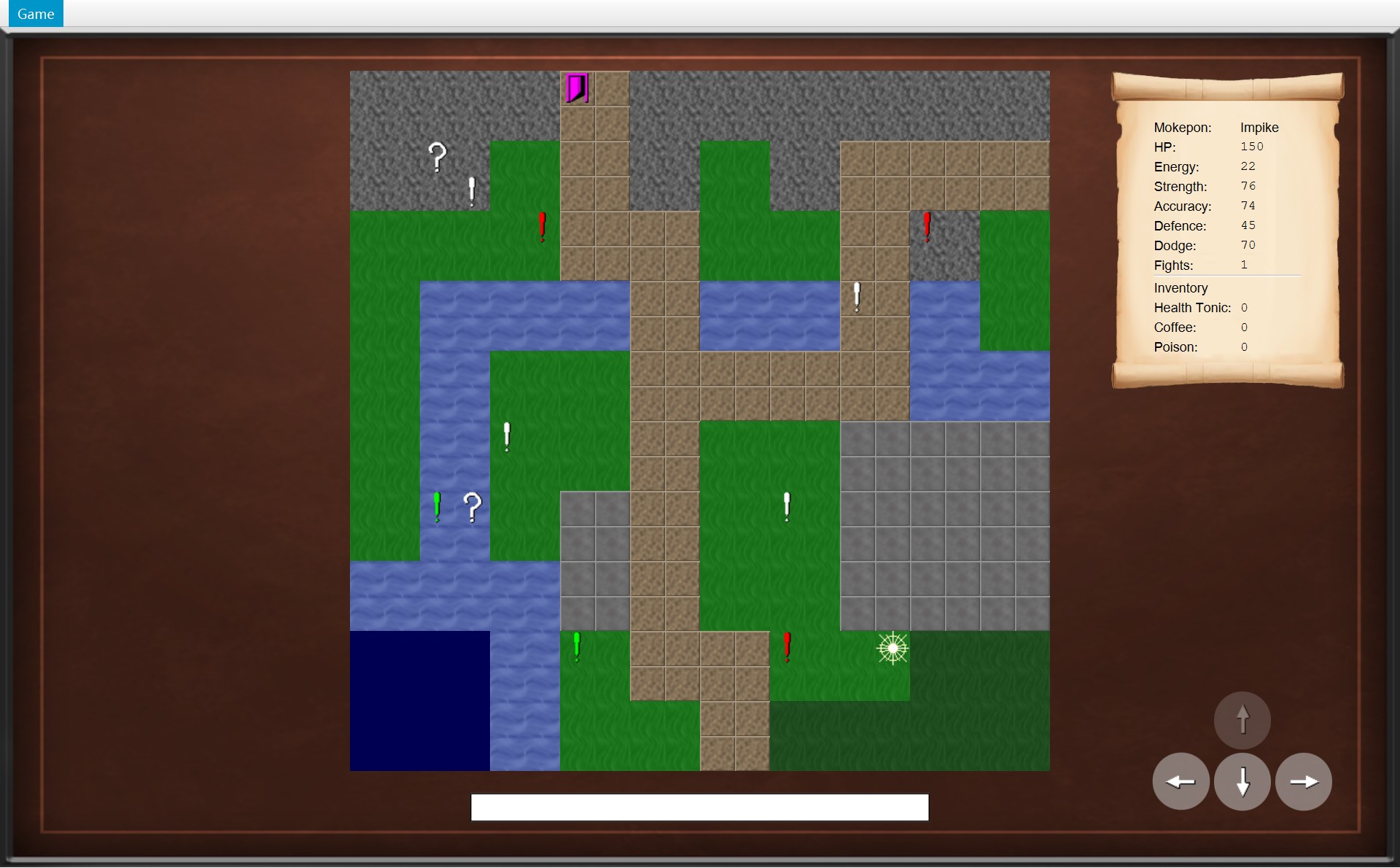
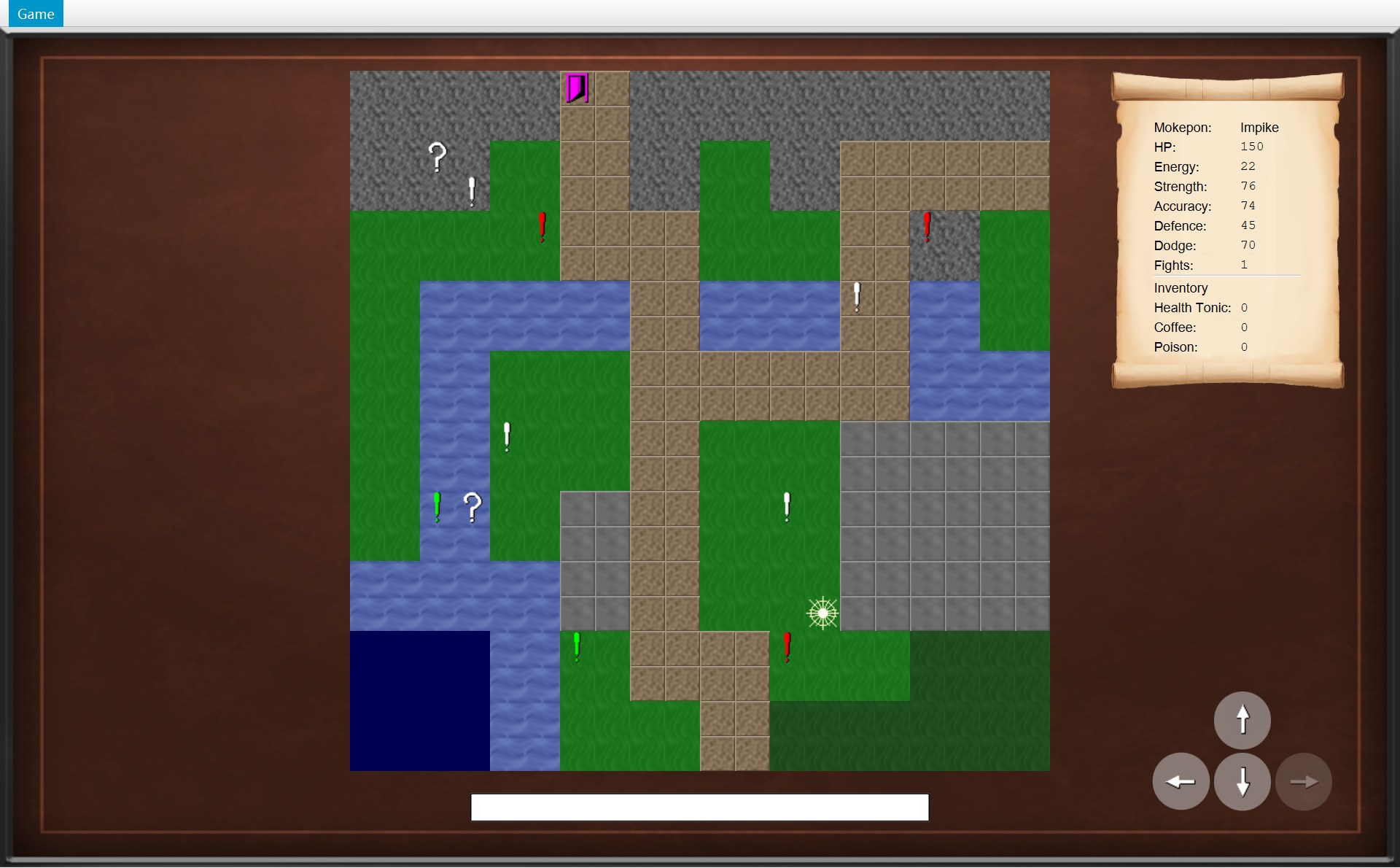
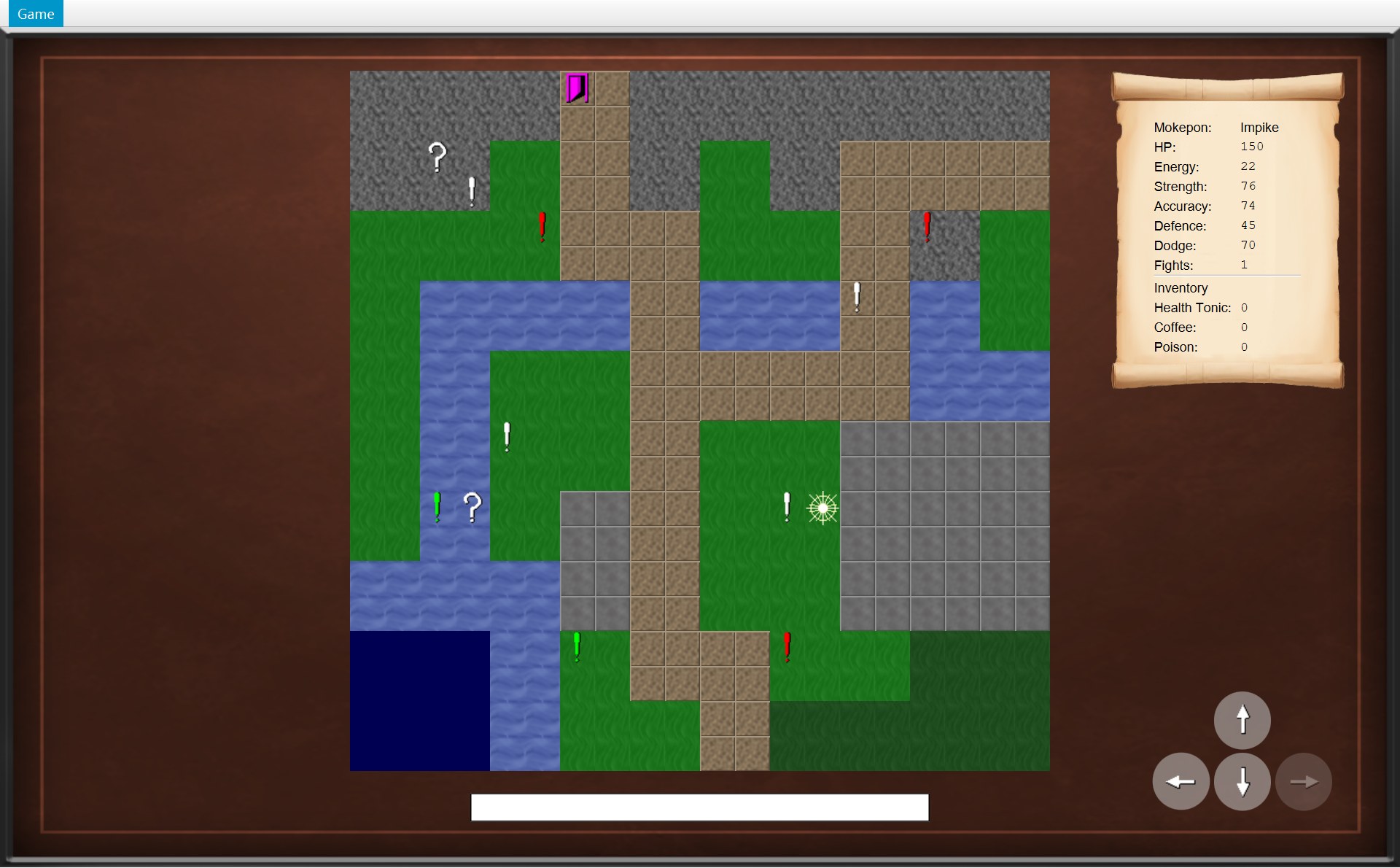
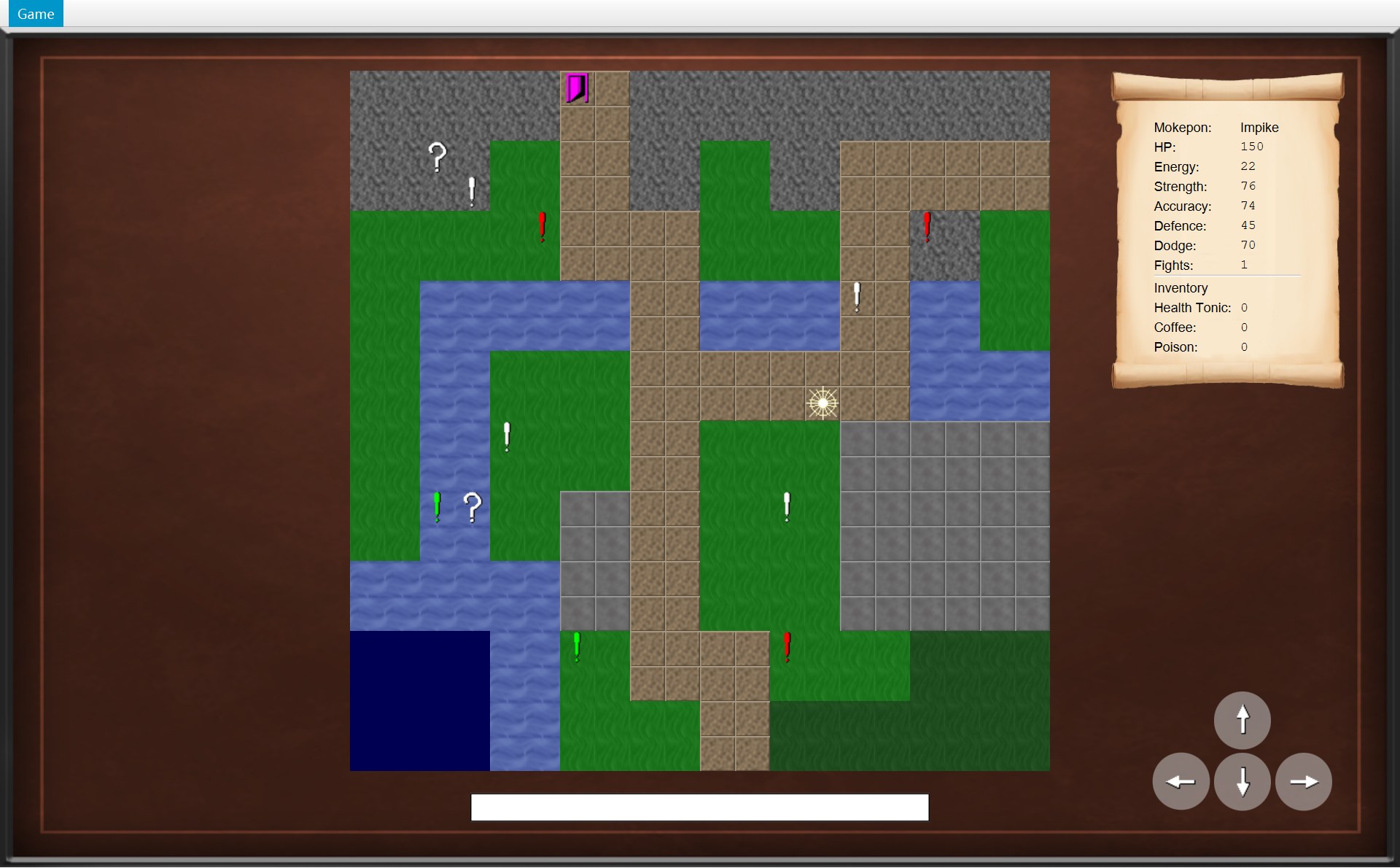
onPlayerMoved:走一步,旧消息就清掉
72 @Override73 public void onPlayerMoved() {74 /* A successful move clears the old message. */75 statusBar.setText("");76 update();77 }- 1刚捡到箱子:You picked up a Poison!
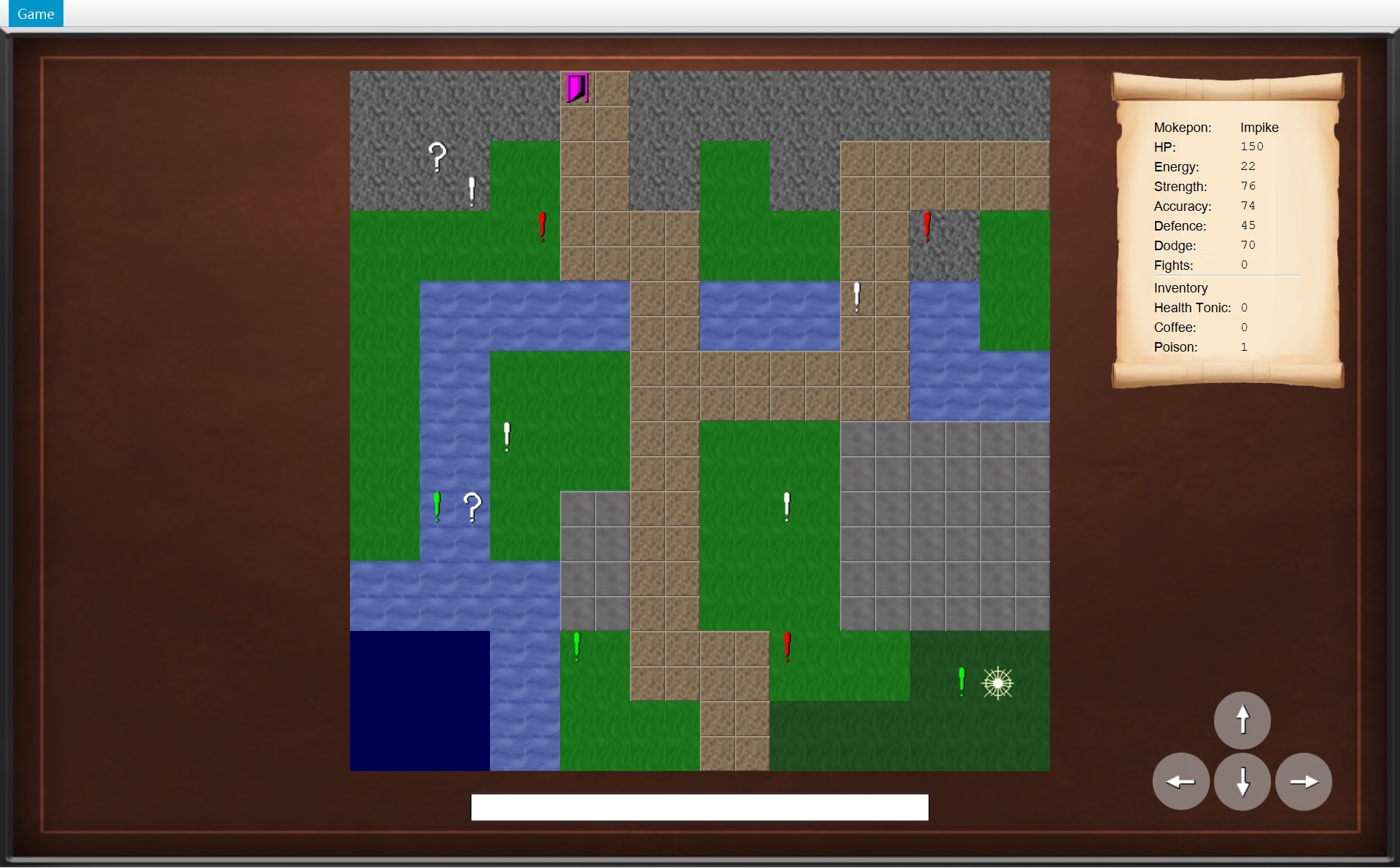
- 1往下走一格到 (18,17):
setText(""),空了
注释写着 “A successful move clears the old message”。只有走成功才清:撞墙时 move 第 68 行就返回了,不发通知,状态栏的字还在。
MapView:三层图片
19 public static final int TILE_SIZE = 32;20 211 private final Overworld world;22 private final Pane pane = new Pane();23 private final Pane objectLayer = new Pane();24 private final ImageView playerView;25 /* Each image file is loaded only once, then shared by every tile that uses it. */26 private final Map<String, Image> loadedImages = new HashMap<>();27 /* One image view for each object, made once and reused. */28 private final Map<MapObject, ImageView> objectViews = new HashMap<>();29 30 public MapView(Overworld world, GameImages images, double x, double y) {31 this.world = world;32 pane.setLayoutX(x);33 pane.setLayoutY(y);34 35 for (MapObject object : world.getObjects()) {362 objectViews.put(object, createObjectView(object));37 }383 playerView = createTileView(getImage(images.getPlayerImage()),39 world.getPlayer().getPosition());40 41 /* The player is added last so it is drawn on top of the objects. */424 pane.getChildren().addAll(createTileLayer(world.getMap(), images), objectLayer, playerView);43 update();44 }CMapView 的字段:world(这一局的 COverworld,构造器第 31 行存下;update() 每次都从它读 getObjects() 和玩家位置)、pane(整张地图)、objectLayer(物体那一层)、playerView(玩家图片)、两个 HashMap:loadedImages(“图片路径 → 图片”)和 objectViews(“物体 → 它的 ImageView”)。
- 红 1(第 21 行)
private final Overworld world:CMapView 存着规则对象本身。注意 CMapView 自己不是监听者,它不收通知;是 COverworldScreen 收到通知后调用mapView.update(),CMapView 再去问world现在的数据。 - 红 2(第 35–37 行):for-each 遍历
world.getObjects(),每个物体造一个ImageView,用put(物体, 图片)存进objectViews。只在构造器里造这一次,以后重复用。 - 红 3(第 38 行):玩家的图片,放在起点。
- 红 4(第 42 行):
pane.getChildren().addAll(createTileLayer(world.getMap(), images), objectLayer, playerView),按顺序放进pane:先是地形层(createTileLayer造的一个Pane,里面 20 × 20 = 400 张小图;它没有字段存着),再是物体层,最后是玩家。后放的画在上面(绘制顺序(drawing order)),所以玩家总盖在物体上面。第 41 行的注释说的就是这个。
400 张地形小图是这样造出来的:
61 private Pane createTileLayer(GameMap map, GameImages images) {62 Pane tileLayer = new Pane();631 for (int row = 0; row < map.getHeight(); row++) {642 for (int column = 0; column < map.getWidth(); column++) {653 Position position = new Position(column, row);66 String imagePath = images.getTileImage(map.getTerrain(position));67 tileLayer.getChildren().add(createTileView(getImage(imagePath), position));68 }69 }70 return tileLayer;71 }- 红 1(第 63 行):外层计数循环,
row从 0 到 19:一行一行往下(row 就是 y)。 - 红 2(第 64 行):内层循环,
column从 0 到 19:这一行里从左到右的每一格(column 就是 x)。外层每跑一圈,内层跑满 20 圈,所以里面的代码一共跑 20 × 20 = 400 次。 - 红 3(第 65 行)
new Position(column, row):CPosition 的构造器先 x 后 y,所以写 (column, row)。和 CGameMap 的tiles[row][column]顺序正好相反,但说的是同一格(第 2 节)。 - 第 66–67 行:问地图这一格是什么地形(
map.getTerrain(position)),找到它的图片路径,造一个 32 × 32 的ImageView,放到这一格的位置,加进tileLayer。 - 第 70 行:把这一层交回去,第 42 行把它放在
pane的第 1 个位置。
- 1绿色感叹号 (17,17):在第 2 层
objectLayer - 2玩家 (18,17):第 3 层
playerView - 3(19,16) 这块深绿色的森林格子:第 1 层地形
- 2玩家走到 (17,17):感叹号还在
objects里,它的图也还在物体层,只是被后放的玩家图片盖住了(整张图变暗,是因为遇敌框的黑色半透明层盖在最上面)
50 /* Show only the objects that are still on the map, and move the player's image.51 * Everything is redrawn from the world, so nothing old is left on the screen.52 */53 public void update() {541 objectLayer.getChildren().clear();55 for (MapObject object : world.getObjects()) {56 objectLayer.getChildren().add(objectViews.get(object));57 }582 placeOnTile(playerView, world.getPlayer().getPosition());59 }⋯ 省略第 60–89 行90 /* A tile's pixel position is its column or row times the tile size. */91 private void placeOnTile(ImageView imageView, Position position) {92 imageView.setLayoutX(position.getX() * TILE_SIZE);93 imageView.setLayoutY(position.getY() * TILE_SIZE);94 }95 96 private Image getImage(String path) {973 if (!loadedImages.containsKey(path)) {98 loadedImages.put(path, UiStyle.loadImage(path));99 }100 return loadedImages.get(path);101 }- 红 1(第 54–57 行)
update()先把物体层清空,再把world.getObjects()里还在的物体的图片一张张放回去(从objectViews里按物体查出它的图)。被捡走的箱子不在列表里了,它的图就不会被放回去——箱子就这样从屏幕上消失。注释说:“Everything is redrawn from the world, so nothing old is left on the screen”。 - 红 2(第 58 行):把玩家图片放到现在的格子。
placeOnTile(第 91–94 行)就是layoutX = x × 32,layoutY = y × 32,这是相对地图左上角的位置,再加上地图本身的 (320, 65) 就是截图坐标。 - 红 3(第 97 行)
getImage:!loadedImages.containsKey(path)读作“表里还没有这个路径”,这时才从文件读一次,存进loadedImages;以后直接拿。地图有 400 个格子,但只有 7 种地形,所以地形图片只读 7 次。这叫缓存(cache)。
PlayerStatsScroll:只更新会变的几行
47 /* The Mokepon's stats never change on the overworld, so they are written once. */48 Mokepon mokepon = player.getMokepon();49 int row = 0;50 addRow(grid, row++, "Mokepon:", createLabel(mokepon.getName(), nameFont));51 for (Stat stat : Stat.values()) {52 String value = String.valueOf(mokepon.getStat(stat));531 addRow(grid, row++, stat.getLabel() + ":", createLabel(value, numberFont));54 }55 fightsValue = createLabel("", numberFont);56 addRow(grid, row++, "Fights:", fightsValue);⋯ 省略第 57–61 行62 for (Item item : player.getInventory().getItems()) {63 Label count = createLabel("", numberFont);64 itemValues.put(item, count);65 addRow(grid, row++, item.getName() + ":", count);⋯ 省略第 66–80 行81 public void update() {822 fightsValue.setText(String.valueOf(player.getFightsWon()));83 for (Map.Entry<Item, Label> entry : itemValues.entrySet()) {84 int count = player.getInventory().getCount(entry.getKey());853 entry.getValue().setText(String.valueOf(count));86 }- 1六个数值:构造器里写一次。注释:“The Mokepon's stats never change on the overworld”
- 2Fights:
update()里每次重新设置fightsValue的文字,现在 0 - 3Poison:
itemValues里 Poison 对应的Label,每次重新设置文字,现在 1
- 红 1(第 50–54 行)写一次。
row是“第几行”。第 50 行addRow(grid, row++, ...):row++写在参数里,是先用 row 现在的值(0),再加 1,所以 Mokepon 名字放在第 0 行,下一次就是第 1 行。第 51 行for (Stat stat : Stat.values()):values()是每个枚举都有的方法,按顺序给出全部 6 个取值 HP、Energy、Strength、Accuracy、Defence、Dodge。第 52 行String.valueOf(...)把 int(比如 150)变成文字"150",因为Label只显示文字。 - 第 55–56 行、第 62–65 行:会变的行先放一个空的
Label,用字段记住它:Fights 那一个存进fightsValue,三个道具的存进itemValues(一个“道具 → Label”的 LinkedHashMap,保持 Health Tonic、Coffee、Poison 的顺序)。 - 红 2(第 82 行)
update():fightsValue的字改成player.getFightsWon()。 - 红 3(第 83–85 行):遍历
itemValues的每一对(和update()里遍历按钮的写法一样),键是道具,值是它的Label:查出背包里这种道具有几个,写进这个Label。
六个数值不在字段里,update() 也不碰它们:在地图上它们不会变。
8. 回放:按一次 →,再踩一次问号箱
现在把前面所有的类串起来。先看真实画面:从起点往右走 8 格,往上走 2 格,踩到 (18,16) 的问号箱。
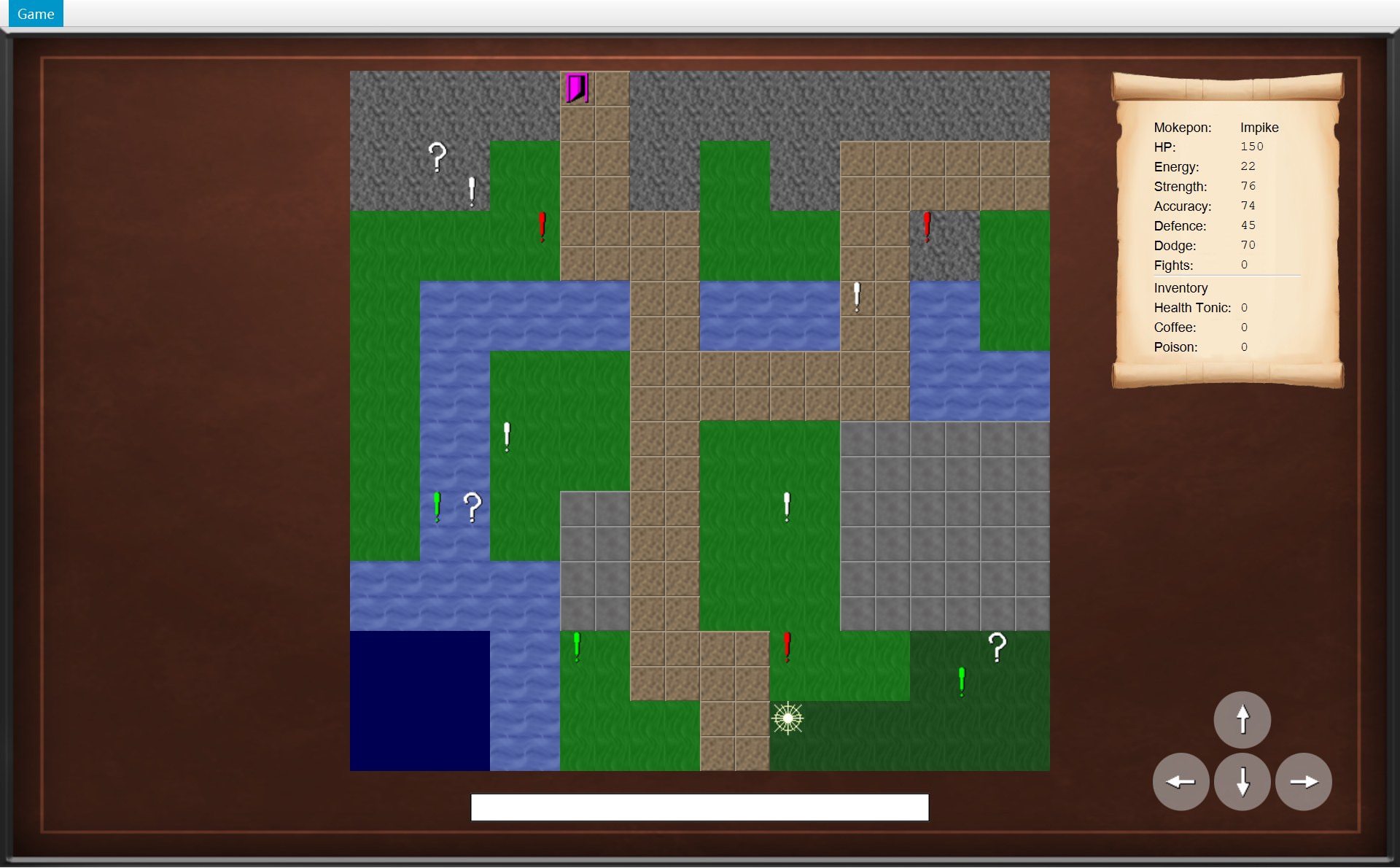
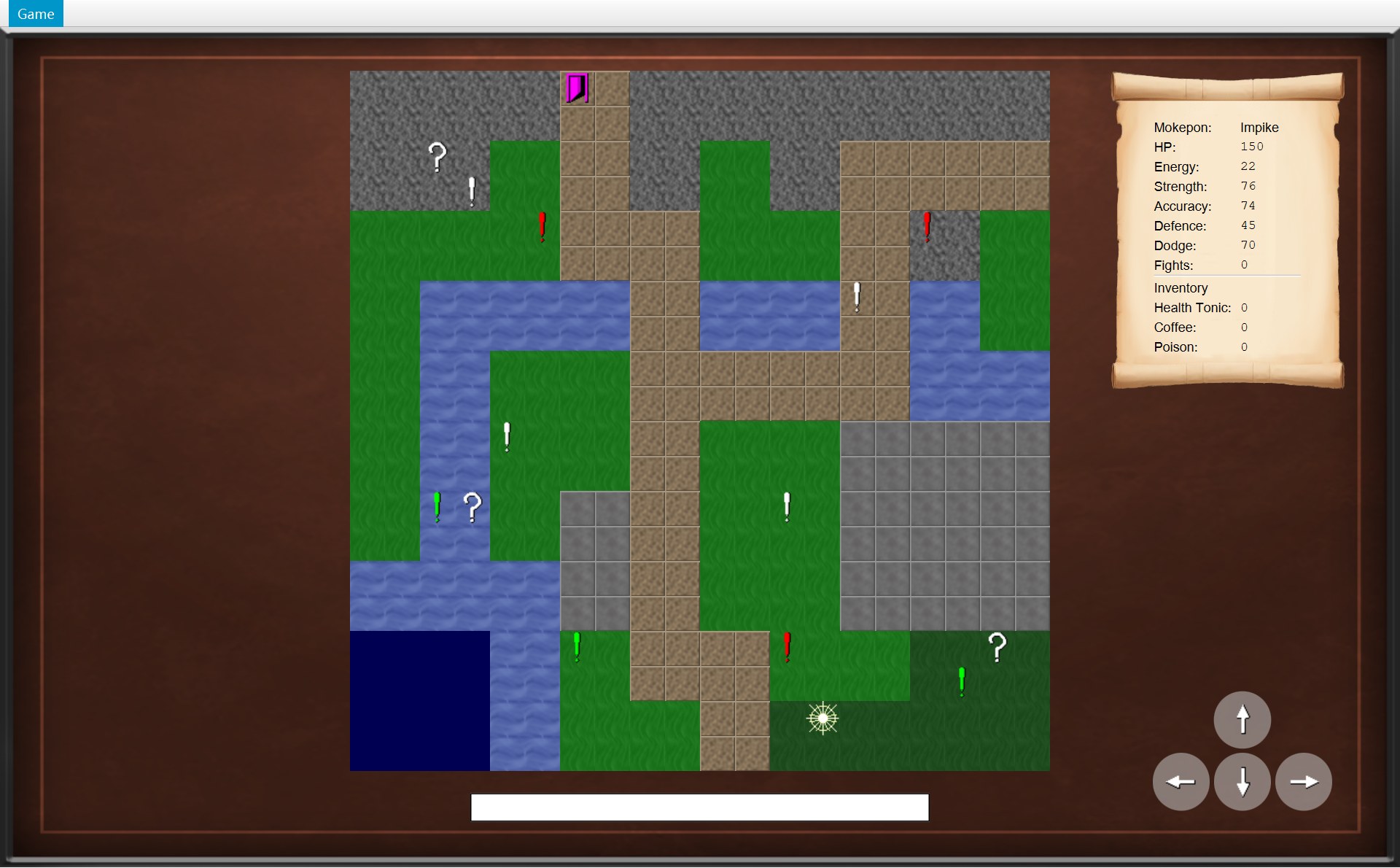
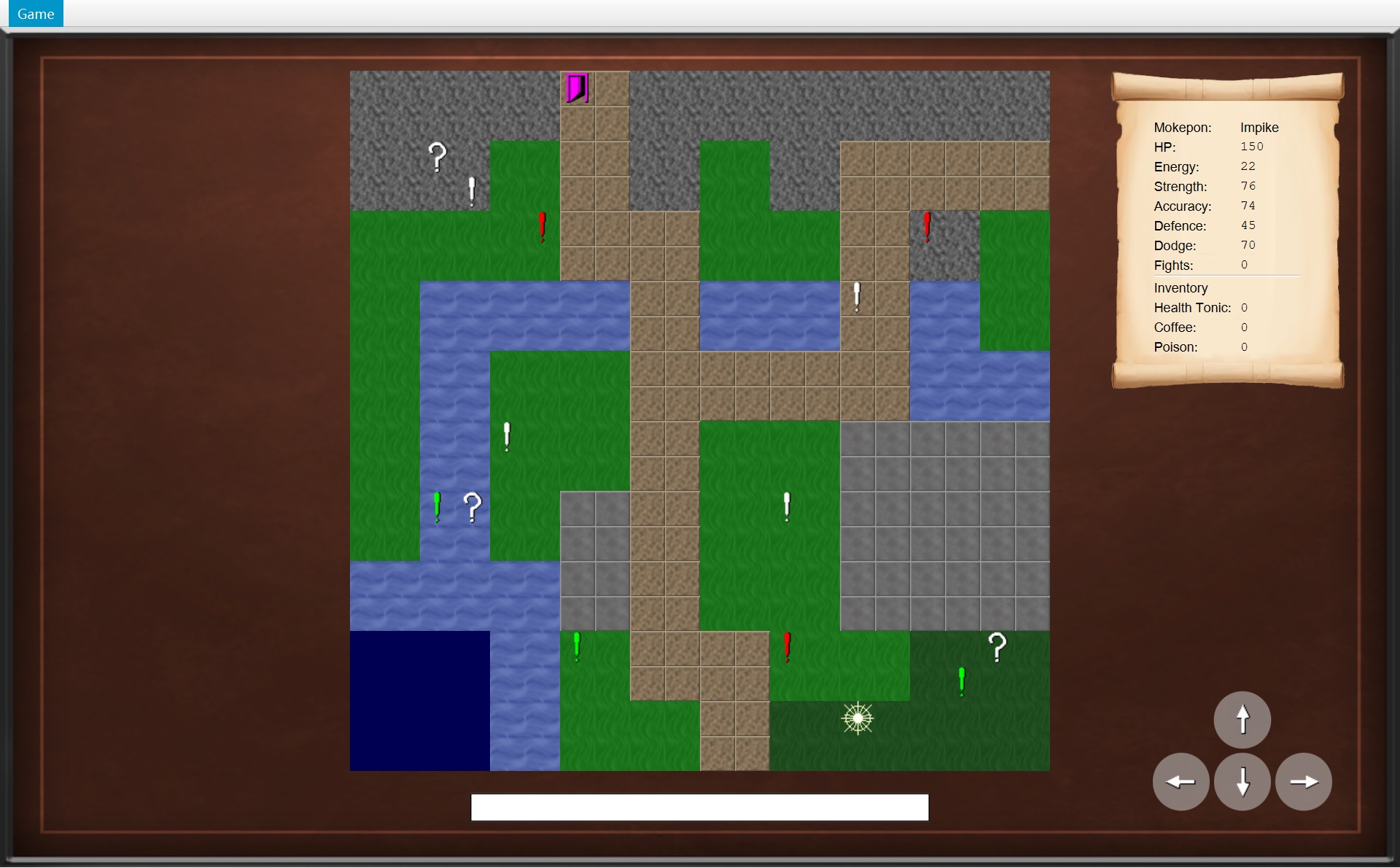
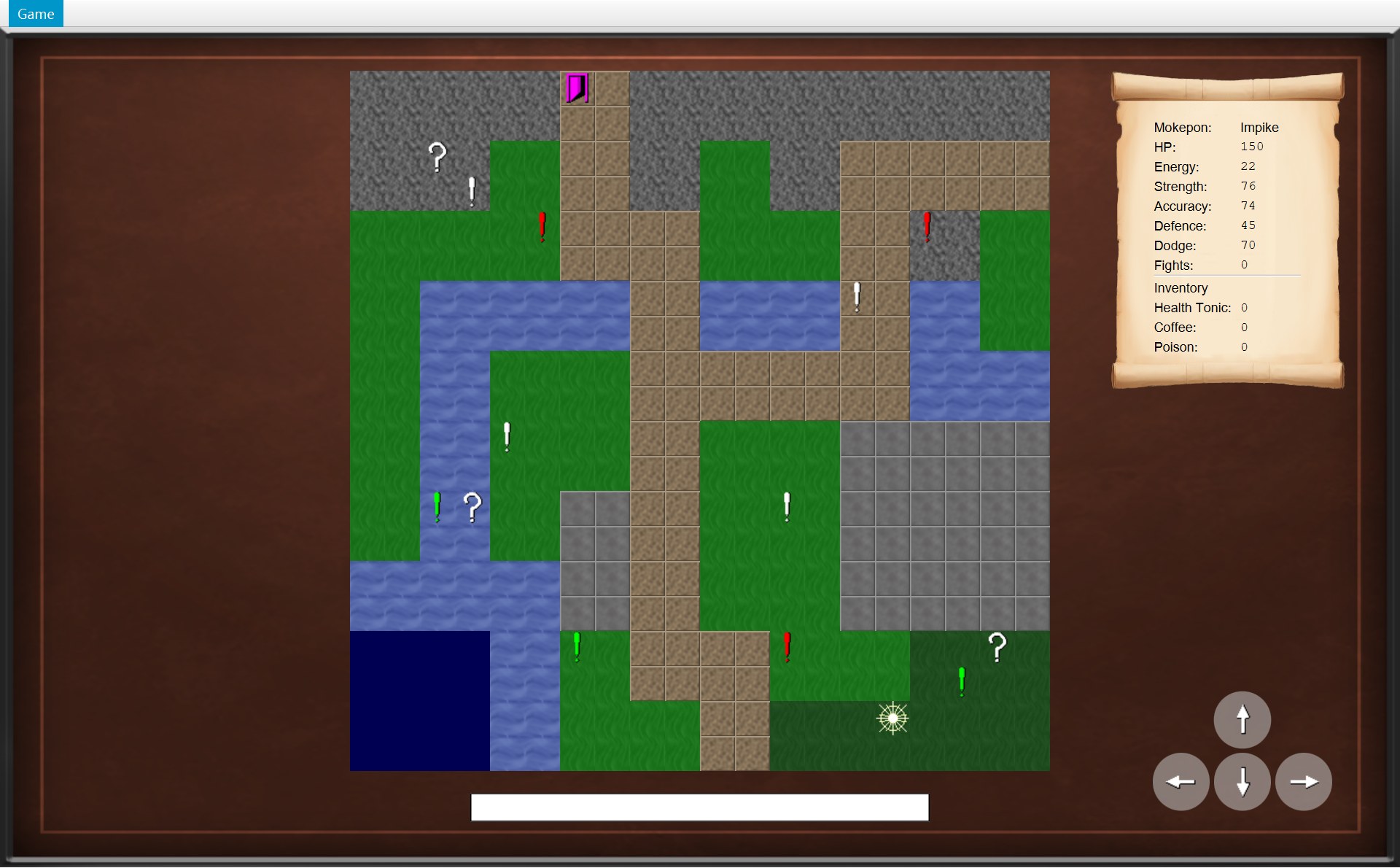
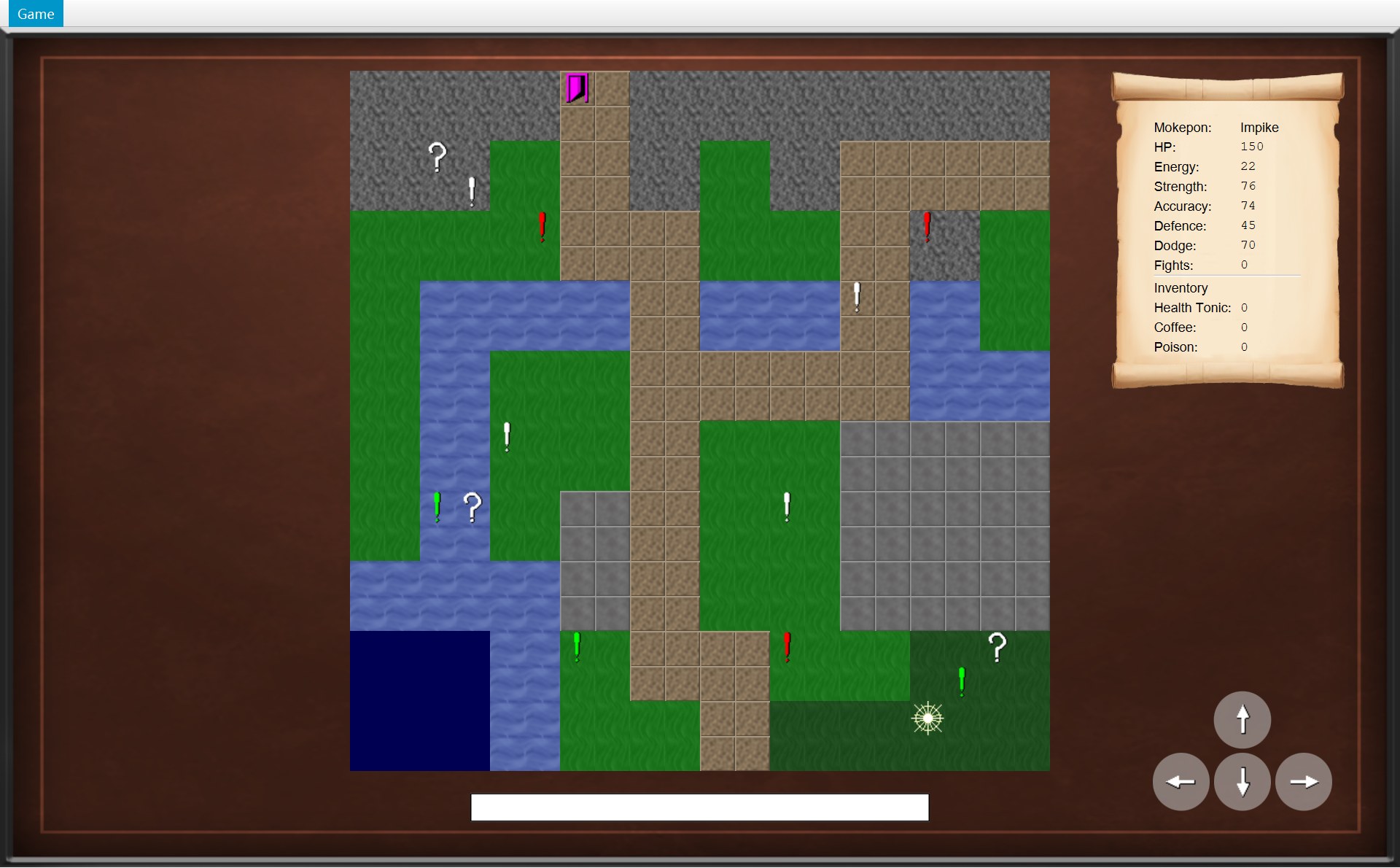
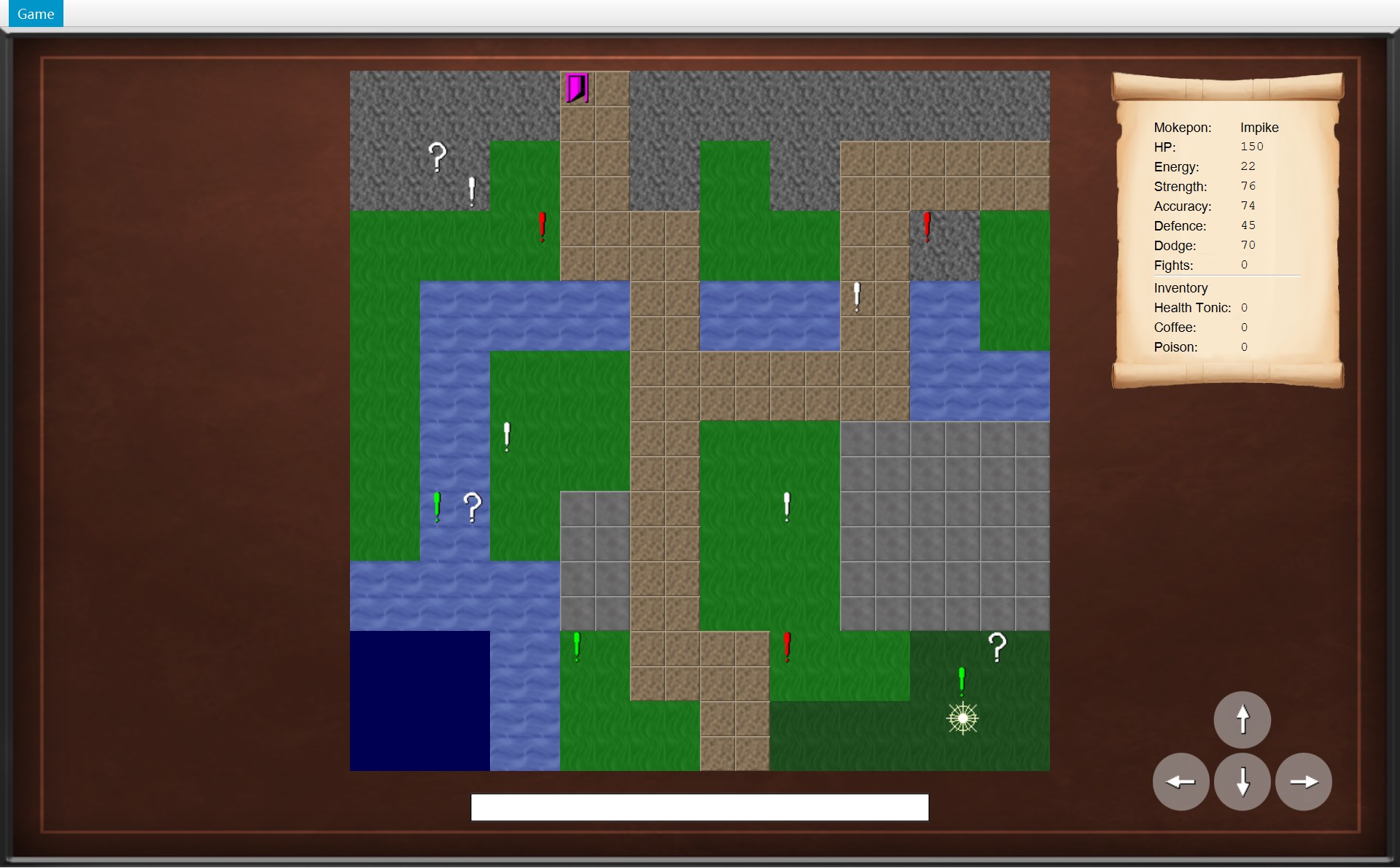
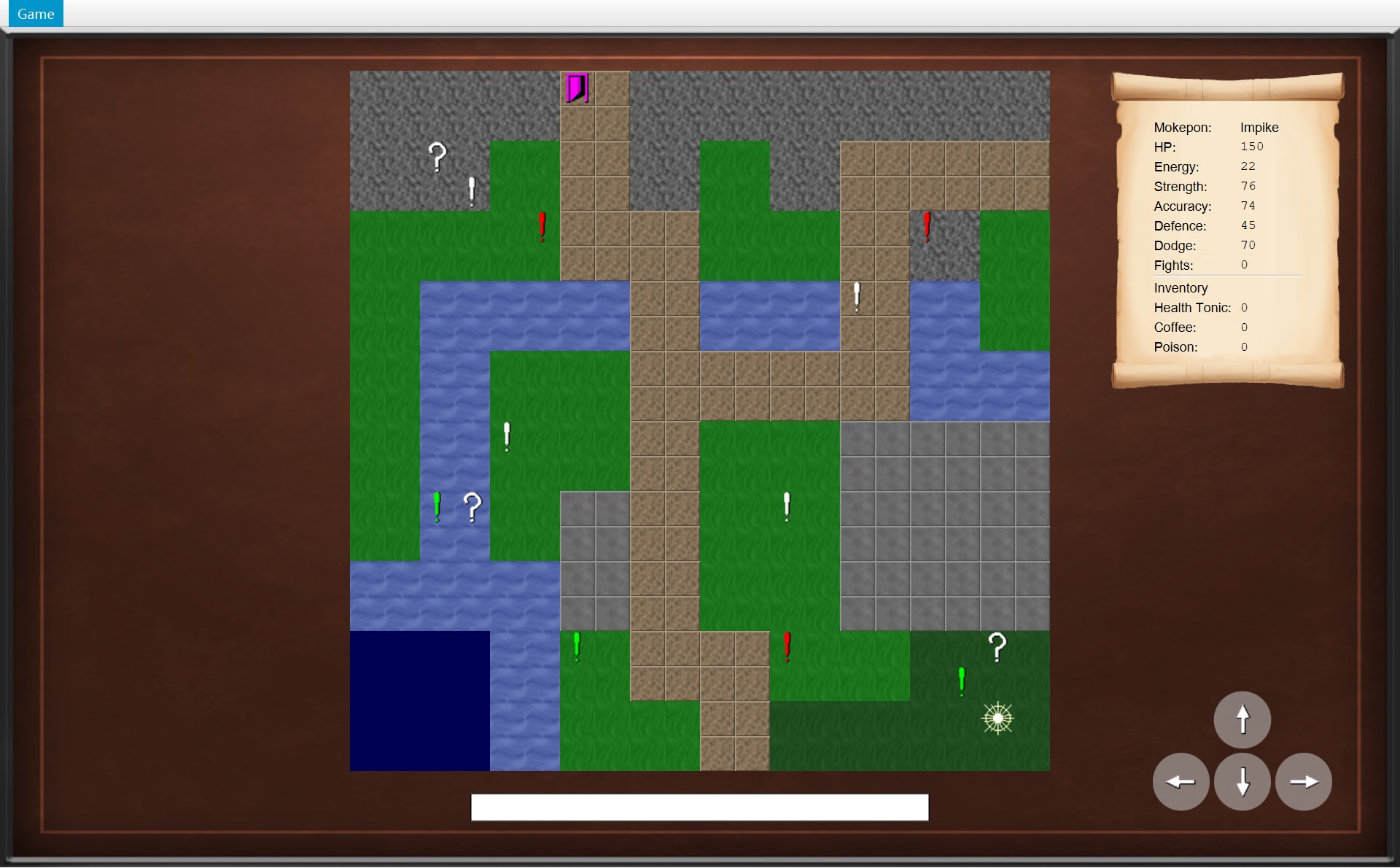
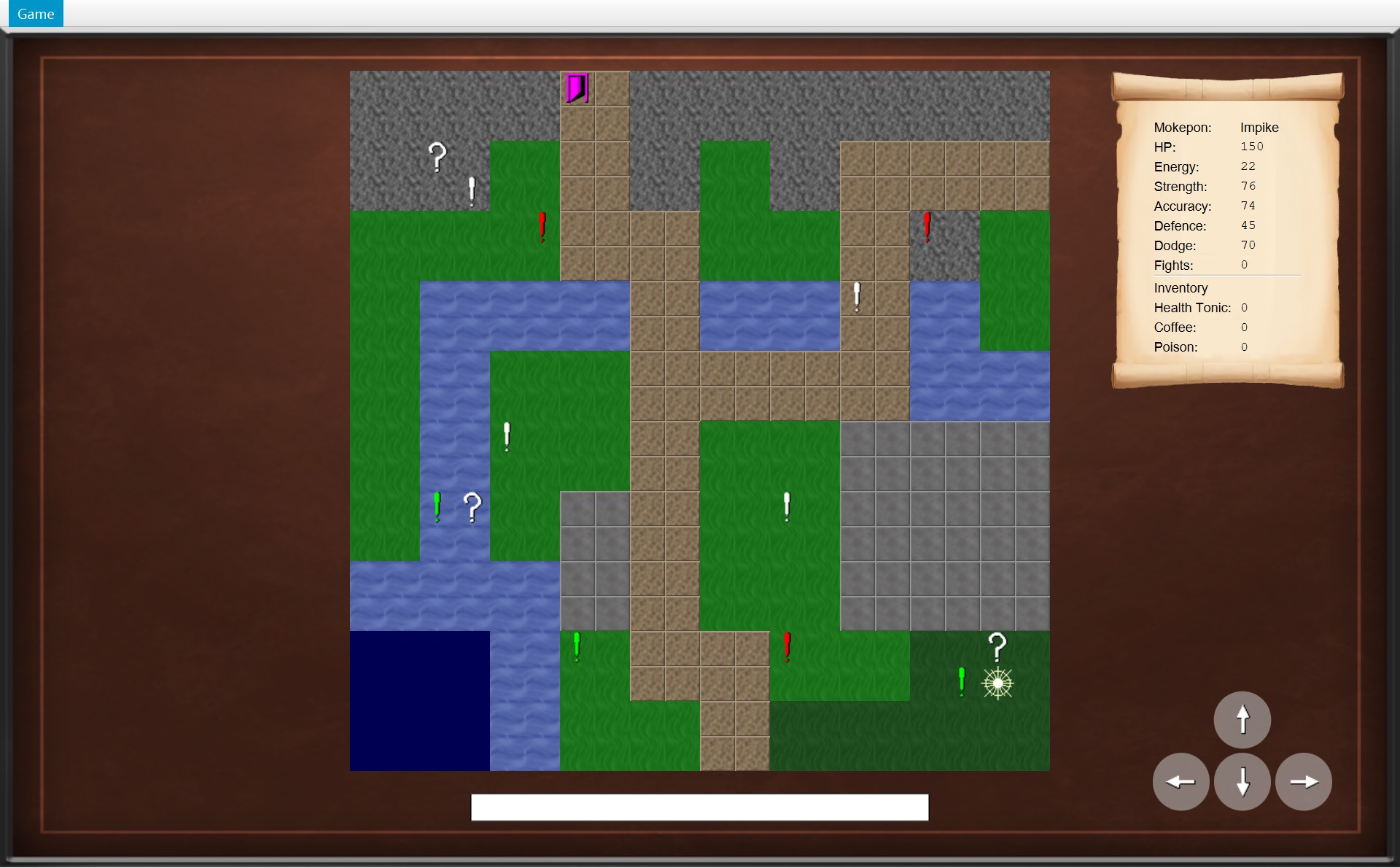
按一次 →:从按键到下一帧
这是 overworld-start → walk-01 那一步。顺序图下面是这一步正在运行的代码(粉红色底、左边一条红线 = 这一步正在运行的行);屏幕有变化的几步,下面还有截图,红框编号每一步都一样:1 玩家,2 四个方向按钮。实线箭头 = 调用;正在讲的那一步,箭头变成红色、流动的虚线(只是高亮)。最上面的说明框代表 CGameWindow 把按键交过来。最后一步箭头全部亮起,是整个过程的总结。
44 Scene scene = new Scene(root);45 /* Use a filter so the screen gets the keys before any button or text box does. */46 scene.addEventFilter(KeyEvent.KEY_PRESSED,47 event -> currentScreen.handleKeyPress(event));32 public final void handleKeyPress(KeyEvent event) {33 boolean isCombination = event.isControlDown() || event.isAltDown()34 || event.isMetaDown() || event.isShiftDown();35 if (isDialogOpen() || isCombination) {36 return;37 }38 handleKey(event);39 }116 protected void handleKey(KeyEvent event) {117 Direction direction = ARROW_KEYS.get(event.getCode());118 if (direction != null) {119 movePlayer(direction);120 event.consume();121 }122 }⋯ 省略第 123–126 行127 private void movePlayer(Direction direction) {128 if (!isDialogOpen()) {129 world.move(direction);130 }131 }61 public boolean canMove(Direction direction) {62 return map.isWalkable(player.getPosition().move(direction));63 }⋯ 省略第 64–65 行66 public void move(Direction direction) {67 if (!canMove(direction)) {68 return;69 }70 player.moveTo(player.getPosition().move(direction));71 notifyListeners(listener -> listener.onPlayerMoved());25 /* The position one tile away in the given direction. */26 public Position move(Direction direction) {27 return new Position(x + direction.getXChange(), y + direction.getYChange());28 }46 /* The player can only stand on a walkable tile inside the map. */47 public boolean isWalkable(Position position) {48 return isInside(position) && getTerrain(position).isWalkable();49 }50 51 private boolean isInside(Position position) {52 return position.getX() >= 0 && position.getX() < getWidth()53 && position.getY() >= 0 && position.getY() < getHeight();54 }40 void moveTo(Position newPosition) {41 previousPosition = position;42 position = newPosition;43 }71 notifyListeners(listener -> listener.onPlayerMoved());⋯ 省略第 72–124 行125 private void notifyListeners(Consumer<OverworldListener> message) {126 for (OverworldListener listener : listeners) {127 message.accept(listener);128 }72 @Override73 public void onPlayerMoved() {74 /* A successful move clears the old message. */75 statusBar.setText("");76 update();77 }53 public void update() {54 objectLayer.getChildren().clear();55 for (MapObject object : world.getObjects()) {56 objectLayer.getChildren().add(objectViews.get(object));57 }58 placeOnTile(playerView, world.getPlayer().getPosition());59 }⋯ 省略第 60–90 行91 private void placeOnTile(ImageView imageView, Position position) {92 imageView.setLayoutX(position.getX() * TILE_SIZE);93 imageView.setLayoutY(position.getY() * TILE_SIZE);94 }133 /* Make the map, the scroll and the buttons match the world. */134 private void update() {135 mapView.update();136 statsScroll.update();137 for (Map.Entry<Direction, GameButton> entry : moveButtons.entrySet()) {138 entry.getValue().setUsable(world.canMove(entry.getKey()));139 }140 }73 /* Loop over a copy, because a mystery box removes itself from the list. */74 for (MapObject object : new ArrayList<>(objects)) {75 if (object.isAt(player.getPosition())) {76 object.interact(this);77 }78 }79 }- 1屏幕还是旧的一帧:玩家画在 (10,18)
- 1新的一帧 walk-01:玩家画在 (11,18)
- 2四个按钮都能点
- 你按了 →。JavaFX 造出一个
KeyEvent(键盘事件)。CGameWindow 构造器第 46–47 行在Scene上装了一个事件过滤器(event filter),按键先到它这里。过滤器是一段 lambda:event -> currentScreen.handleKeyPress(event),不管是哪个键,直接交给现在的画面——COverworldScreen。顺序图最上面的说明框就是这一步。截图:玩家(红 1)还在 (10,18)。 - 父类 AGameScreen 的
final方法handleKeyPress先查两件事。第 33–34 行用||(“或者”)连起四个检查:Ctrl、Alt、Meta、Shift 任何一个按着,就算组合键。第 35 行:有对话框开着,或者是组合键,就return。都不是,走到第 38 行handleKey(event)。COverworldScreen 改写了handleKey,所以运行的是它的版本(模板方法)。 - 第 117 行
ARROW_KEYS.get(KeyCode.RIGHT)查到Direction.RIGHT;第 118 行它!= null(不是空的),所以第 119 行调用movePlayer(RIGHT)。movePlayer第 128 行再确认一次!isDialogOpen()(没有对话框开着),第 129 行world.move(RIGHT):把事情交给规则(顺序图第 1 个箭头)。 - COverworld.move 第 67 行
if (!canMove(direction)):要先算出canMove(RIGHT),再用!把结果反过来。所以先运行同一个对象的canMove(第 2 个箭头,绕回自己 = 调用自己的方法)。第 62 行从里往外:player.getPosition()取到玩家现在的格子,就是 (10,18) 那个 CPosition 对象。 - 第 3 个箭头:对 (10,18) 调用
.move(RIGHT)。注意这是 CPosition 的move,和第 1 个箭头 COverworld 的move同名,但属于另一个类。CPosition 第 27 行return new Position(x + 1, y + 0):造一个新的 CPosition (11,18) 还回去。原来的 (10,18) 没有变(第 3 节左边那张图)。 map.isWalkable((11,18)):第一道关isInside:0 ≤ 11 < 20,0 ≤ 18 < 20,在地图里。第二道关getTerrain:tiles[18][11],地图第 18 行OOOOWWGGGGPPFFFFFFFF从 0 数第 11 个字母是 P,PATH 能走。返回 true。回到第 67 行:canMove是 true,!true是 false,if不进去,第 68 行的return不执行。move第 70 行再算一次 (11,18),交给player.moveTo:先previousPosition = position(记下 (10,18)),再position = newPosition((11,18))。现在规则里的玩家已经在 (11,18),但屏幕还没变:截图还是旧样子(红 1)。move第 71 行notifyListeners(listener -> listener.onPlayerMoved())。第 126–127 行遍历listeners:里面只有一个,就是startGame登记的 COverworldScreen。对它执行 lambda,也就是调用它的onPlayerMoved()(第 6 节的小动画)。- COverworldScreen.onPlayerMoved:第 75 行
statusBar.setText("")清空状态栏(本来就是空的,看不出变化),第 76 行调用自己的update()。截图换成 walk-01:下面几步做完,屏幕就是这个样子。 update()第 135 行mapView.update():清空物体层,把world.getObjects()里的 14 个物体的图片放回去(一个都没少),再placeOnTile(playerView, (11,18)):layoutX = 11 × 32 = 352,layoutY = 18 × 32 = 576。加上地图的 (320, 65),截图里是 (672, 641)(红 1)。接着第 136 行statsScroll.update()(图上的说明框)把 Fights 和道具数量重新写一遍,这一步数字都没变。- 第 137–139 行:四个按钮(红 2)各问一次
world.canMove(方向)。从 (11,18) 出发:上 (11,17) 是 P,下 (11,19) 是 P,左 (10,18) 是 P,右 (12,18) 是 F,四个都是 true,四个按钮都setUsable(true)。 - 通知做完,回到
move第 74 行:复制一份objects,for-each 挨个问isAt((11,18))(图上最下面的说明框)。14 个物体没有一个在 (11,18),第 76 行一次都没执行,循环结束,move结束。 - 总结:一路返回到
handleKey,第 120 行event.consume()。这一次按键处理完了,JavaFX 才把新的样子画到屏幕上:就是截图 walk-01。从上往下再看一遍顺序图:画面翻译按键 → 规则检查、移动、通知 → 画面按规则里的新数据重画。
一句话总结这一步:画面把按键翻译成方向 → 规则检查、移动、通知 → 画面按规则里的新数据重画。画面从来没有自己去改玩家的位置。
踩到问号箱:walk-09 → box-collected
最后一步按 ↑,从 (18,17) 走到 (18,16)。前半段和上面完全一样(检查、moveTo、onPlayerMoved、update);不一样的是 move 最后那个循环这次找到了东西。红框编号:1 问号箱,2 玩家,3 状态栏,4 卷轴里的 Poison,5 ↑ 按钮。第 1 步只亮最上面的说明框(前半段,上一个动画已经拆开看过),最后一步全部亮起(总结)。颜色的意思和上一个动画一样。
66 public void move(Direction direction) {67 if (!canMove(direction)) {68 return;69 }70 player.moveTo(player.getPosition().move(direction));71 notifyListeners(listener -> listener.onPlayerMoved());73 /* Loop over a copy, because a mystery box removes itself from the list. */74 for (MapObject object : new ArrayList<>(objects)) {75 if (object.isAt(player.getPosition())) {76 object.interact(this);77 }78 }79 }18 @Override19 void interact(Overworld world) {20 world.collect(this);21 }110 /* Called by a mystery box when the player steps onto it. A box can only be collected once. */111 void collect(MysteryBox box) {112 objects.remove(box);113 player.getInventory().add(box.getItem());114 notifyListeners(listener -> listener.onItemCollected(box.getItem()));115 }33 public void add(Item item) {34 counts.put(item, getCount(item) + 1);35 }96 @Override97 public void onItemCollected(Item item) {98 statusBar.setText("You picked up a " + item.getName() + "!");99 update();100 }53 public void update() {54 objectLayer.getChildren().clear();55 for (MapObject object : world.getObjects()) {56 objectLayer.getChildren().add(objectViews.get(object));57 }58 placeOnTile(playerView, world.getPlayer().getPosition());59 }81 public void update() {82 fightsValue.setText(String.valueOf(player.getFightsWon()));83 for (Map.Entry<Item, Label> entry : itemValues.entrySet()) {84 int count = player.getInventory().getCount(entry.getKey());85 entry.getValue().setText(String.valueOf(count));86 }87 }133 /* Make the map, the scroll and the buttons match the world. */134 private void update() {135 mapView.update();136 statsScroll.update();137 for (Map.Entry<Direction, GameButton> entry : moveButtons.entrySet()) {138 entry.getValue().setUsable(world.canMove(entry.getKey()));139 }140 }- 1箱子 (18,16)
- 2按 ↑ 之前的一帧:玩家画在 (18,17)。按键处理完以前屏幕不重画,所以前几步一直是这一帧
- 2玩家 (18,16),箱子的图没了
- 3You picked up a Poison!
- 4Poison: 1
- 5↑ 按钮变淡
- 现在在 (18,17)(红 2),按 ↑。
canMove(UP):(18,16) 是地图第 16 行OOOOWWGGPPPPGGGGFFFF从 0 数第 18 个字母 F(森林),能走 →moveTo((18,16))→onPlayerMoved()→ 画面update()一次。这时箱子(红 1)还在objects里,所以箱子的图还会被放回去,玩家图片盖在它上面。这个中间样子你看不到:JavaFX 要等整个按键处理完才画,所以截图还是按键之前的样子。 - 第 74 行复制出一份 14 个物体的列表,for-each 挨个问
isAt((18,16))。前 11 个都不是;第 12 个是 (18,16) 的 CMysteryBox:它的 CPosition 和玩家的新 CPosition 是两个不同的对象(第 3 节右边那张图),但 x、y 都相同,equals返回 true。截图还是旧的一帧:屏幕上玩家还画在 (18,17),可规则里player.position已经是 (18,16)。 - 第 76 行
object.interact(this)。变量object的类型是 AMapObject,实际对象是 CMysteryBox,所以运行 CMysteryBox 改写的这个interact(动态绑定)。参数this是这个 COverworld,在 CMysteryBox 里叫world。 - CMysteryBox.interact 只有一行:
world.collect(this),把自己交回给 COverworld(回头调用)。箱子自己不改任何数据。 collect第 112 行objects.remove(box):objects从 14 个变成 13 个。循环用的是第 74 行的副本,还是 14 个,不受影响,不会抛异常。截图还是旧的:箱子的图还在屏幕上。collect第 113 行player.getInventory().add(box.getItem()):这个箱子装的是 Poison(数据文件第 465–466 行)。CInventory.add:counts.put(Poison, getCount(Poison) + 1),0 + 1 = 1。collect第 114 行通知onItemCollected(Poison)。COverworldScreen 第 98 行:"You picked up a " + "Poison" + "!"写进状态栏(红 3)。- 第 99 行
update()→ 第 135 行mapView.update():清空物体层,只放回getObjects()里剩下的 13 个物体的图。箱子不在列表里,它的图就没有被放回去:箱子从屏幕上消失。玩家图片(红 2)在 (18,16),截图 (896, 577)。 - 同一个
update()的第 136 行statsScroll.update():遍历itemValues,Poison 那一行的Label写成getCount(Poison)= 1(红 4)。 - 同一个
update()的最后:四个按钮各问一次world.canMove(方向)。canMove(UP):(18,15) 是地图第 15 行WWWWWWBBPPGGGGBBBBBB从 0 数第 18 个字母 B,BARRIER,false → ↑ 按钮(红 5)setUsable(false),点不动、变淡。下 (18,17)、左 (17,16)、右 (19,16) 都是 F,照常。 - 总结:回到第 74 行的循环,副本里剩下的两个物体,(2,2) 的箱子和 (6,0) 的门,都不在 (18,16)。循环结束,
move结束。JavaFX 画出最后的样子:截图 box-collected。这一次按键,画面一共update()了两次(第 1 步一次,第 8–10 步一次)。
踩到感叹号和门:下一站
踩到 CMarker 和 CExit 时,走的是同一条路:move → 循环 → isAt → interact(this),只是子类回头调用的方法不同(第 5 节的顺序图)。
- 感叹号:
startEncounter(this)看这一格的地形、用这一组的 picker 挑敌人、new Encounter(...)、通知onEncounter,画面弹出 Fight! / Run Away! 框。挑敌人的策略和地形克制在 第 9 章。 - 门:
reachExit()通知onExitReached(fightsWon),画面弹出游戏结束框。逃跑(runAway→moveBack)、打赢(winEncounter→objects.remove(marker)、addWin)和走到出口的完整流程在 第 15 章。
自测
tiles[12][6] 是地图上的哪一格?为什么 CGameMap.getTerrain 写成 tiles[position.getY()][position.getX()]?
是 (6,12):第 12 行、第 6 列,地形 BARRIER。tiles 是“数组的数组”,外层是行,tiles[row] 是一整行,再取 [column]。行号就是 y,列号就是 x,所以先 y 后 x。写反成 tiles[6][12] 会取到 (12,6),那是一格水。
English: tiles is indexed tiles[row][column], so the first index is y and the second is x.
站在 (18,16) 时,↑ 按钮为什么是灰的?按顺序说出算出这个结果的方法。
COverworldScreen.update 对 UP 调用 world.canMove(UP) → COverworld.canMove:player.getPosition().move(UP) 得到新的 (18,15) → CGameMap.isWalkable:isInside 为 true,getTerrain 取 tiles[15][18] = BARRIER,isWalkable() 为 false → 结果 false → CGameButton.setUsable(false):setDisable(true),透明度 0.4。
English: OverworldScreen.update asks world.canMove for each direction; the tile above is a BARRIER, so the UP button is disabled.
CPosition 为什么要改写 equals?如果不改写,捡箱子会怎样?
AMapObject.isAt 用 position.equals(other) 判断玩家是不是踩在物体上。玩家每走一步,move 都造一个新的 CPosition 对象,和箱子的 CPosition 不是同一个对象。不改写的话,equals 只比较“是不是同一个对象”,永远是 false,箱子、感叹号、门都踩不到。改写以后只比较 x 和 y。改写 equals 必须一起改写 hashCode。
English: Position is immutable and every move makes a new object, so equals must compare x and y; otherwise isAt would never be true.
COverworld.move 为什么遍历 new ArrayList<>(objects),而不是 objects?
因为踩到问号箱时,interact → collect 会在循环还没结束时 objects.remove(box)。一边用 for-each 遍历 ArrayList 一边删除,通常会抛出 ConcurrentModificationException。遍历副本、删除原列表,就没有这个问题。
English: It loops over a copy because a MysteryBox removes itself from objects during the loop.
Player.moveTo 为什么不写 public?UML 上它前面是什么符号?
它是包内可见(package-private),UML 上是蓝色三角(文字 UML 写成 ~)。只有 world 包里的类能调用,实际上只有 COverworld.move 调用它。画面(ui 包)只能读位置,不能直接把玩家挪走,所以每一步都必须经过 COverworld 的规则检查。
English: moveTo is package-private, so only Overworld can move the player, after checking canMove.
观察者模式里,谁登记监听者?在哪一行?漏掉这一行会怎样?
CGameWindow.startGame 第 61 行 world.addListener(overworldScreen)。它先 new COverworld,再 new COverworldScreen,然后登记,最后 showScreen。漏掉的话 listeners 是空的,notifyListeners 的循环一次都不执行:规则里玩家在走、能捡东西,但屏幕一直停在第一帧,也不会弹出遇敌框。
English: GameWindow.startGame registers the OverworldScreen with world.addListener; Overworld then calls the OverworldListener methods in notifyListeners.
捡到箱子以后,屏幕上的箱子是怎么消失的?有没有哪行代码“删掉箱子的图片”?
没有专门删图片的代码。COverworld.collect 只把箱子从 objects 里删掉。画面收到 onItemCollected 后调用 update() → CMapView.update 先清空物体层,再只放回 world.getObjects() 里还在的物体的图。箱子不在列表里,它的图就没被放回去。
English: MapView.update rebuilds the object layer from world.getObjects(), so a collected box simply is not drawn again.
CMarker、CMysteryBox、CExit 被踩到时做的事完全不同,可 move 里只有一句 object.interact(this)。这叫什么?有什么好处?
多态(动态绑定)。interact 是 AMapObject 的抽象方法,三个子类各自改写:CMarker 调 startEncounter(this),CMysteryBox 调 collect(this),CExit 调 reachExit()。运行时看对象的真实类型决定运行哪一个。好处:move 不用写 if 判断物体种类;加一种新物体只要写一个新子类,move 不用改(开闭原则)。
English: MapObject is abstract; each subclass overrides interact and calls back a different Overworld method, so Overworld.move treats every object the same way.
下一章:踩到感叹号以后发生了什么,三种颜色的感叹号怎样用不同的策略挑敌人——第 9 章 遇敌:地形、类型和挑敌人。