15逃跑、回主菜单、走到出口
Run away 的两条路、Main menu、Exit、游戏结束:完整流程(考试 Q3 样题)
- 说出“逃跑”的两条路:遇敌框里的 Run Away! 和战斗中菜单的 Run away(Ctrl+R),各自经过哪些类、哪些方法,为什么最后都落到同一个 COverworld.runAway()
- 解释 Run away 为什么只在战斗进行中能用:
canRunAway()、CGameMenu.update 和showResult里的updateMenu() - 说出打赢(
winEncounter)和逃跑(runAway)在数据上有哪些不同 - 说出 Main menu、走到出口、输掉、Exit / Quit 各自调用哪个方法,为什么出口框和 Game Over 框是同一个方法造的
- 画出整个游戏的状态图,每条箭头都说得出方法名
- 回答样题 Q3:为了加上“逃跑”,从 Project 1 到 Project 2 改了什么;哪些旧设计帮了忙、哪些拖了后腿;现在好不好扩展
前面几章讲的都是“进去”:选好 Mokepon 进地图(第 7 章),踩感叹号遇敌(第 9 章),打一个回合(第 11 章)。这一章讲“出来”:逃跑、打赢回地图、回主菜单、走到出口、输掉、关掉程序。每一种“出来”都只有几行代码,但它们分散在好几个类里。读完这一章,你应该能把整个游戏的所有画面和所有箭头一口气画出来。考试的样题 Q3 问的就是“逃跑”,最后一节专门讲它。
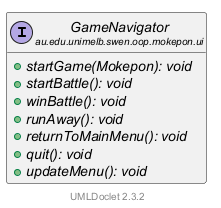
先提醒几个前面讲过的词。接口(interface) IGameNavigator 列出了画面和菜单能请窗口做的 7 件事,CGameWindow 实现它(第 6 章第 2 节)。菜单项(MenuItem)是菜单里能点的一行;快捷键(accelerator)是不打开菜单也能用的组合键(第 6 章第 5 节)。监听者(listener)是登记在 COverworld 上、等它通知的对象,这里就是地图画面(第 8 章第 6 节)。lambda 是先存起来、以后才运行的一小段代码(第 2 章第 8 节)。
截图来自三局真实运行。A 局:Impike,捡到 Poison,第一次遇敌就逃,第二次打赢 Galecrest,最后走到出口。B 局:Shellurk,打到一半用菜单逃跑,然后回主菜单。E 局:Owlet,输掉。敌人是随机挑的,所以每局的敌人都不一样。
1. 先看:往回走和结束的 7 种方式
这一章讲的是“往回走”和“结束”:逃跑、打赢回地图、回主菜单、结束程序。代码里能做这些事的按钮和菜单项一共 7 个。往前走的 Fight! 和 Choose Mokepon 前面讲过(第 9 章、第 6 章第 8 节),这里不算。下面把这 7 个全部找出来:
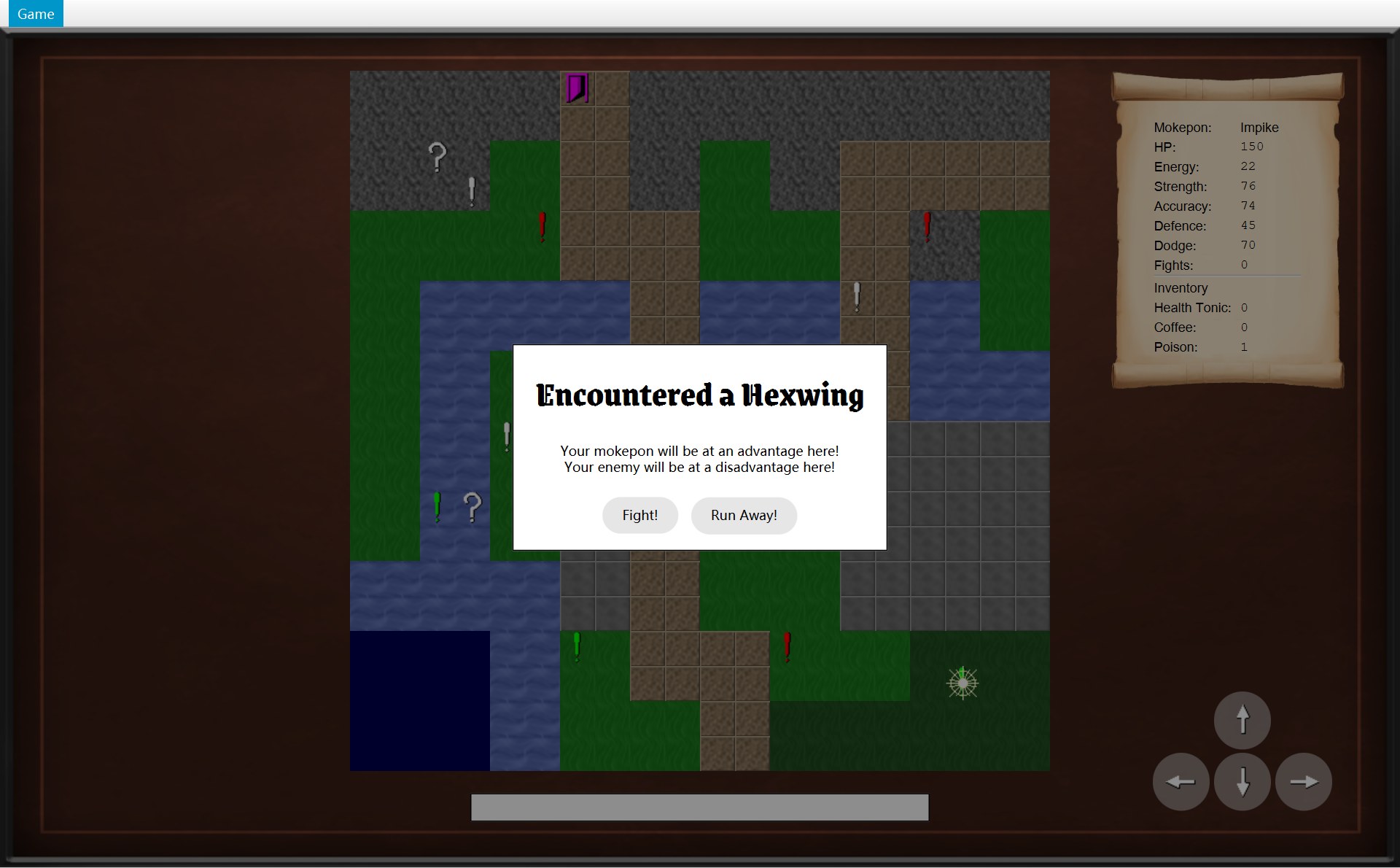
- 1遇敌框里的 Run Away! 按钮
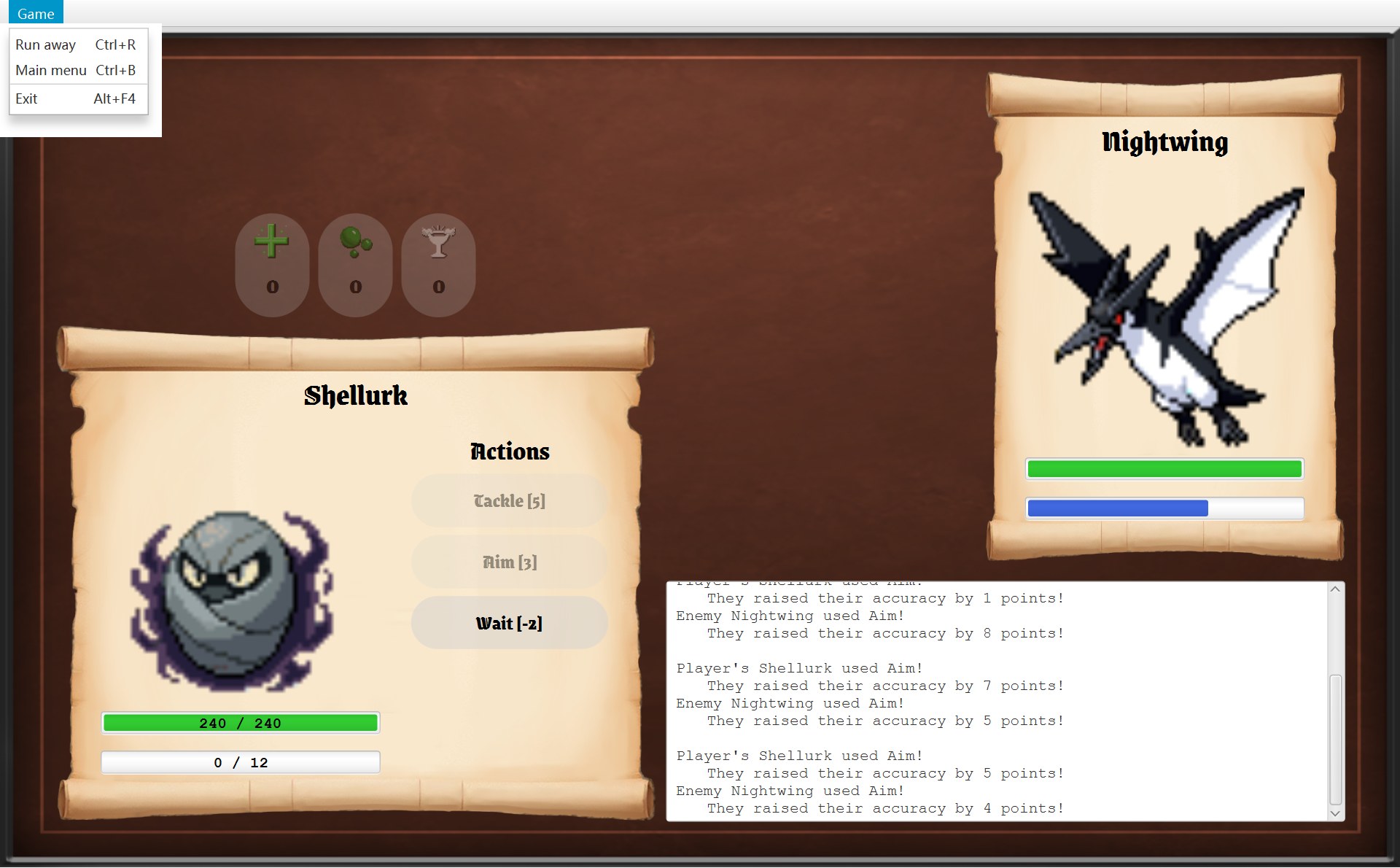
- 2Game 菜单的 Run away(Ctrl+R)
- 4Main menu(Ctrl+B)
- 7Exit(Alt+F4)
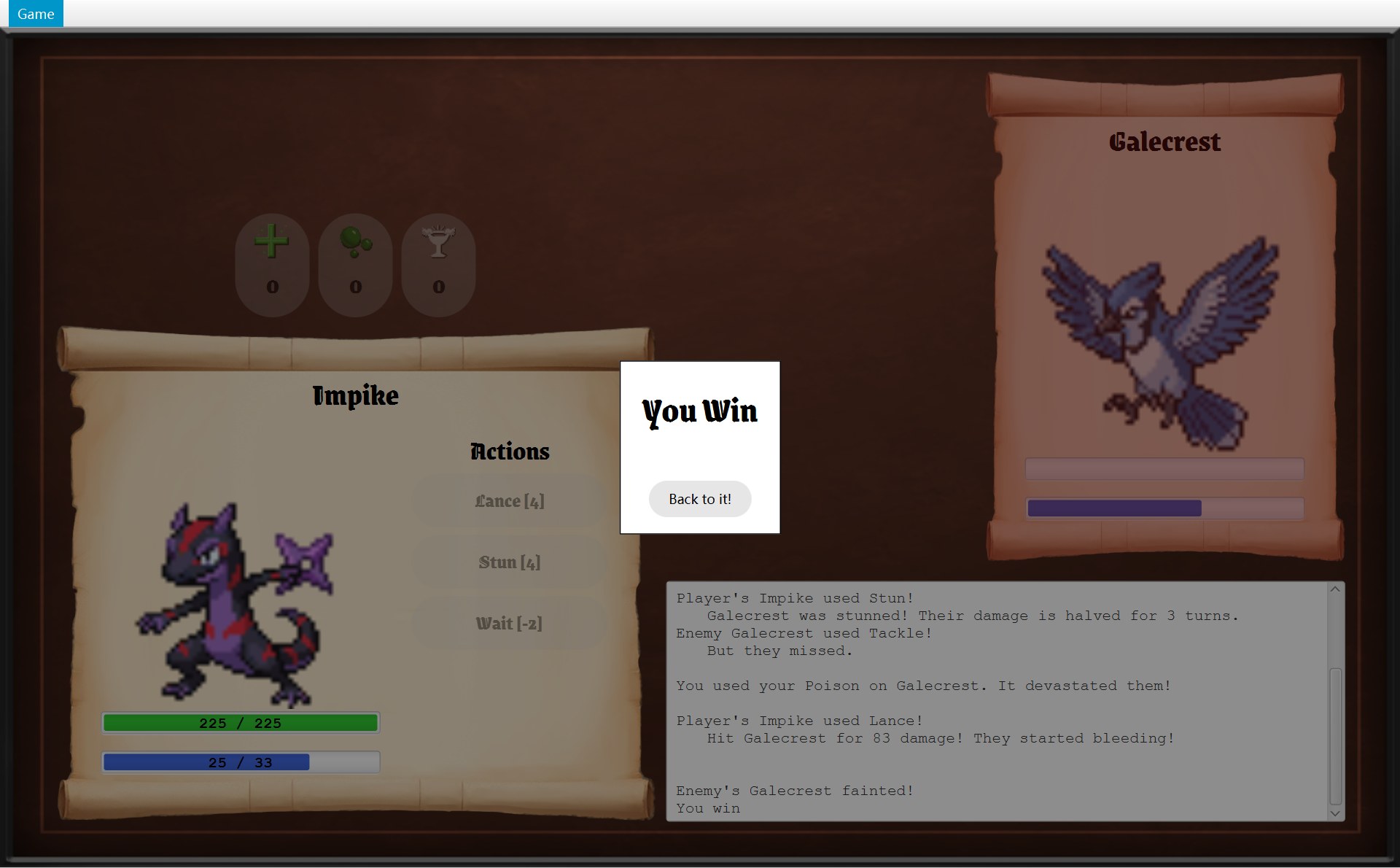
- 3You Win 框里的 Back to it!
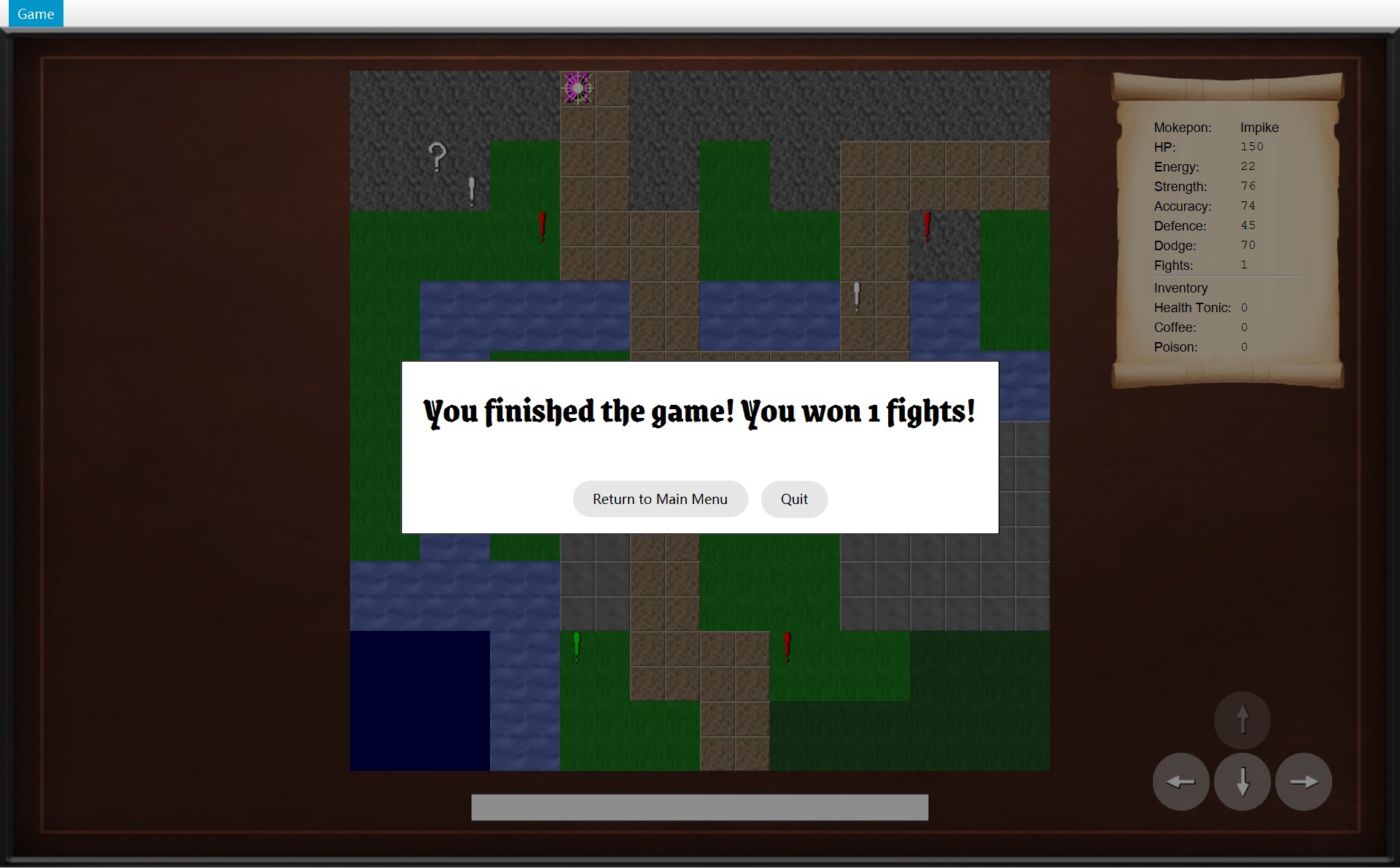
- 5Return to Main Menu
- 6Quit
| # | 你做了什么 | 最后调用 → 画面 |
|---|---|---|
| 1 | 遇敌框的 Run Away! | world.runAway(),画面不换 |
| 2 | 菜单 Run away / Ctrl+R | runAway():战斗 → 地图 |
| 3 | You Win 框的 Back to it! | winBattle():战斗 → 地图 |
| 4 | 菜单 Main menu / Ctrl+B | returnToMainMenu():→ 选择界面 |
| 5 | 出口框、Game Over 框的 Return to Main Menu | returnToMainMenu():→ 选择界面 |
| 6 | 同样两个框的 Quit | quit():程序结束 |
| 7 | 菜单 Exit / Alt+F4 | quit():程序结束 |
编号是按“做什么”排的:1、2 逃跑,3 打赢回地图,4、5 回主菜单,6、7 结束程序。所以菜单那张图上是 2、4、7。后面整章说“N 号路”,指的都是这张表的编号。每一节截图上的红色小编号只在那一节里有效,那一节开头会说明。
那段 lambda 写在哪个类:1 号在 COverworldScreen 的 onEncounter 里,2、4、7 号在 CGameMenu 的构造器里,3 号在 CBattleScreen 的 showResult 里,5、6 号在父类 AGameScreen 的 createGameEndDialog 里。看这张表能发现两件事:
- 7 个里有 6 个,最后调用的都是 CGameWindow 的方法(表里 2–7 号的
runAway()、winBattle()、returnToMainMenu()、quit())。因为只有窗口能换画面(showScreen是它的 private 方法),也只有它负责结束程序。可是按钮和菜单并不认识 CGameWindow,它们只认识接口 IGameNavigator,所以代码里写的都是navigator.xxx()或getNavigator().xxx()。
为什么有两种写法?CGameMenu 的navigator是它构造器的参数,lambda 直接用它。画面的navigator存在父类 AGameScreen 的 private 字段里(GameScreen.java 第 13 行),子类看不到这个字段,只能调用 protected 方法getNavigator()去拿。createGameEndDialog是写在 AGameScreen 自己里面的,所以它可以直接写navigator。 - 只有 1 号不经过窗口。遇敌框的 Run Away! 不用换画面,地图画面自己找 COverworld 就够了。
还有一个共同点:每个按钮、每个菜单项都是“先登记、后运行”。造它的时候就用 setOnAction(或者 CModalDialog.addButton)存进一个 lambda;你点它的时候,JavaFX 才运行这个 lambda。
另外,点窗口右上角的 × 也会关掉程序:JavaFX 关掉最后一个窗口时,程序就结束了。但这条路不经过 quit(),CGameWindow 里没有任何代码管它(没有 setOnCloseRequest),所以不算在 7 个里。下面一节一节看。
2. 逃跑之一:遇敌框里的 Run Away!
先看最简单的一条路。第 9 章第 8 节已经细讲过,这里拿出来,是为了和第 3 节的菜单逃跑对比。A 局里,Impike 从 (18,17) 往左踩上 (17,17) 的绿色感叹号,遇到 Hexwing,点了 Run Away!。这一节的编号:1 Run Away! 按钮,2 玩家,3 感叹号。前后两张图裁的是同一块:
- 1点这个:Run Away!
- 2点之前:玩家在 (17,17),盖住了感叹号(框后面有一层半透明黑色,所以暗)
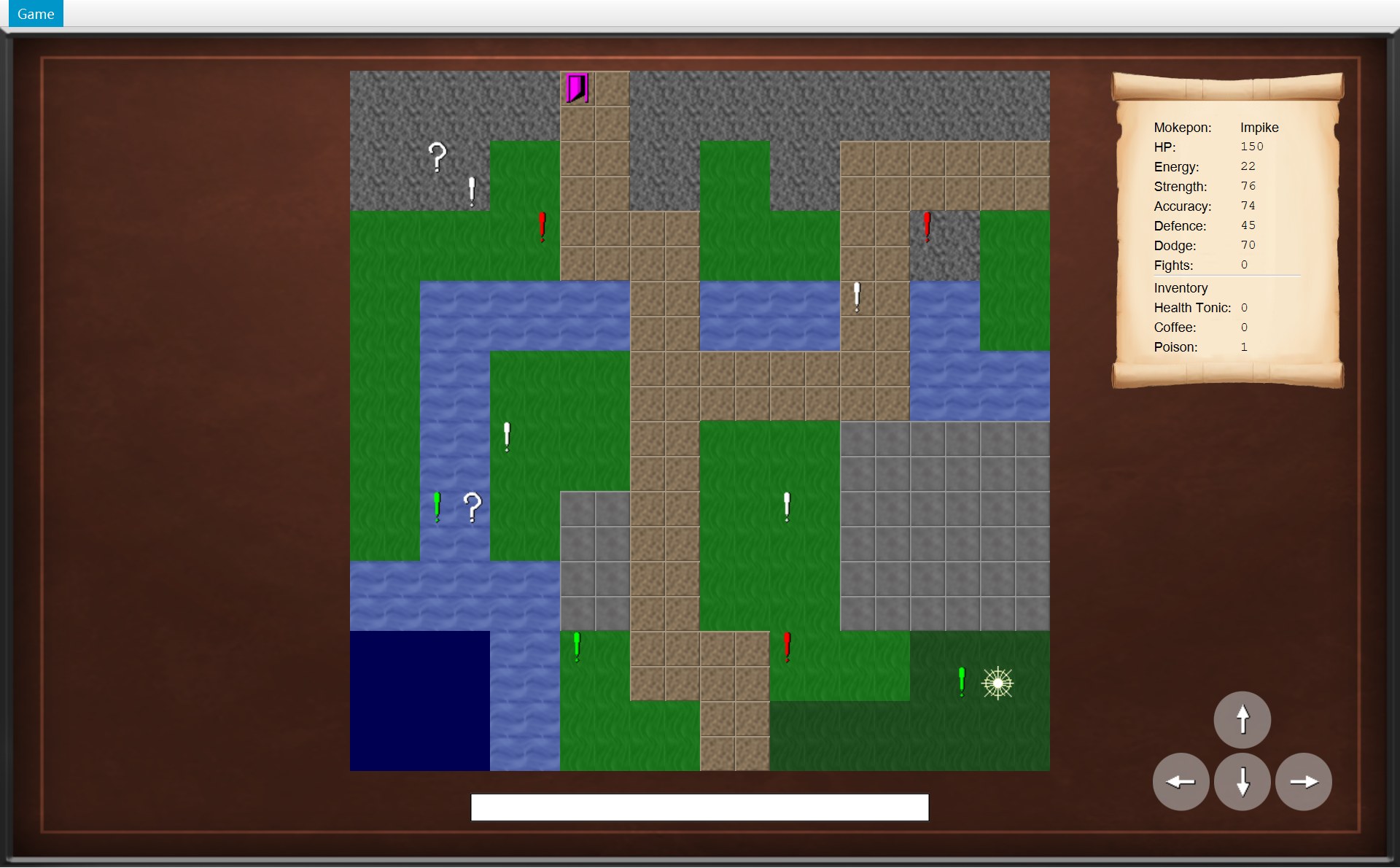
- 2点之后:玩家回到 (18,17)
- 3感叹号还在 (17,17)
79 @Override80 public void onEncounter(Encounter encounter) {81 ModalDialog dialog = new ModalDialog("Encountered a " + encounter.getEnemy().getName());82 for (String message : encounter.getTerrainMessages()) {83 dialog.addMessage(message);84 }85 dialog.addButton("Fight!", event -> {86 closeDialog();87 getNavigator().startBattle();88 });891 dialog.addButton("Run Away!", event -> {90 closeDialog();912 world.runAway();92 });93 showDialog(dialog);94 }- 第 81 行 new 一个 CModalDialog,标题是 “Encountered a ” 加上敌人的名字。
- 第 89 行
dialog.addButton("Run Away!", event -> { ... }):加一个按钮,并把大括号里的两行存进去。这个按钮是 CModalDialog 里 new 的普通 JavaFXButton,不是菜单项。 - 你点它,先运行第 90 行
closeDialog()(父类 AGameScreen 的方法):把框从画面上拿掉,字段dialog变回 null,方向键又能用了。 - 再运行第 91 行
world.runAway():world是 COverworldScreen 自己的字段,指着这一局的 COverworld。
86 /* Leave the encounter and go back to the tile before it. The marker stays on the map. */87 public void runAway() {88 encounter = null;892 player.moveBack();90 notifyListeners(listener -> listener.onPlayerMoved());91 }12 private Position position;13 /* The tile before the last move, so the player can run back to it. */14 private Position previousPosition;⋯ 省略第 15–39 行40 void moveTo(Position newPosition) {41 previousPosition = position;42 position = newPosition;43 }44 45 /* Go back to the tile the player stood on before the last move. */46 void moveBack() {47 position = previousPosition;48 }- 第 88 行
encounter = null:这次遇敌作废。字段encounter原来指着 Hexwing 那个 CEncounter 对象,现在谁也不指着它了。 - 第 89 行
player.moveBack():CPlayer 第 47 行position = previousPosition。previousPosition是上一次moveTo时第 41 行存下的旧位置 (18,17),所以玩家回到 (18,17)。 - 第 90 行通知所有监听者
onPlayerMoved()。地图画面收到后清空状态栏、重画地图,玩家就出现在 (18,17)。
感叹号为什么还在?因为 runAway 根本没碰 objects 列表(这一局地图上还剩的物体)。它只是把“这一次遇敌”忘掉,感叹号本身留着。再踩一次会重新挑一只敌人:A 局第二次踩上去,遇到的是 Galecrest。
画成顺序图(sequence diagram)。读法见 第 1 章第 3 节:每根竖虚线是一个对象,从上往下是时间,实线箭头 = 调用,虚线箭头 = 返回,绕回自己 = 调用自己的方法。
3. 逃跑之二:战斗中用菜单 Run away
看到的:三帧
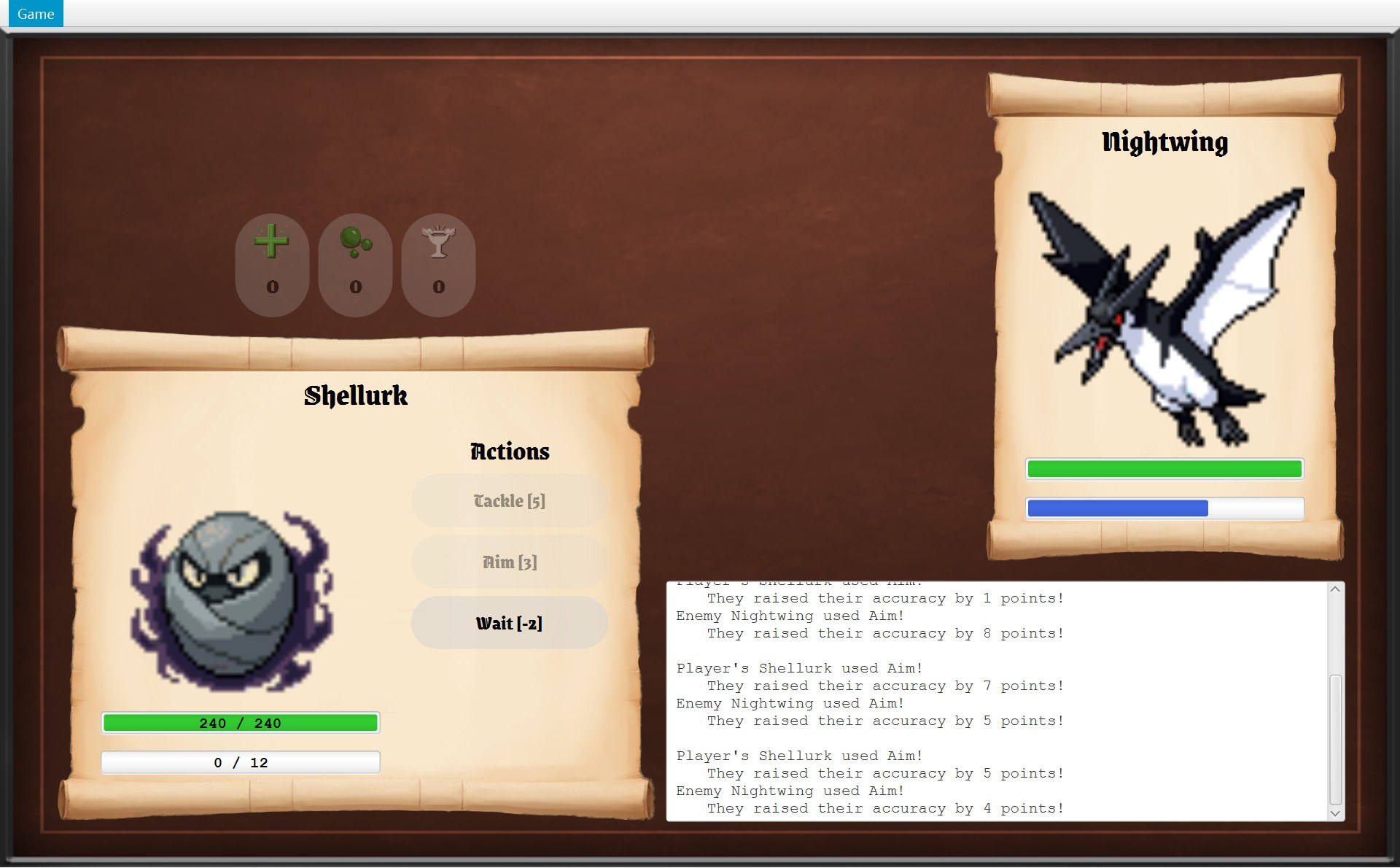
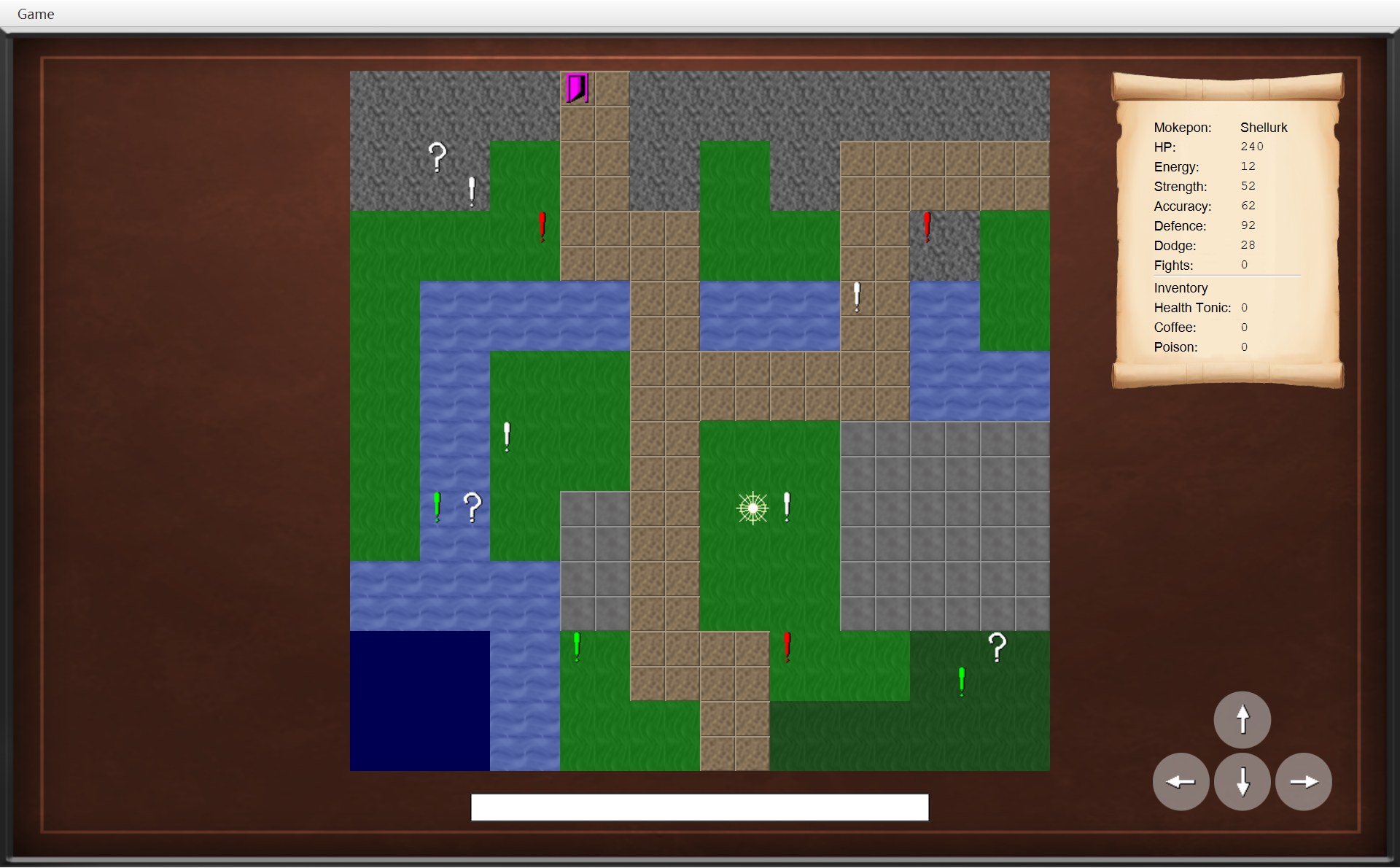
B 局开战前,Shellurk 是从 (11,12) 往右踩上 (12,12) 的白色感叹号,然后点了 Fight!。所以逃跑以后退回的是 (11,12)。这张截图本章后面还会用几次。
菜单项:Run away 是怎么造的
这一小节的编号:1 菜单里 Run away 这几个字,2 右边的快捷键。
- 1第 20 行:
new MenuItem("Run away"),菜单里的这一行字 - 2第 21 行:快捷键 Ctrl+R。这几个字是 JavaFX 按
setAccelerator自动写上去的
14public class GameMenu {15 private final MenuBar menuBar;16 private final MenuItem runAway;17 private final MenuItem mainMenu;18 19 public GameMenu(GameNavigator navigator) {201 runAway = new MenuItem("Run away");212 runAway.setAccelerator(new KeyCodeCombination(KeyCode.R, KeyCombination.CONTROL_DOWN));22 runAway.setOnAction(event -> navigator.runAway());- 第 20 行
new MenuItem("Run away"):造一个菜单项,存进字段runAway(第 16 行,final:造好以后不再换成别的对象)。 - 第 21 行
new KeyCodeCombination(KeyCode.R, KeyCombination.CONTROL_DOWN):造一个“按着 Ctrl 再按 R”的组合键对象,交给setAccelerator。从此不打开菜单,按 Ctrl+R 也等于选了这一项。 - 第 22 行
runAway.setOnAction(event -> navigator.runAway());是 2 号路的起点:选中这一项(或者按 Ctrl+R)时,运行navigator.runAway()。
navigator 是构造器的参数,类型是接口 IGameNavigator。CGameMenu 不知道、也不需要知道真正收到调用的是谁。它是 CGameWindow 构造器第 39 行 menu = new GameMenu(this); 造的,传进去的 this 就是那个 CGameWindow。构造器早就运行完了,lambda 还能用 navigator,因为 lambda 会记住它用到的变量(变量捕获,第 6 章第 5 节)。
接口和实现:GameNavigator.runAway → GameWindow.runAway
20 /* Cancel the battle and go back to the tile before the encounter. */21 void runAway();接口第 21 行 void runAway(); 没有方法体,只说“有这件事”。第 20 行注释写的是要求:“Cancel the battle and go back to the tile before the encounter.” 真正做事的是 CGameWindow。这一小节的编号:1 玩家。
76 @Override77 public void runAway() {781 world.runAway();79 showScreen(overworldScreen);80 }- 1第 78 行的结果:玩家退回 (11,12)
showScreen 以后,窗口里就是这张地图真实运行截图 · 选 Run away:战斗取消,回到踩感叹号之前的那一格 (11,12),感叹号还在- 第 76 行的
@Override表示:这是在实现接口里的那个方法(注解)。 - 第 78 行
world.runAway():先让规则这边处理,和 1 号路调用的是同一个方法。 - 第 79 行
showScreen(overworldScreen):再换画面。overworldScreen是这一局一开始造的那个地图画面,打仗期间一直存在字段里,没有被扔掉,所以现在能直接放回来。
一步一步:从 Ctrl+R 到地图出现
下面的动画把 2 号路慢放一遍:CGameMenu → CGameWindow → COverworld → CPlayer,最后菜单再问一次地图画面。最上面是顺序图,下面是那一刻运行的代码,再下面是那一刻的屏幕。图里的编号:1 菜单里的 Run away,2 玩家,3 (12,12) 的感叹号,4 还显示在窗口里的战斗画面。
19 public GameMenu(GameNavigator navigator) {20 runAway = new MenuItem("Run away");21 runAway.setAccelerator(new KeyCodeCombination(KeyCode.R, KeyCombination.CONTROL_DOWN));22 runAway.setOnAction(event -> navigator.runAway());76 @Override77 public void runAway() {78 world.runAway();79 showScreen(overworldScreen);80 }96 @Override97 public void updateMenu() {98 menu.update(currentScreen);99 }100 101 private void showScreen(GameScreen screen) {102 currentScreen = screen;103 root.setCenter(screen.getView());104 updateMenu();105 }86 /* Leave the encounter and go back to the tile before it. The marker stays on the map. */87 public void runAway() {88 encounter = null;89 player.moveBack();90 notifyListeners(listener -> listener.onPlayerMoved());91 }40 void moveTo(Position newPosition) {41 previousPosition = position;42 position = newPosition;43 }44 45 /* Go back to the tile the player stood on before the last move. */46 void moveBack() {47 position = previousPosition;48 }72 @Override73 public void onPlayerMoved() {74 /* A successful move clears the old message. */75 statusBar.setText("");76 update();77 }⋯ 省略第 78–132 行133 /* Make the map, the scroll and the buttons match the world. */134 private void update() {135 mapView.update();136 statsScroll.update();137 for (Map.Entry<Direction, GameButton> entry : moveButtons.entrySet()) {138 entry.getValue().setUsable(world.canMove(entry.getKey()));139 }140 }46 public void update(GameScreen screen) {47 runAway.setDisable(!screen.canRunAway());48 mainMenu.setDisable(!screen.canReturnToMainMenu());49 }41 /* Whether the "Run away" option can be used. Only the battle screen allows it. */42 public boolean canRunAway() {43 return false;44 }- 1Run away:亮,能点
- 4还是战斗画面(打开菜单之前拍的,菜单收起来后一模一样)
- 2玩家:(11,12)
- 3感叹号:还在 (12,12)
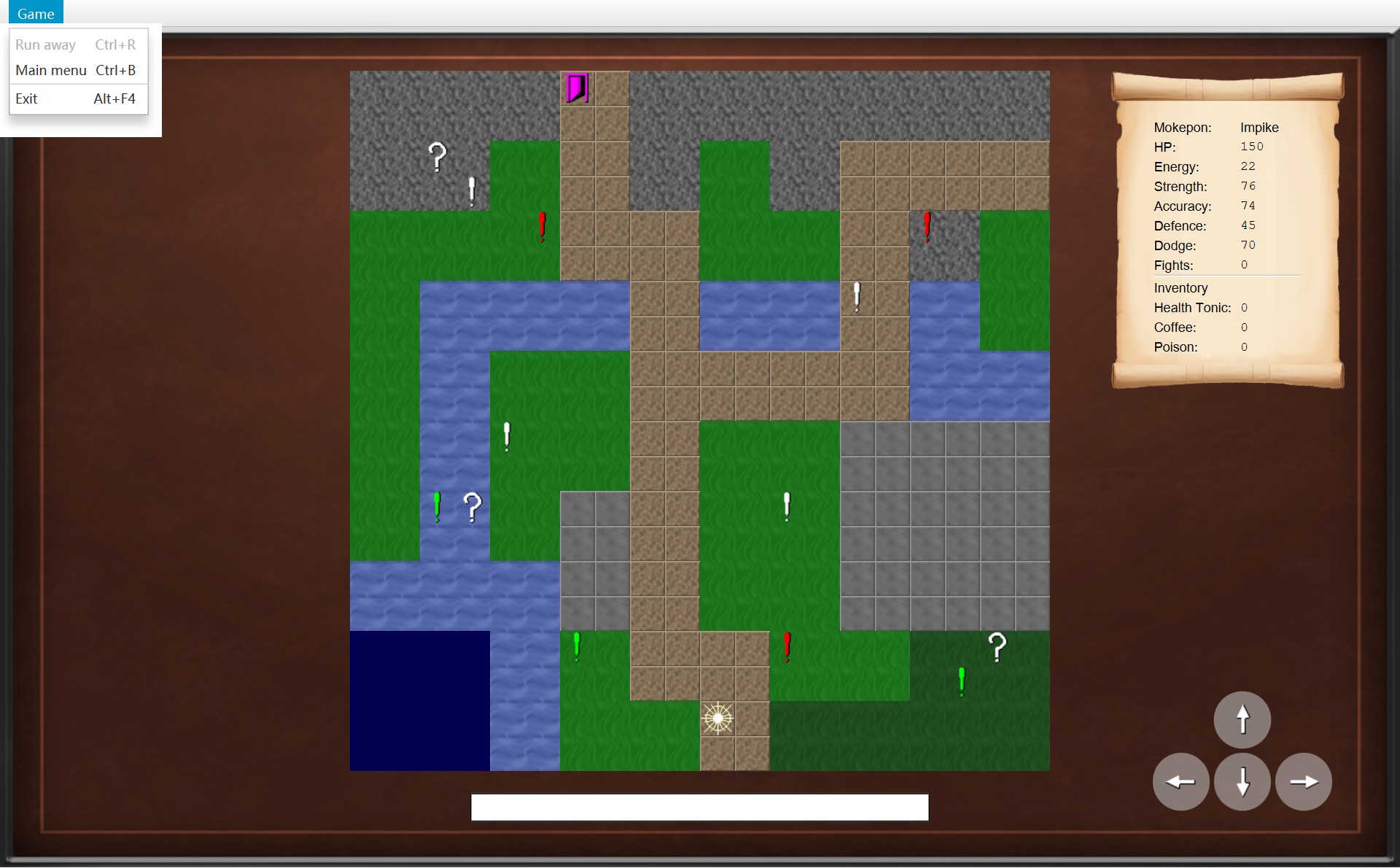
- 1Run away:灰(A 局地图上的菜单;地图画面的答案都一样)
- 你在战斗中按 Ctrl+R(或者打开 Game 菜单点 Run away)。这个菜单项是 CGameMenu 构造器第 20 行造的,第 22 行给它存了一个 lambda。现在 JavaFX 运行这个 lambda:
navigator.runAway()。 navigator指着的对象就是 CGameWindow(第 39 行new GameMenu(this)交进去的this)。所以接口方法runAway()运行的是 CGameWindow 第 77 行这个版本。菜单收起来了,窗口里显示的还是战斗画面。- 第 78 行
world.runAway()。CGameWindow 自己不管玩家站在哪,它把这件事交给 COverworld 去做,这叫委托(delegation)。字段world指着 B 局的 COverworld。 - 来到 COverworld.runAway。第 88 行
encounter = null:和 Nightwing 的这次遇敌作废。objects列表没有被碰,所以 (12,12) 的感叹号还算在地图上。 - 第 89 行
player.moveBack()。当初你从 (11,12) 踩上 (12,12) 时,moveTo第 41 行把 (11,12) 存进了previousPosition。打仗期间玩家没有走动,它一直是 (11,12)。现在第 47 行把它放回position。 - COverworld 第 90 行通知监听者,地图画面的
onPlayerMoved()运行:第 75 行清空状态栏,第 76 行update(),第 135 行mapView.update()把玩家画到 (11,12),第 136–139 行更新卷轴和方向按钮。可是这个地图画面还没放进窗口:它在后台改好了,你看到的仍然是战斗画面。 - 回到 CGameWindow 第 79 行
showScreen(overworldScreen)。第 102 行currentScreen = screen:以后的按键交给地图画面。第 103 行root.setCenter(...):窗口中间换成地图画面的 view。这时你才看到地图(左边是换之前,右边是换之后):玩家在 (11,12),感叹号还在 (12,12)。 - 第 104 行
updateMenu()→ 第 98 行menu.update(currentScreen)。画面换了,菜单要重新问一次新画面“你允许什么”。 - CGameMenu.update 第 47 行问
screen.canRunAway()。COverworldScreen 没有改写这个方法,所以运行父类 AGameScreen 第 42–44 行,返回 false。!false= true,setDisable(true):Run away 变灰,Ctrl+R 也不起作用了。 - 做完了。回头看:
BattleScreen.java和Battle.java里的代码一行都没运行(按 Ctrl+R 时,父类 AGameScreen 的handleKeyPress在战斗画面身上跑了一下,看到按着 Ctrl 就 return 了),没有人去通知那场战斗“你被取消了”。那场战斗去哪了?看下一小节。
那场战斗去哪了?
CGameWindow 没有存战斗画面的字段。战斗期间指着 CBattleScreen 的只有 currentScreen,而 showScreen(overworldScreen) 第 102 行把它换成了地图画面。于是战斗画面没有人指着了。它的字段 battle 还指着 CBattle,CBattle 的字段还指着两个 CFighter,可是这条链子的头(战斗画面)已经没人能找到,所以从 CGameWindow 出发,顺着字段再也走不到它们。COverworld 的 encounter 也已经是 null,那个 CEncounter 对象同样没人指着。Java 会自动回收这些再也找不到的对象(垃圾回收):
所以逃跑以后什么都不用“恢复”。战斗里变的属性和效果,全都在那两个 CFighter 里(只有道具数量例外,见下面的提醒);你的 Mokepon 从来没被改过。B 局的日志可以看到 Shellurk 的 Accuracy 一直在涨。图上的 1 是涨 Accuracy 的那几行日志,涨出来的数存在代码第 25 行的 stats 里:
- 1Shellurk 的 Aim:+1、+7、+5。每一条的上面一行都写着 Player's Shellurk used Aim!(第一次的 +3 已经滚到上面去了;Enemy Nightwing 那几行是敌人自己涨的)
14/* A Mokepon taking part in one battle. Its stats and effects can change during the battle,15 * but the Mokepon it was made from never changes. When the battle ends this object is16 * thrown away, so the stats go back to their base values and the effects are cleared.⋯ 省略第 17–20 行21 private final Mokepon mokepon;22 /* The stats at the start of this battle, after the terrain effect. */23 private final Map<Stat, Integer> startingStats = new EnumMap<>(Stat.class);24 /* The stats right now. They only change through the methods below. */251 private final Map<Stat, Integer> stats = new EnumMap<>(Stat.class);⋯ 省略第 26–30 行31 public Fighter(Mokepon mokepon, TerrainEffect terrainEffect) {32 this.mokepon = mokepon;33 for (Stat stat : Stat.values()) {34 int value = stat.limit(terrainEffect.adjust(mokepon.getStat(stat)));35 startingStats.put(stat, value);36 stats.put(stat, value);37 }38 }四次 Aim 一共 3 + 1 + 7 + 5 = 16 点。开打时 CFighter 的 Accuracy 是多少?构造器第 34 行先用地形效果调整 Mokepon 的值。Shellurk 是 NORMAL 类型,没有强弱地形,所以它拿到的 terrainEffect 是 NEUTRAL,倍数是 1:Math.round(62 × 1) = 62,不变。62 + 16 = 78。这个 78 存在 CFighter 的 stats(第 25 行)里,它是构造器从 Mokepon 抄过来的一份。下次再打,CEncounter 会重新 new Fighter(playerMokepon, ...),Accuracy 又从 62 开始。类注释第 15–16 行自己就写了这件事:“When the battle ends this object is thrown away, so the stats go back to their base values and the effects are cleared.”
为什么说 Mokepon 不能被改?只说“字段是 final”还不够:final 只保证字段不会换成别的对象。一个 final 的 Map,里面的内容照样能改。真正的保证在 CMokepon 的构造器和 get 方法里:
8/* A Mokepon as it is written in the data file. Its stats never change.9 * A battle uses a Fighter made from it, so the Mokepon itself stays the same.10 */11public class Mokepon {12 private final String name;13 private final String imagePath;14 private final MokeponType type;15 private final Map<Stat, Integer> stats;16 private final List<Skill> skills;17 18 /* Keep our own copies of the stats and skills, so no other class can change them. */19 public Mokepon(String name, String imagePath, MokeponType type,20 Map<Stat, Integer> stats, List<Skill> skills) {21 this.name = name;22 this.imagePath = imagePath;23 this.type = type;24 this.stats = new EnumMap<>(stats);25 this.skills = List.copyOf(skills);26 }⋯ 省略第 27–39 行40 public int getStat(Stat stat) {41 return stats.get(stat);42 }- 第 15–16 行:
stats和skills是private final,别的类碰不到这两个字段,也不能让它们指向别的表。 - 第 24 行
new EnumMap<>(stats)、第 25 行List.copyOf(skills):构造器不直接存别人交进来的表,而是复制一份自己留着(第 18 行注释:“Keep our own copies…, so no other class can change them.”)。这叫防御性复制(defensive copy)。造 Mokepon 的人以后再改他手里那张表,也影响不到这只 Mokepon。List.copyOf复制出来的列表还根本不能改。 - 第 40–42 行
getStat只交出一个int,不交出表本身。全类没有任何 set 方法。所以这是一个不可变对象(immutable object)(第 10 章第 2 节)。
4. 为什么只有战斗进行中才能逃跑
打开 Game 菜单看 Run away:在地图上是灰的,在战斗中是亮的。下面两张裁的是同一块:
- 1地图上:Run away 灰,点不了
- 1战斗中:Run away 亮
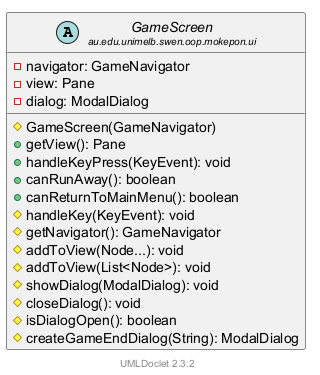
菜单自己不知道现在是哪个画面。每次需要的时候,它就问当前画面一个问题:“你允许逃跑吗?”这个问题就是方法 canRunAway()。父类给了默认答案,只有 CBattleScreen 改写了它:
42 public boolean canRunAway() {43 return false;44 }102 @Override103 public boolean canRunAway() {104 return !battle.isFinished();105 }43 /* Turn the options on or off to match the screen being shown.44 * A disabled option also ignores its keyboard shortcut.45 */46 public void update(GameScreen screen) {47 runAway.setDisable(!screen.canRunAway());48 mainMenu.setDisable(!screen.canReturnToMainMenu());49 }- AGameScreen 第 41 行注释:“Only the battle screen allows it.” 第 43 行
return false;。CSelectScreen 和 COverworldScreen 都没改写它,用的都是这一个。 - CBattleScreen 第 102 行
@Override,第 104 行return !battle.isFinished();。isFinished()交出 CBattle 的字段finished,只有finish(...)会把它设成 true(第 11 章第 5 节)。!是“反过来”:没打完 → true(能逃);打完了 → false(不能逃)。 - CGameMenu 第 47 行
runAway.setDisable(!screen.canRunAway()):再反过来一次交给setDisable(true = 变灰)。能逃 →setDisable(false)→ 亮。 - 参数
screen的类型是父类 AGameScreen,真正运行哪个canRunAway(),看它那一刻指着哪个对象,这就是多态(polymorphism)。像这样“父类给一个默认答案、子类需要时改写”的方法,叫钩子方法(hook method)。
打完的那一刻:画面没换,菜单也得更新
菜单平时只在 showScreen 的最后一行(updateMenu())去问画面。可是战斗打完的那一刻,画面没有换,还是同一个 CBattleScreen,showScreen 不会运行。所以 CBattleScreen 自己请窗口再问一次。这一小节的编号:1 You Win 框,2 技能按钮。
- 1第 173 行造的 You Win 框。它出来之前,第 171 行已经让 Run away 变灰了(菜单没打开,所以图上看不到)
- 2技能按钮也全灰了:这是第 151 行
updateSkillButtons做的,它同样看isFinished()
147 /* A skill can only be used while the battle is running and there is enough energy. */148 private void updateSkillButtons() {149 List<Skill> skills = battle.getPlayer().getSkills();150 for (int i = 0; i < skillButtons.size(); i++) {1512 boolean usable = !battle.isFinished() && battle.getPlayer().canUse(skills.get(i));152 skillButtons.get(i).setUsable(usable);153 }154 }⋯ 省略第 155–166 行167 /* Show the winning or the losing dialog.168 * The battle is over, so the menu is updated to turn off "Run away".169 */170 private void showResult() {171 getNavigator().updateMenu();172 if (battle.hasPlayerWon()) {1731 ModalDialog dialog = new ModalDialog("You Win");174 dialog.addButton("Back to it!", event -> getNavigator().winBattle());175 showDialog(dialog);176 } else {177 showDialog(createGameEndDialog("Game Over"));178 }179 }updateMenu() 是 IGameNavigator 的第 7 个方法,它的注释(第 29–31 行)说的正是这件事:“when the current screen changes what it allows, for example when a battle ends.” CGameWindow 实现它只有一行 menu.update(currentScreen)。currentScreen 还是这个 CBattleScreen,但这次 isFinished() 是 true,canRunAway() 返回 false,Run away 变灰。CGameMenu.update 上面的注释还有一句:“A disabled option also ignores its keyboard shortcut.” 变灰以后,按 Ctrl+R 也没用。
| 时刻 | 谁让菜单去问 | currentScreen | canRunAway() | Run away |
|---|---|---|---|---|
| 点 Fight!,战斗画面出现 | showScreen → updateMenu() | 新的 CBattleScreen | !false = true | 亮 |
| 有人倒下,战斗结束 | showResult → updateMenu() | 同一个 CBattleScreen | !true = false | 灰 |
| 回到地图(赢了或逃了) | showScreen → updateMenu() | COverworldScreen | false(父类默认) | 灰 |
如果打完还能逃,会怎样?
CBattleScreen 第 99–101 行的注释给的理由是:“Running away cancels the battle, so it is not possible once the battle is over.” 你的 README 里也写了这条假设:打赢或打输以后 Run away 变灰,“because there is nothing left to run from”。用代码推一推,就知道它挡住了什么:
- 赢了以后逃:
world.runAway()只会encounter = null和退回上一格,不会objects.remove(...),也不会addWin()(这两件事只在winEncounter里,第 5 节)。这场胜利就白打了:感叹号还在,Fights 不会加 1。 - 输了以后逃:Game Over 框只给两条路:回主菜单或者退出。要是还能逃,输了也不算,可以接着玩这一局。
- 在选择界面逃:那时 CGameWindow 的
world是 null,第 78 行world.runAway()会抛出 NullPointerException(第 6 章第 1 节)。菜单灰着,就永远走不到这一行。
“什么时候能逃”这条规则只写在 CBattleScreen 的一个方法里;菜单只管照着答案变灰变亮。
5. 打赢以后:Back to it!
A 局里 Impike 用 Lance 打出 83 点伤害,Galecrest 倒下,弹出 You Win 框。点 Back to it! 回到地图。这一节的编号:1 Back to it! 按钮,2 (17,17) 那一格,3 Fights,4 状态栏,5 Poison 的数量。回到地图以后,和逃跑不一样的地方有这几处:
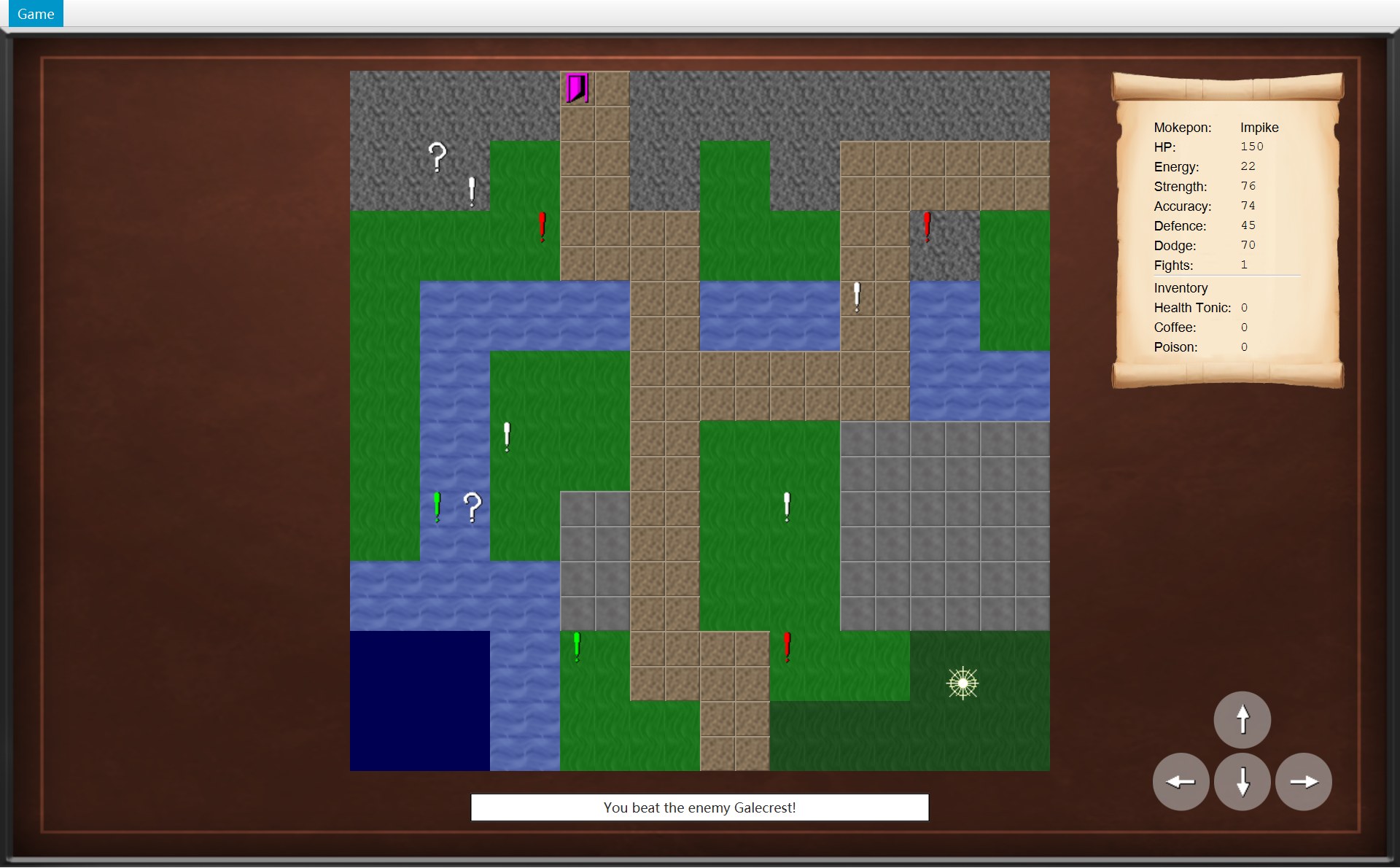 2345
2345- 2玩家还站在 (17,17),脚下的绿色感叹号没了(逃跑的话会退回上一格)
- 3Fights: 1(原来是 0)
- 4状态栏:You beat the enemy Galecrest!
- 5Poison: 0:战斗里用掉了,不会回来
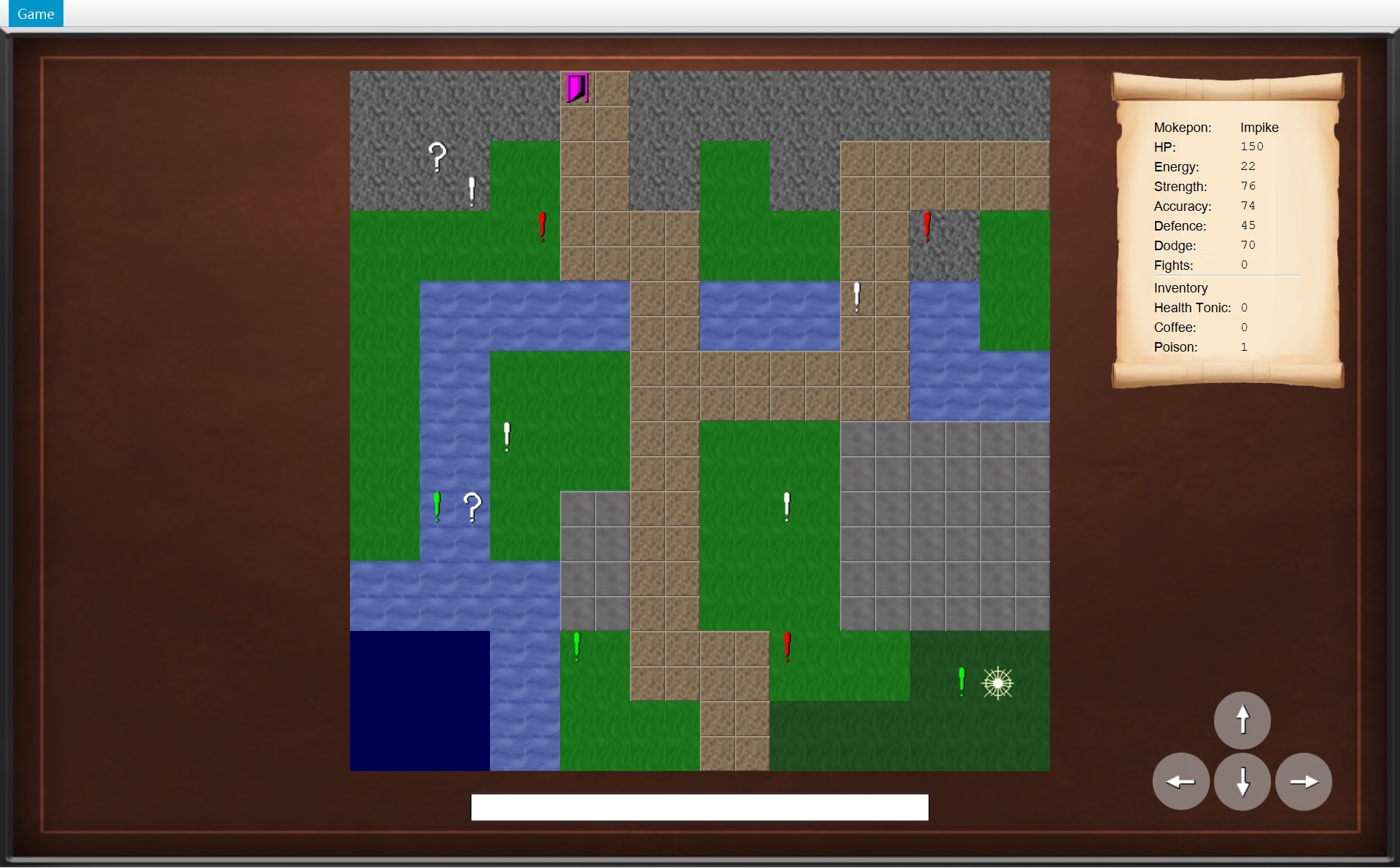
- 3Fights: 0
- 5Poison: 1(刚从问号箱捡的)
- 3Fights: 1
- 5Poison: 0
下面的动画从“敌人倒下”开始慢放。和逃跑一样,CGameWindow 先请 COverworld 改规则,再换画面。注意第 3、4 步之间:程序什么都不做,一直等到你点按钮。顺序图里的 world 就是这一局的 COverworld 对象,player 是 CPlayer 对象。动画里的编号和上面一样:1 Back to it!,2 (17,17) 那一格,3 Fights,4 状态栏;另外 6 是敌人的 HP 条。
170 private void showResult() {171 getNavigator().updateMenu();172 if (battle.hasPlayerWon()) {173 ModalDialog dialog = new ModalDialog("You Win");174 dialog.addButton("Back to it!", event -> getNavigator().winBattle());175 showDialog(dialog);176 } else {177 showDialog(createGameEndDialog("Game Over"));178 }179 }70 @Override71 public void winBattle() {72 world.winEncounter();73 showScreen(overworldScreen);74 }⋯ 省略第 75–100 行101 private void showScreen(GameScreen screen) {102 currentScreen = screen;103 root.setCenter(screen.getView());104 updateMenu();105 }93 /* The battle was won, so remove the marker and count the win. */94 public void winEncounter() {95 Mokepon enemy = encounter.getEnemy();96 objects.remove(encounter.getMarker());97 player.addWin();98 encounter = null;99 notifyListeners(listener -> listener.onEncounterWon(enemy));100 }102 @Override103 public void onEncounterWon(Mokepon enemy) {104 statusBar.setText("You beat the enemy " + enemy.getName() + "!");105 update();106 }⋯ 省略第 107–132 行133 /* Make the map, the scroll and the buttons match the world. */134 private void update() {135 mapView.update();136 statsScroll.update();137 for (Map.Entry<Direction, GameButton> entry : moveButtons.entrySet()) {138 entry.getValue().setUsable(world.canMove(entry.getKey()));139 }140 }50 /* Show only the objects that are still on the map, and move the player's image.51 * Everything is redrawn from the world, so nothing old is left on the screen.52 */53 public void update() {54 objectLayer.getChildren().clear();55 for (MapObject object : world.getObjects()) {56 objectLayer.getChildren().add(objectViews.get(object));57 }58 placeOnTile(playerView, world.getPlayer().getPosition());59 }- 1Back to it!
- 6Galecrest 的 HP 条空了(HP 0),卷轴变红
- 2(17,17):感叹号没了,玩家还在这一格
- 4You beat the enemy Galecrest!
- 3Fights: 1
- Lance 让 Galecrest 的 HP 变成 0,CBattle.finish(true) 把
finished设成 true(第 11 章)。CBattleScreen.update() 第 135–136 行发现“打完了,而且还没有框开着”,就调用showResult()。 - 第 171 行先
getNavigator().updateMenu():菜单再问一次canRunAway(),这次是 false,Run away 变灰(第 4 节)。 - 第 172 行
battle.hasPlayerWon()是 true,走上半边:第 173 行 new 一个标题为 You Win 的 CModalDialog;第 174 行加一个按钮 Back to it!,存进 lambdaevent -> getNavigator().winBattle()(这时还不运行);第 175 行showDialog把框盖在战斗画面上。showResult到这里就结束了;之后什么代码都不运行,直到你点按钮。 - 你点了 Back to it!,JavaFX 才运行第 174 行存的 lambda:
getNavigator().winBattle(),来到 CGameWindow 第 71 行。和runAway()一样是两行:第 72 行先改规则,第 73 行再换画面。 - COverworld.winEncounter。第 95 行先把敌人存进局部变量
enemy。第 96 行objects.remove(encounter.getMarker()):把 (17,17) 这个 CMarker 对象从这一局的物体列表里拿掉。下图是结果(地图要等最后一步才放回窗口)。 - 第 97 行
player.addWin():CPlayer 第 51 行fightsWon++(++ 就是“加 1”),0 变 1。第 98 行encounter = null:这次遇敌结束了。 - COverworld 第 99 行通知
onEncounterWon(enemy)。这里用的是第 95 行存下的enemy,因为第 98 行已经把encounter设成了 null,这时再写encounter.getEnemy()就会出错。地图画面第 104 行写状态栏:“You beat the enemy ” + 名字 + “!”,第 105 行update()。 - 第 105 行的
update()里,先是mapView.update():第 54 行清空物体层,第 55–57 行只为world.getObjects()里还在的物体放图片。(17,17) 的感叹号已经不在列表里,就不画了。接着statsScroll.update()把 Fights 改成 1。 - 最后 CGameWindow 第 73 行
showScreen(overworldScreen):地图回到窗口,感叹号、状态栏、Fights 三处变化一起出现;updateMenu()让 Run away 保持灰色。带着 You Win 框的那个 CBattleScreen,和逃跑时一样,没有人再指着它了。
把赢和逃放在一起比,考试很爱问:
逃跑:runAway() | 打赢:winEncounter() | |
|---|---|---|
encounter | 设成 null | 设成 null |
| 感叹号 | 留在 objects 里,能再踩 | objects.remove(...),没了 |
| 玩家位置 | moveBack():退回上一格 | 不动:站在感叹号那一格 |
fightsWon | 不变 | addWin():加 1 |
| 通知监听者 | onPlayerMoved() | onEncounterWon(enemy) |
| 状态栏 | 清空 | You beat the enemy …! |
| 谁调用它 | CGameWindow.runAway(),或者遇敌框的 lambda | 只有 CGameWindow.winBattle() |
注意:拿掉感叹号改的是 COverworld 自己的 objects 列表。它在构造器第 41 行是从地图复制出来的(第 40 行注释:“Copy the objects, so collecting a box or beating a marker never changes the map.”)。所以下一局开始时,CGameMap 里的感叹号一个都不少。
6. 回主菜单,和结束程序
Main menu(Ctrl+B):这一局被扔掉
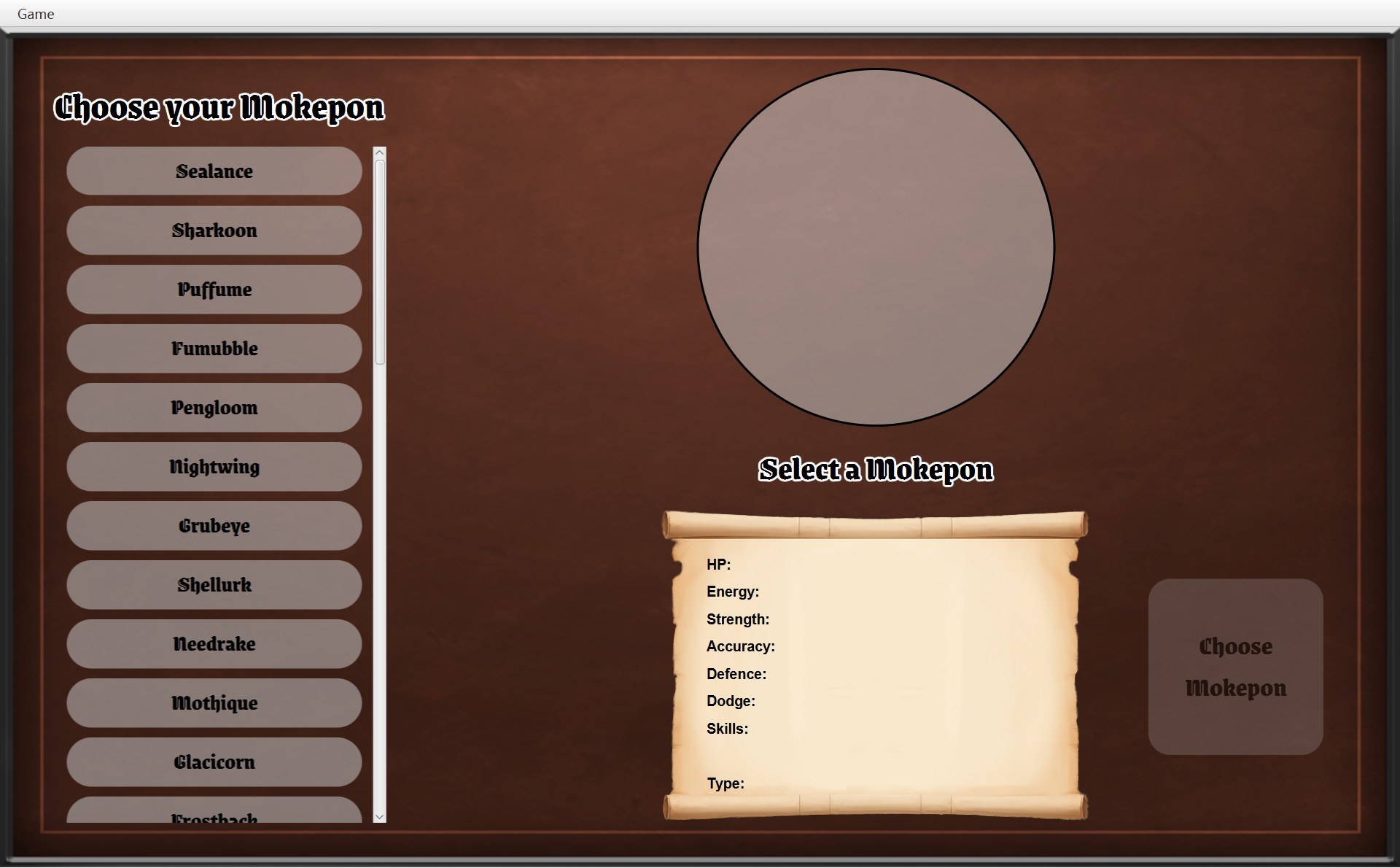
B 局逃回地图以后,又选了 Game 菜单的 Main menu。回到的选择界面,看起来和程序刚打开时一模一样。这一小节的编号对应下面代码里的行:
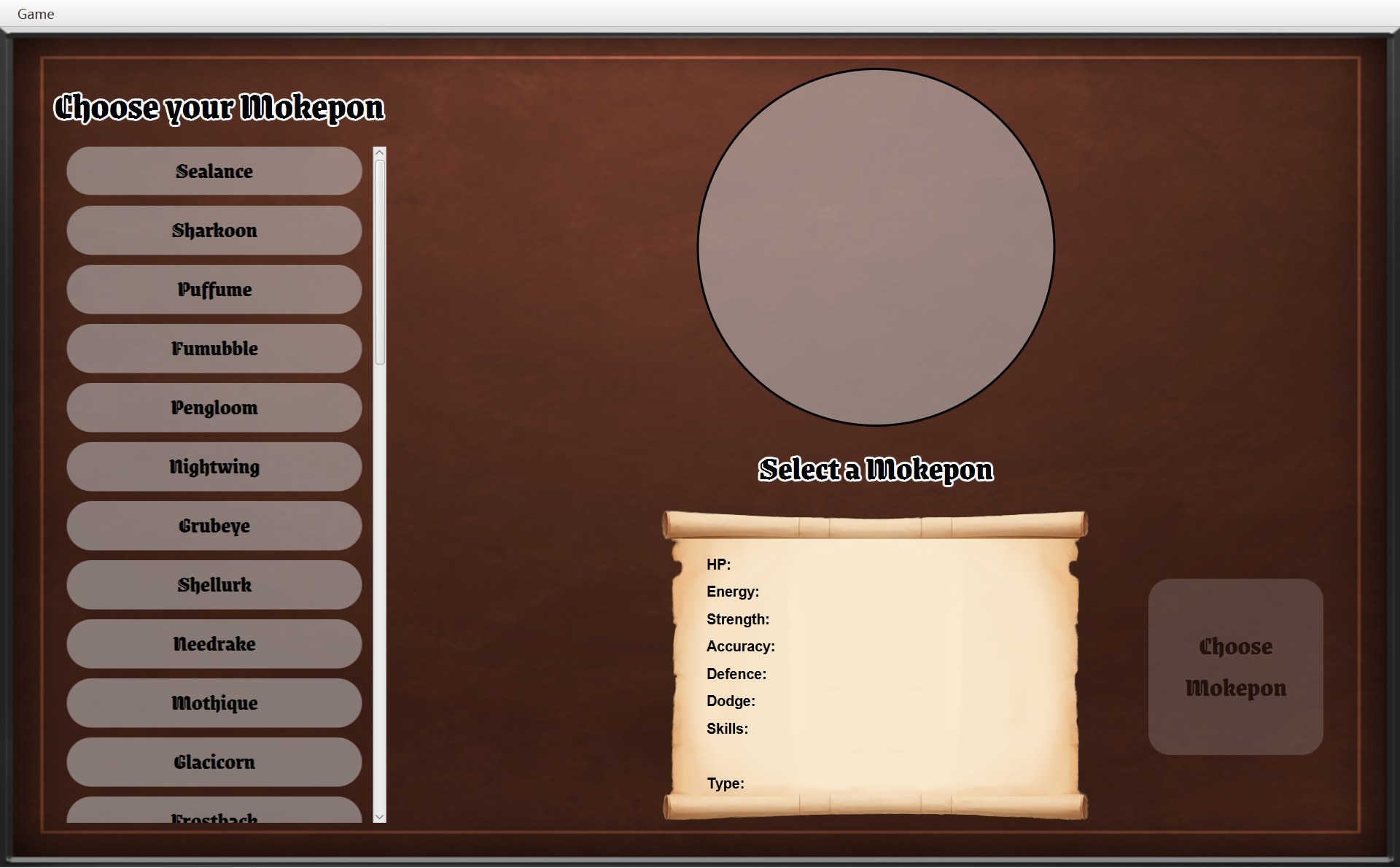
- 1名字变回提示语 Select a Mokepon(第 132 行)
- 2圆圈里没有图片(第 131 行)
- 3属性卷轴:右边的值全是空的(第 134–138 行)
- 4Choose Mokepon 是灰的(第 139 行)
- 5名单里没有哪个按钮是“选中”的深色(第 126–127 行)
124 /* Return the screen to how it looked at the start. */125 public void clearSelection() {126 if (selectedButton != null) {1275 selectedButton.setHighlighted(false);128 }129 selectedButton = null;130 selectedMokepon = null;1312 portraitView.setImage(null);1321 nameLabel.setText(PROMPT);133 showTypeIcon(false);134 for (Label value : statValues.values()) {1353 value.setText("");136 }137 skillsValue.setText("");138 typeValue.setText("");1394 chooseButton.setUsable(false);140 }- 第 126–128 行:如果上次选过一个按钮,先把它的高亮去掉(
setHighlighted(false))。要先判断selectedButton != null:从来没选过时它是 null,对 null 调用方法会抛出 NullPointerException。 - 第 129–130 行:忘掉“选了哪个按钮、哪只 Mokepon”,两个字段都设成 null。
- 第 131–133 行:圆圈里的图片清掉;名字变回常量
PROMPT(“Select a Mokepon”);类型小图标藏起来。 - 第 134–136 行:
statValues是一张“EStat →Label”的表,values()交出表里所有的Label,for-each 把每一个的文字设成空字符串。 - 第 137–139 行:技能、类型两行也清空;
chooseButton.setUsable(false)让 Choose Mokepon 变灰。setUsable是 CGameButton 自己的方法(第 6 章第 7 节)。
为什么要“清空”?因为选择界面从来不重新造。它是 CGameWindow 构造器第 41 行造的,存在 final 字段 selectScreen 里,整个程序只有这一个。上次选 Shellurk 留下的高亮、图片、属性都还在它身上,所以回来时要一个个擦掉。
是谁调用了 clearSelection?顺着 4 号路走一遍:
26 /* The game being played and its screen. Both are null on the select screen. */27 private Overworld world;28 private OverworldScreen overworldScreen;⋯ 省略第 29–81 行82 /* The game being played is thrown away. */83 @Override84 public void returnToMainMenu() {85 world = null;86 overworldScreen = null;87 selectScreen.clearSelection();88 showScreen(selectScreen);89 }| CGameWindow 的字段 | 回主菜单之前 | 之后 |
|---|---|---|
world : COverworld | B 局的规则对象(Shellurk 在 (11,12)) | null(第 85 行) |
overworldScreen : COverworldScreen | B 局的地图画面 | null(第 86 行) |
selectScreen : CSelectScreen | 程序开始时造的那一个 | 还是那一个,清空了(第 87 行) |
currentScreen : AGameScreen | 地图画面 | 选择界面(第 88 行,经过 showScreen) |
第 26 行注释:“The game being played and its screen. Both are null on the select screen.” 两个字段一设成 null,B 局的 COverworld、CPlayer、背包、地图画面就都没人指着了,被垃圾回收。下次点 Choose Mokepon,startGame 再 new 一套全新的(第 59–61 行,包括 addListener)。README 里的假设说的就是这个:“Going back to the main menu throws the current game away.”
三个画面,三种寿命(对象活多久),这是个好考点。下面按时间画出 A 局、B 局里每个画面对象活了多久:
CSelectScreen:只有一个
窗口的构造器造一次,final 字段存着,一直重复用。所以回来时要 clearSelection()。
COverworldScreen:一局一个
startGame 造,returnToMainMenu 扔。中间每次打完、逃完都放回同一个,所以 runAway 和 winBattle 能直接 showScreen(overworldScreen)。
CBattleScreen:一场一个
startBattle 第 67 行每次 new 一个,窗口不存它。它的字段 battle 是 final,一个战斗画面只能显示一场战斗。
为什么选择界面上 Main menu 是灰的?上面顺序图的最后一条箭头:CSelectScreen 改写了 canReturnToMainMenu():
118 /* There is no game to leave yet, so the main menu option is not needed. */119 @Override120 public boolean canReturnToMainMenu() {121 return false;122 }注释说:“There is no game to leave yet, so the main menu option is not needed.” 老实说,就算在这里调用 returnToMainMenu() 也不会出错(两个字段本来就是 null,clearSelection() 只会把你刚选的擦掉),只是没有意义,所以干脆变灰。COverworldScreen 和 CBattleScreen 用父类的默认答案 true,所以在地图上、战斗中、甚至框开着的时候,都能用 Main menu。
Exit(Alt+F4)和 Quit:结束程序
这一小节的编号和第 1 节相同:4 Main menu,7 Exit。
- 4第 24–26 行:Main menu,Ctrl+B,调用
navigator.returnToMainMenu() - 7第 28–30 行:Exit,Alt+F4,调用
navigator.quit()
244 mainMenu = new MenuItem("Main menu");25 mainMenu.setAccelerator(new KeyCodeCombination(KeyCode.B, KeyCombination.CONTROL_DOWN));26 mainMenu.setOnAction(event -> navigator.returnToMainMenu());27 287 MenuItem exit = new MenuItem("Exit");29 exit.setAccelerator(new KeyCodeCombination(KeyCode.F4, KeyCombination.ALT_DOWN));30 exit.setOnAction(event -> navigator.quit());91 @Override92 public void quit() {93 Platform.exit();94 }Platform.exit() 让 JavaFX 关掉窗口、结束整个程序(Platform.exit)。IGameNavigator 第 26 行注释说了谁会调用它:“Used by the Exit menu item and the Quit buttons.” 两个细节:
exit是构造器里的局部变量,不是字段(CGameMenu 只有menuBar、runAway、mainMenu三个字段)。update从来不需要让 Exit 变灰,造好以后就不用再找它,所以不必存成字段。也正因为没有代码让它变灰,Exit 在任何画面都能点。- 结束前没有任何“保存”或“清理”的代码:这个游戏本来就不存档,关掉就没了。
7. 走到出口,和输掉:同一个“游戏结束”框
看到的:一路走到门
A 局打赢以后,Impike 一路往上、往左走,最后踩上 (6,0) 的紫色门。下面是途中的真实画面(每两帧之间走了好几步)。白色的星形就是玩家,最上面一行那扇紫色的门就是出口 (6,0):
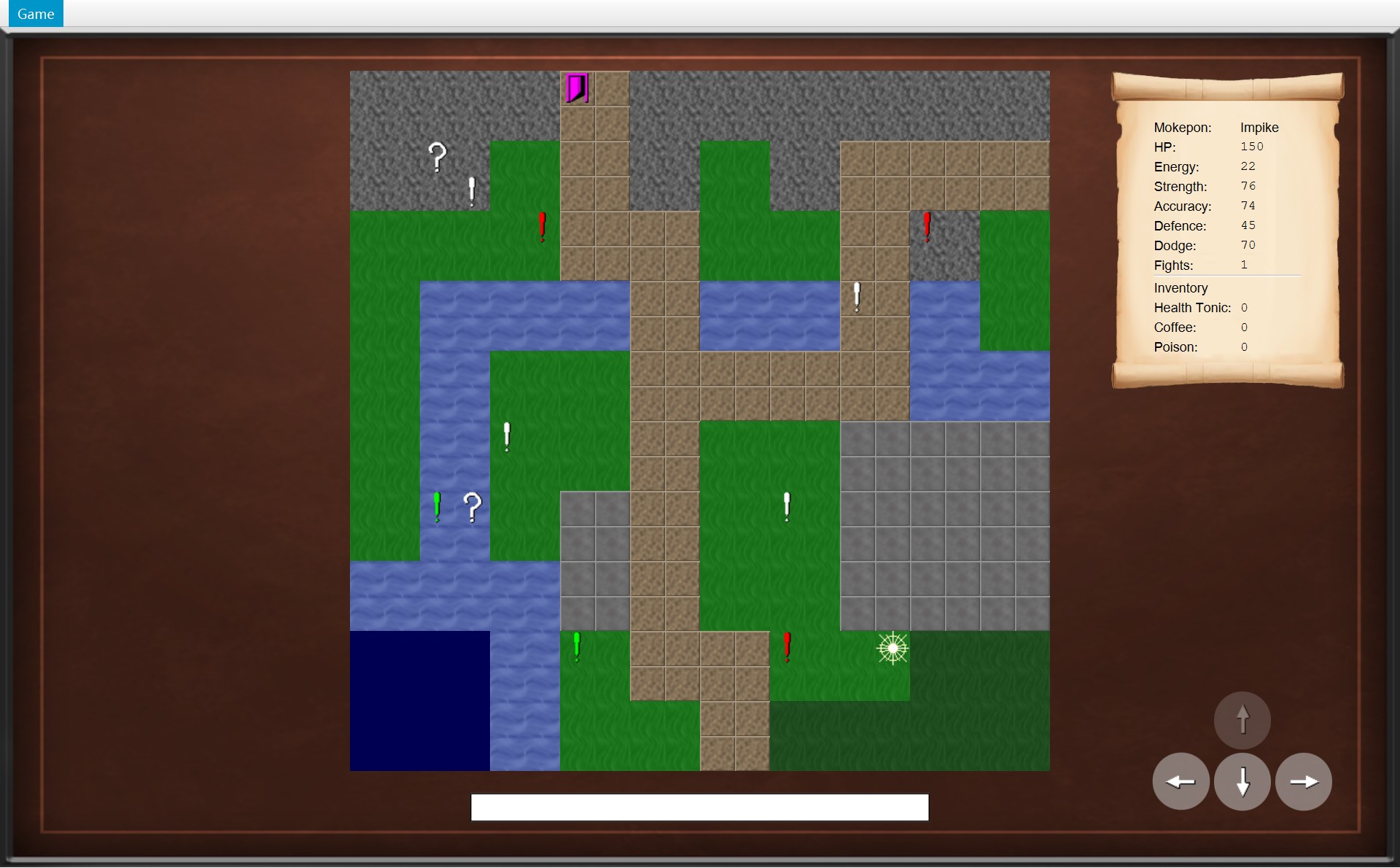
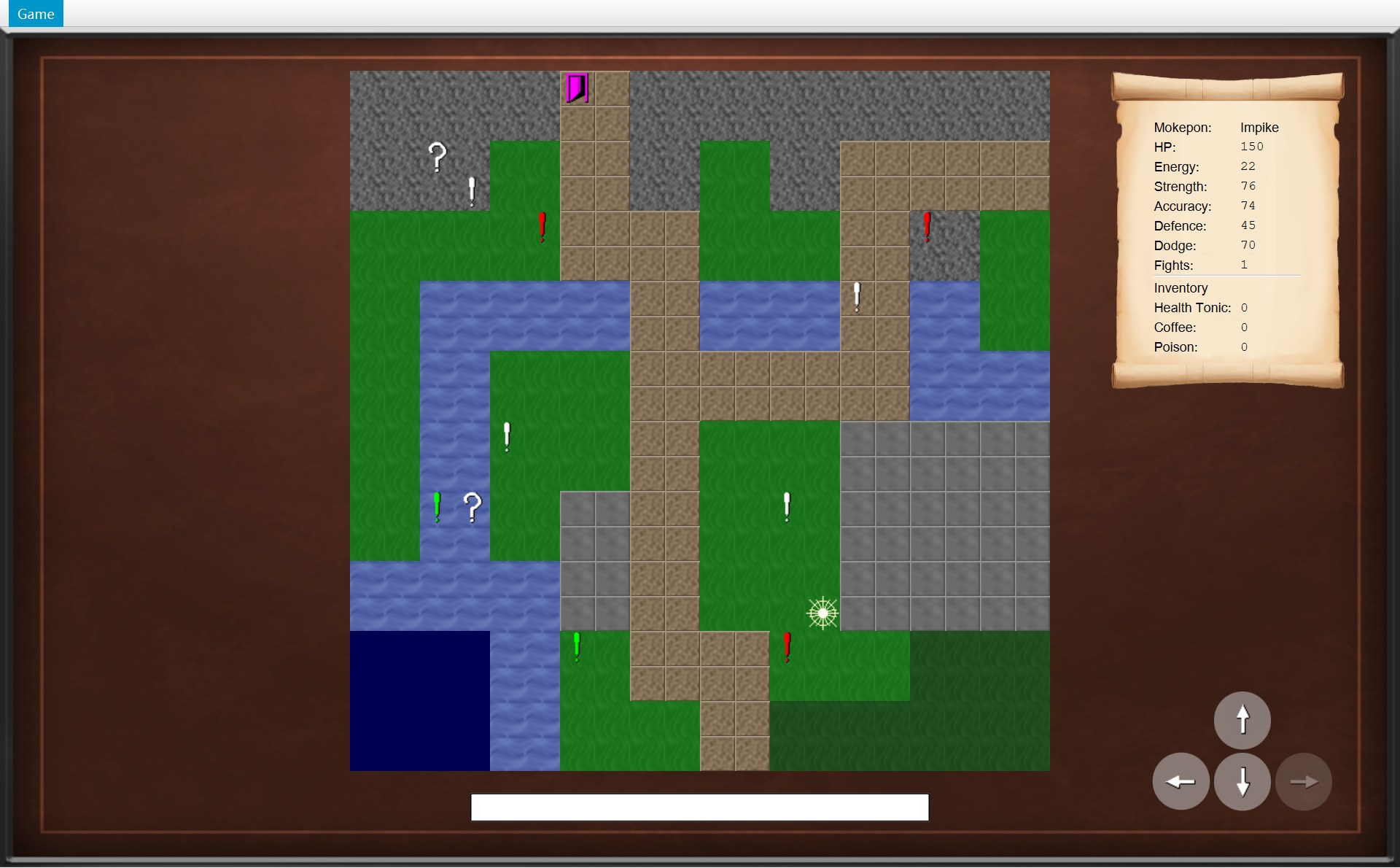
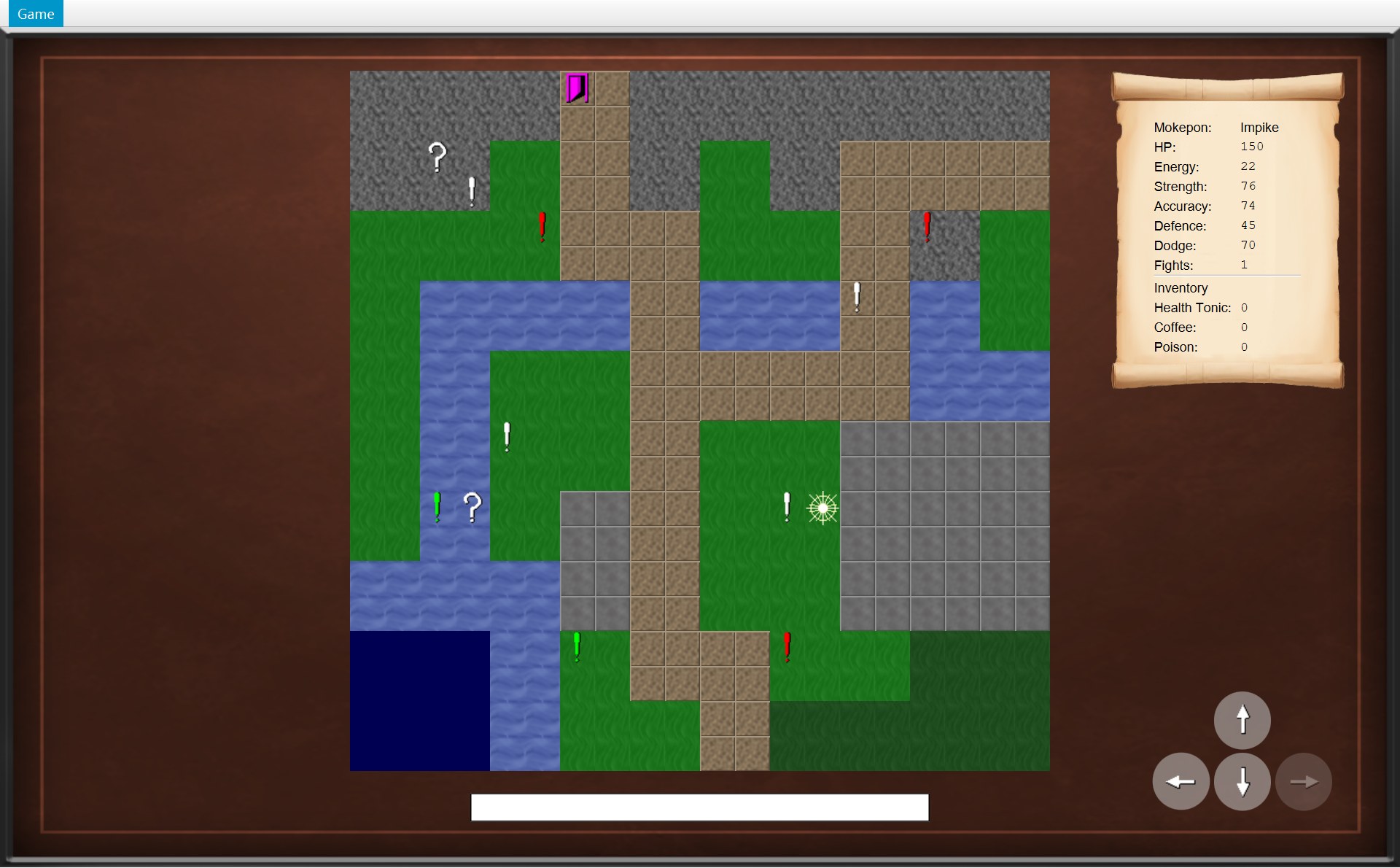
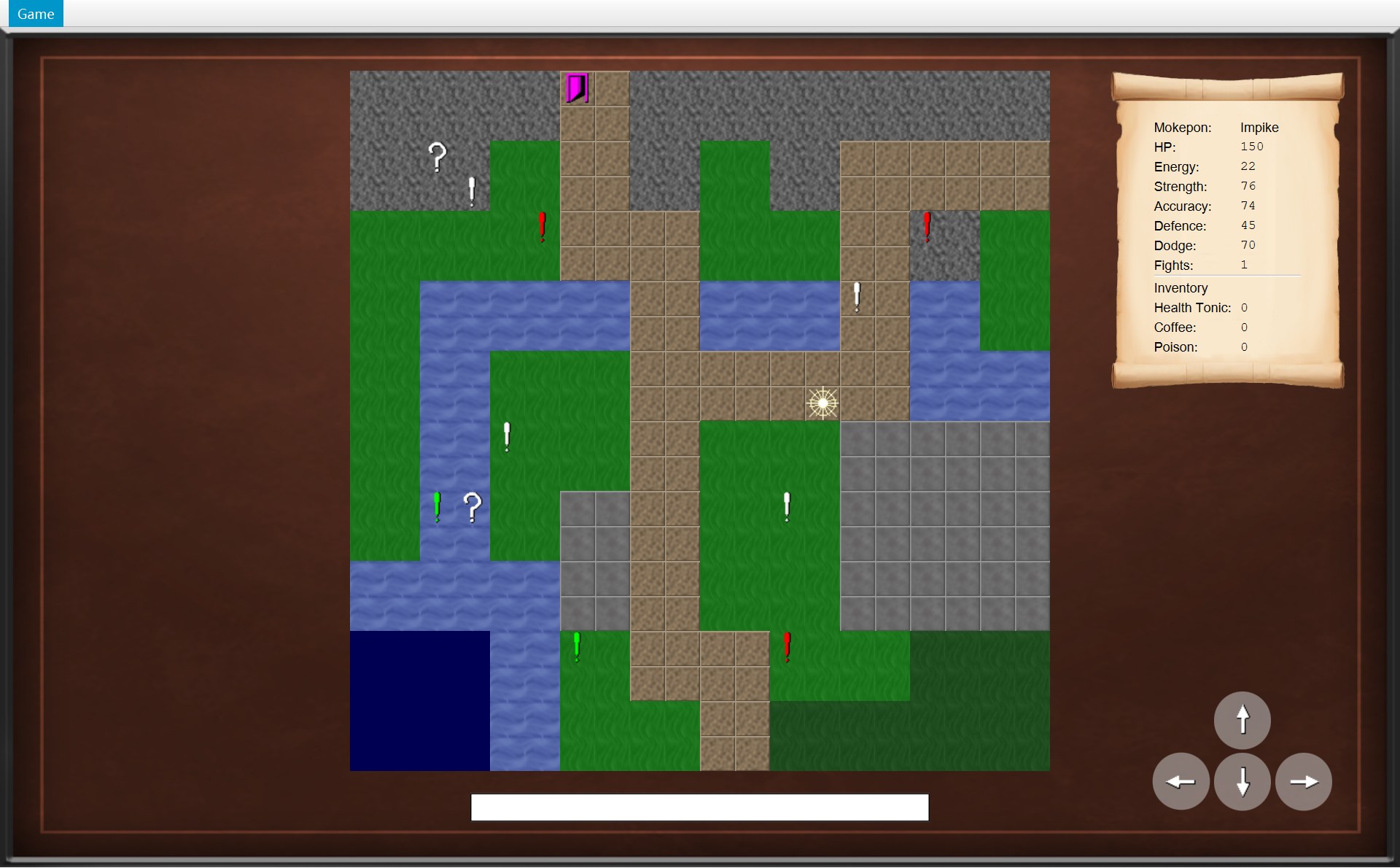
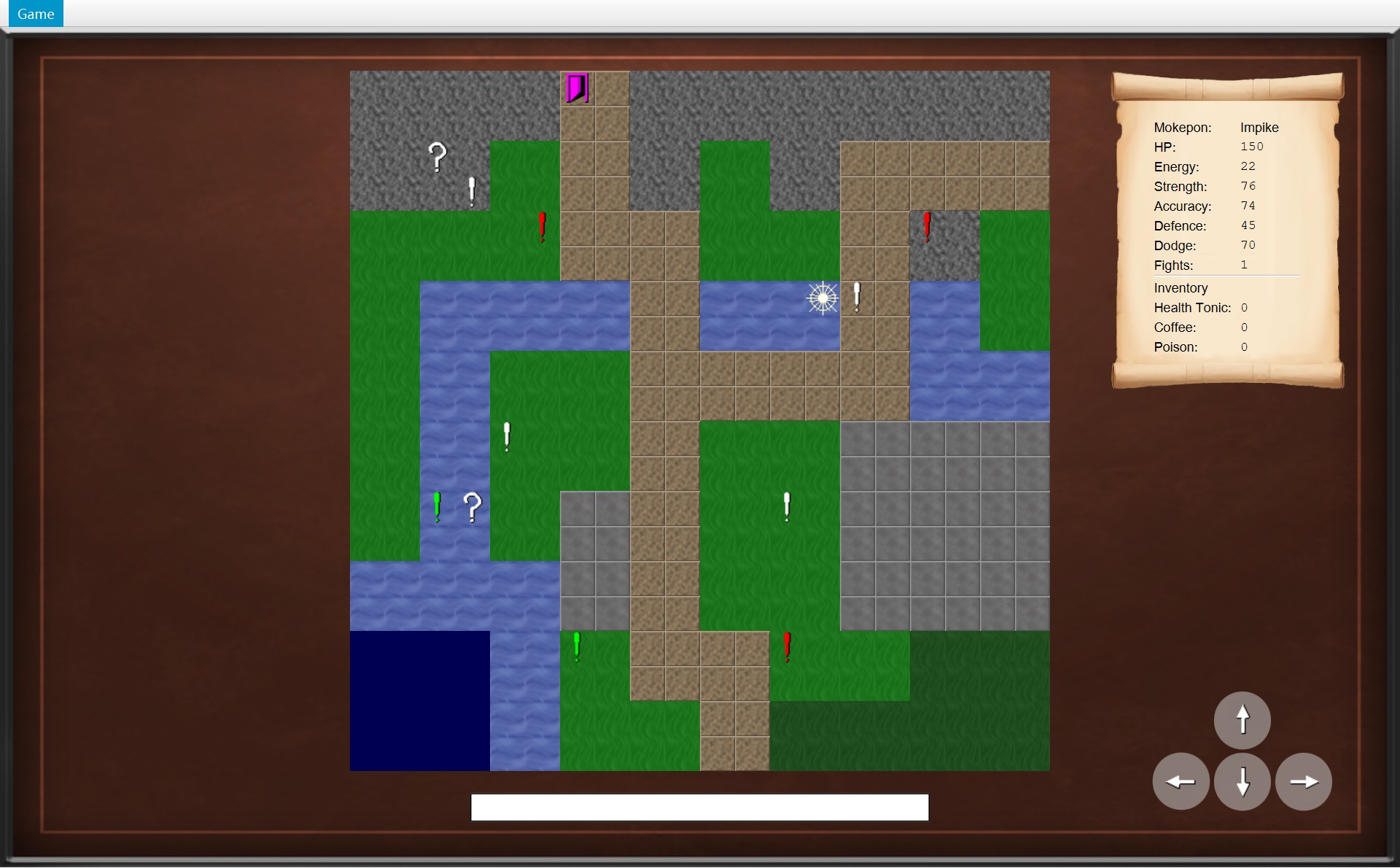
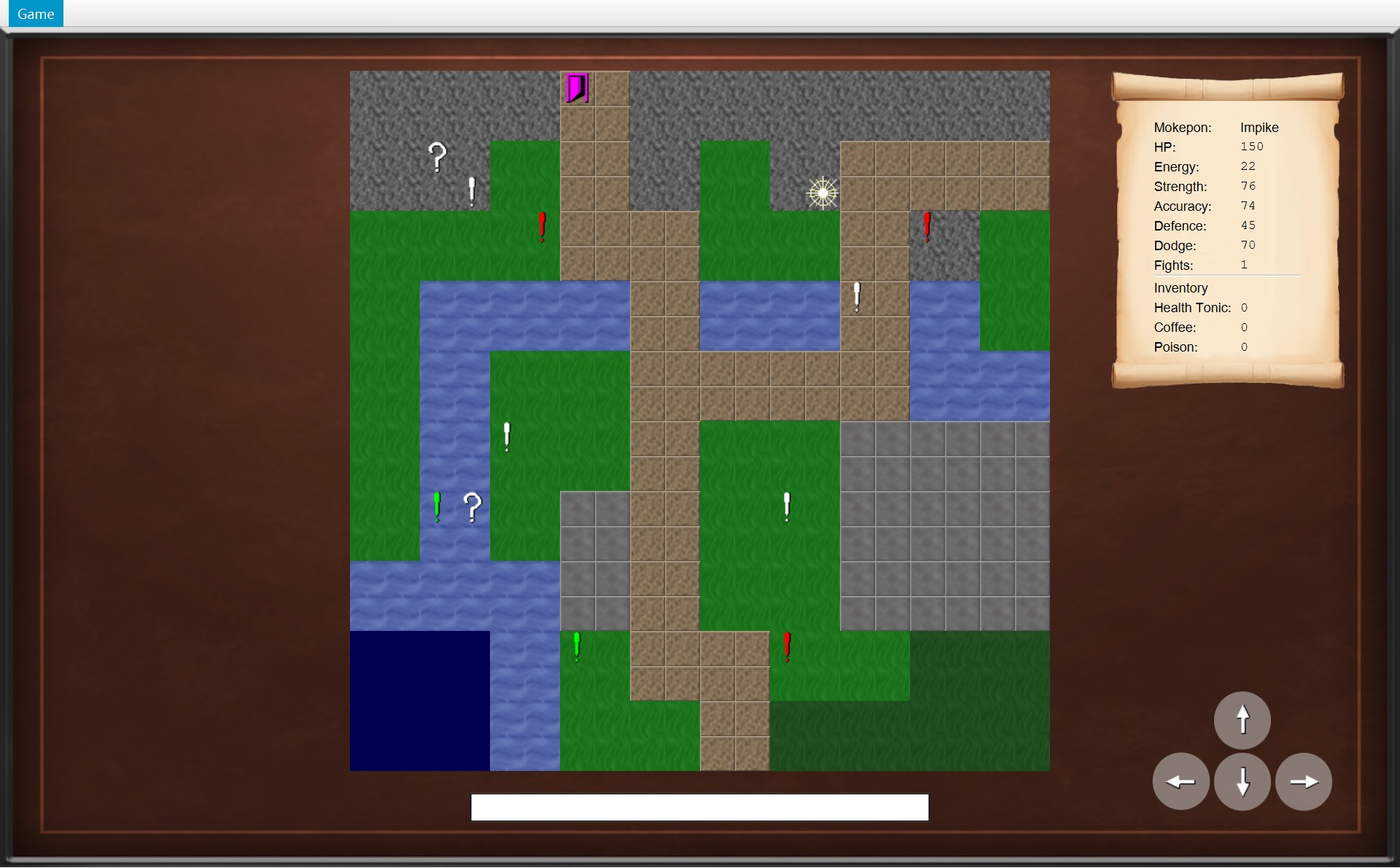
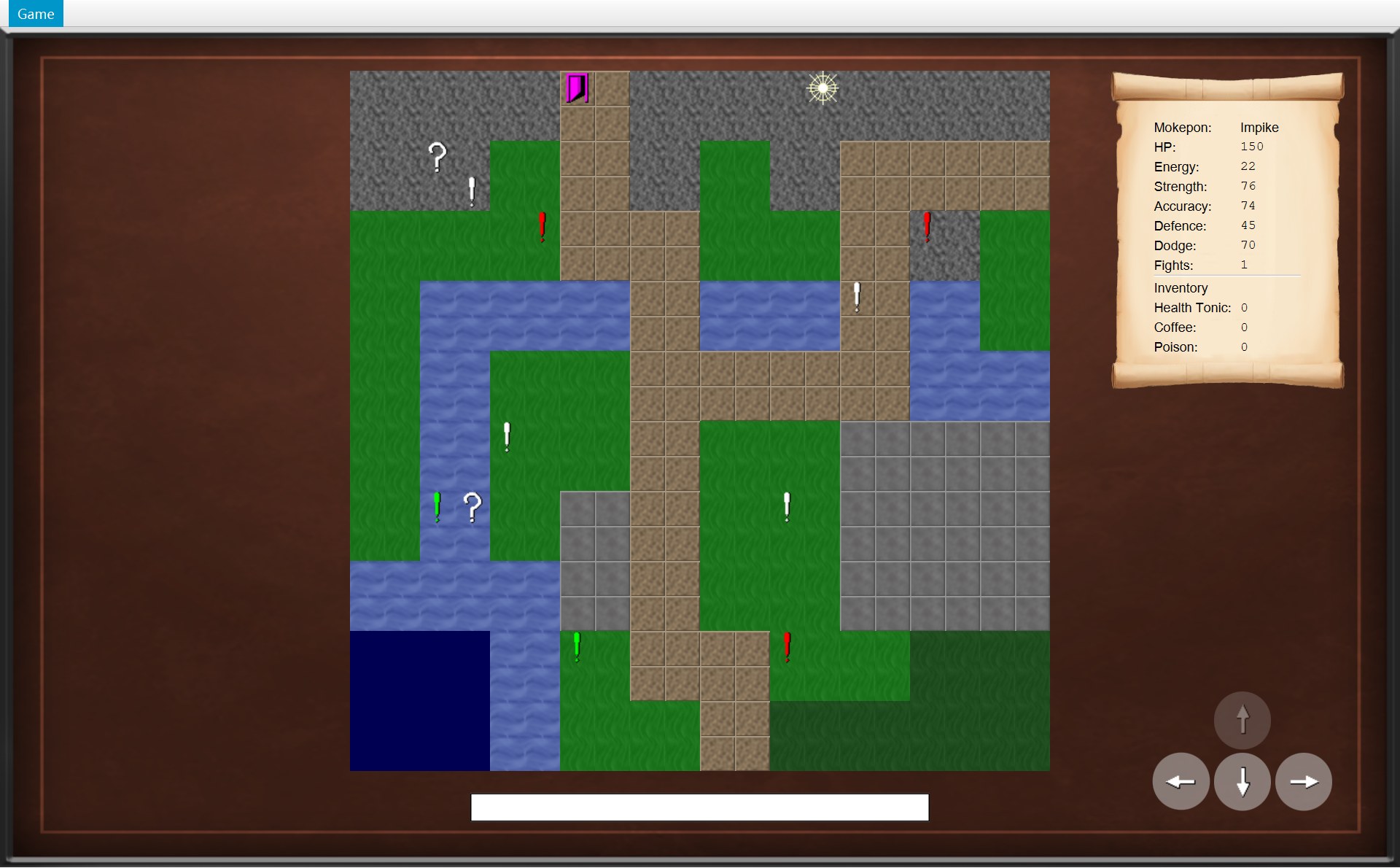
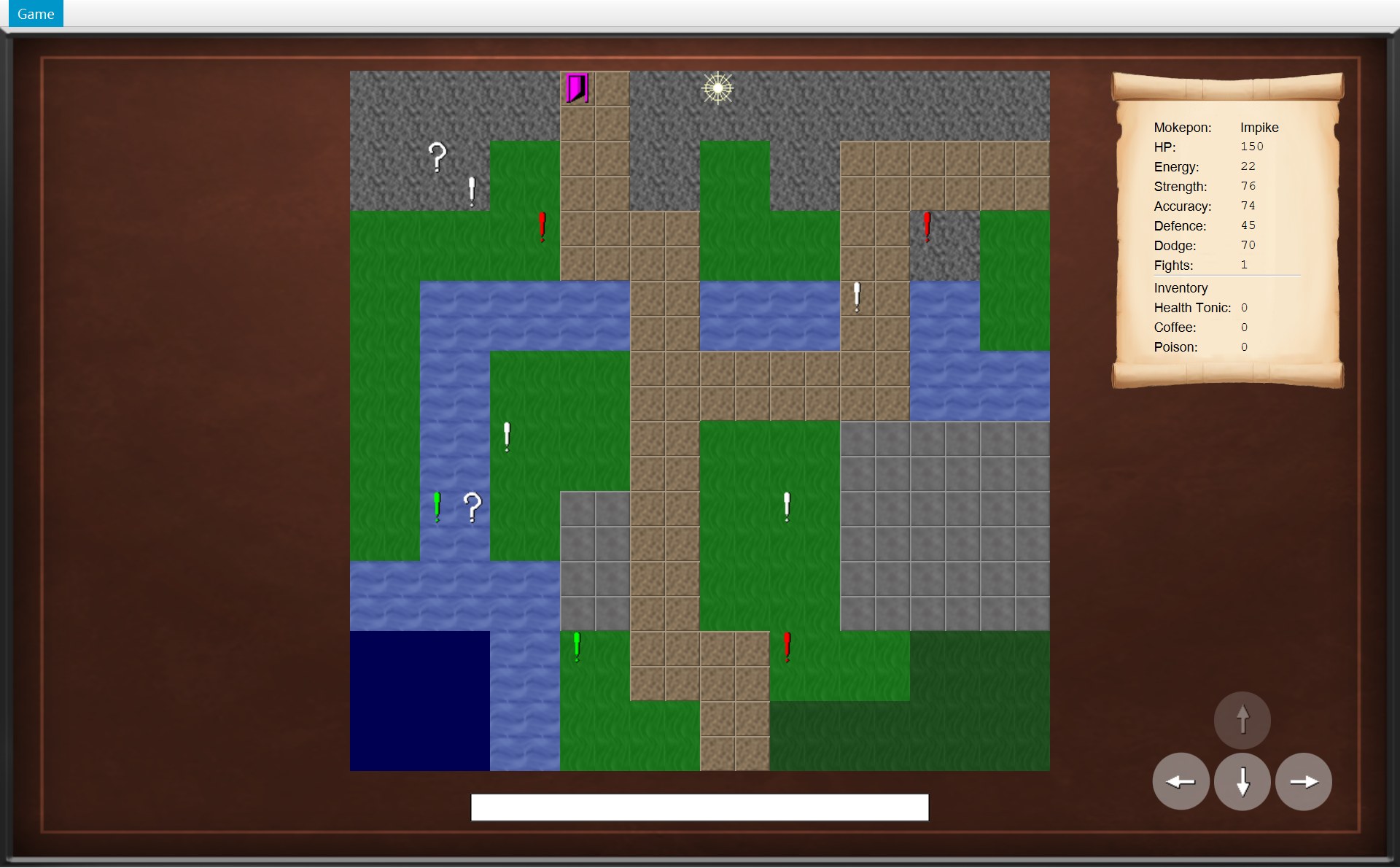
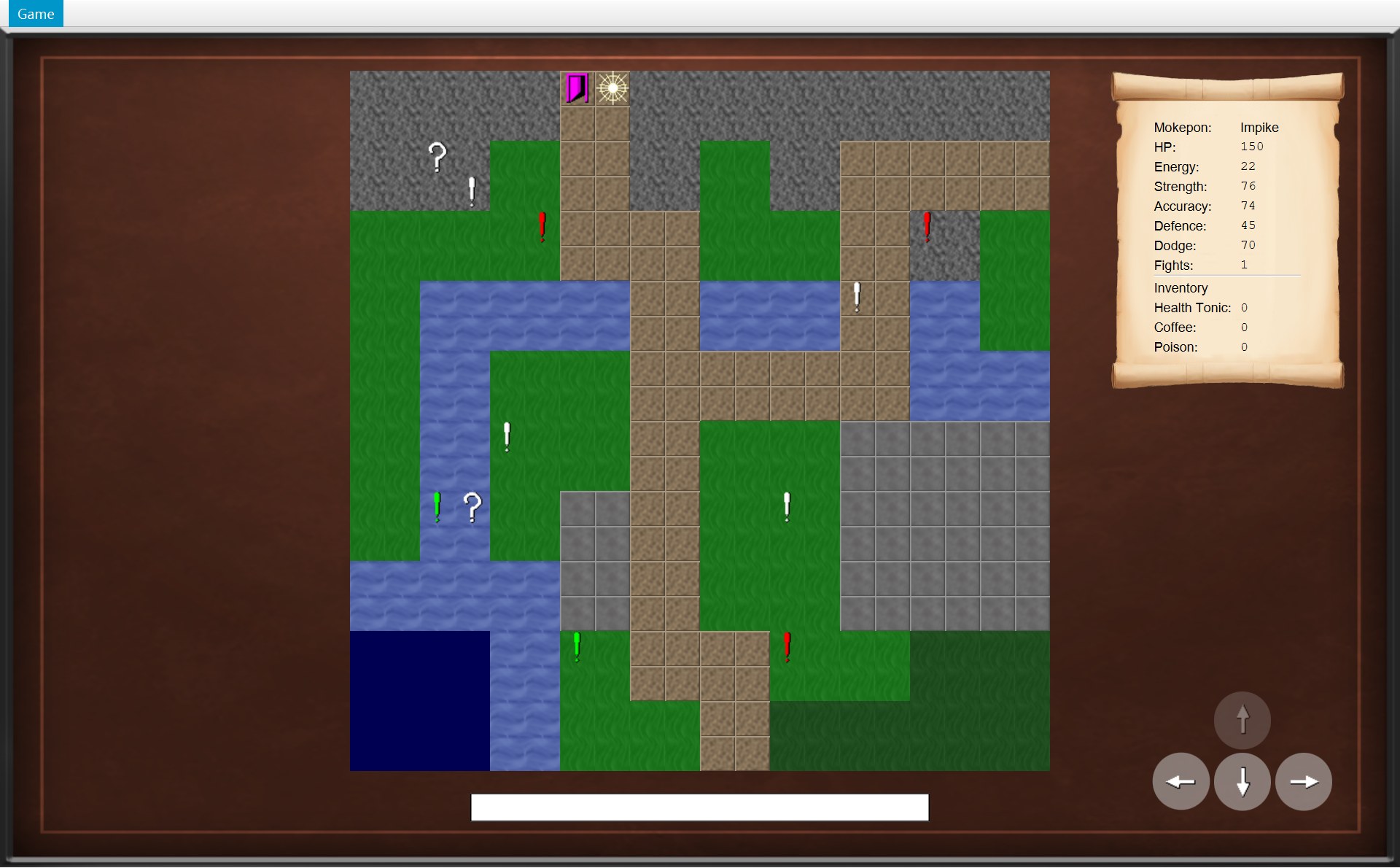
最后一步前后,裁同一块看。这一节的编号:1 门,2 玩家,3 框的标题;两个按钮用 5 Return to Main Menu、6 Quit,和第 1 节的 5 号路、6 号路是同一个编号(这一节没有 4)。
- 1门:一个 CExit 对象,在 (6,0)
- 2玩家在 (7,0)
- 2玩家站在门上 (6,0)(框后面的黑色层让它变暗)
一步一步:从按 ← 到结束框
怎么从按键走到 COverworld.move,第 8 章讲过。下面从 move 开始:COverworld 让格子上的物体自己决定做什么,CExit 再请 COverworld 通知画面。这几步都在同一次按键里做完,中间屏幕不会刷新,所以你看到的是上面左图直接变成右图加上结束框。
图里有一种新箭头:倒数第二条是虚线,但箭头头是实心的,指着一条新的生命线。它的意思是“new 出来一个对象”(创建消息 create message),不是返回。返回的虚线是空心箭头头,而且指回调用的人。
61 public boolean canMove(Direction direction) {62 return map.isWalkable(player.getPosition().move(direction));63 }64 65 /* Move the player one tile, then let every object on the new tile react. */66 public void move(Direction direction) {67 if (!canMove(direction)) {68 return;69 }70 player.moveTo(player.getPosition().move(direction));71 notifyListeners(listener -> listener.onPlayerMoved());73 /* Loop over a copy, because a mystery box removes itself from the list. */74 for (MapObject object : new ArrayList<>(objects)) {75 if (object.isAt(player.getPosition())) {76 object.interact(this);77 }78 }79 }3/* The exit door. Stepping onto it finishes the game. */4public class Exit extends MapObject {⋯ 省略第 5–9 行10 @Override11 void interact(Overworld world) {12 world.reachExit();13 }117 /* Called by the exit when the player steps onto it. */118 void reachExit() {119 notifyListeners(listener -> listener.onExitReached(player.getFightsWon()));120 }108 @Override109 public void onExitReached(int fightsWon) {110 showDialog(createGameEndDialog("You finished the game! You won " + fightsWon111 + " fights!"));112 }87 /* A dialog for the end of a game, with buttons to go back to the menu or to quit. */88 protected ModalDialog createGameEndDialog(String heading) {89 ModalDialog endDialog = new ModalDialog(heading);90 endDialog.addButton("Return to Main Menu", event -> navigator.returnToMainMenu());91 endDialog.addButton("Quit", event -> navigator.quit());92 return endDialog;93 }68 /* Show a dialog on top of everything else on the screen. */69 protected void showDialog(ModalDialog newDialog) {70 closeDialog();71 dialog = newDialog;72 view.getChildren().add(dialog.getLayer());73 dialog.focusFirstButton();74 }⋯ 省略第 75–82 行83 protected boolean isDialogOpen() {84 return dialog != null;85 }- 1门 (6,0)
- 2玩家 (7,0)
- 3标题:You finished the game! You won 1 fights!
- 5Return to Main Menu
- 6Quit
- 玩家在 (7,0) 按 ←,地图画面调用
world.move(LEFT)。第 67 行先问canMove:第 62 行player.getPosition().move(direction)算出左边那一格 (6,0)(move返回一个新的 CPosition 对象,原来的不变),再问地图这一格能不能走。能走,所以不 return。 - 第 70 行
player.moveTo(...):previousPosition变成 (7,0),position变成 (6,0)。第 71 行先通知onPlayerMoved()(图上省掉了这一条箭头):地图画面把玩家画到门上。这时还不知道门上有什么。(屏幕要等这一次按键全部处理完才刷新,所以右边的图还是 (7,0)。) - 第 74–75 行:把物体列表复制一份(
new ArrayList<>(objects),空着的尖括号让 Java 自己填类型,菱形语法),一个一个问isAt(player.getPosition()):“你在 (6,0) 吗?”只有Exit@6,0回答 true。复制一份,是因为问号箱被捡走时会把自己从列表里删掉(第 73 行注释)。 - 第 76 行
object.interact(this)。this就是正在运行move的这个 COverworld 对象,把它交给门,门才能回头调用它的方法。变量object的类型是抽象类 AMapObject,真正运行哪个interact,看它指着的是哪种物体(多态)。 - 这次指着的是 CExit,运行它改写的版本:只有一行第 12 行
world.reachExit(),world就是刚才交进来的this。interact和reachExit前面都没写 public,是包内可见:只有 world 包里的类能调用。 - 第 119 行通知所有监听者
onExitReached(player.getFightsWon())。A 局赢过一场,所以传进去的是 1。COverworld 不知道画面会怎么显示,它只负责报告。 - 地图画面的
onExitReached(1):标题是"You finished the game! You won " + fightsWon + " fights!"。代码没有区分单数复数,所以屏幕上是 “You won 1 fights!”。 createGameEndDialog是父类 AGameScreen 的 protected 方法,地图画面在自己身上调用它:第 89 行 new 一个 CModalDialog(图上的虚线实心箭头),第 90 行加 Return to Main Menu(lambda 里是navigator.returnToMainMenu()),第 91 行加 Quit(navigator.quit()),第 92 行交回这个框。- 第 69–73 行
showDialog:把框的黑色层加到画面最上面,让第一个按钮拿到键盘焦点。从现在起isDialogOpen()是 true:按键被handleKeyPress挡掉,方向按钮也被movePlayer挡掉。门还留在地图上,游戏就停在这里,等你点 5 或 6,或者用菜单。
输掉:同一个方法造的框
E 局里 Owlet 的 HP 变成 0,弹出的是 Game Over 框。它和出口框长得一样,因为是同一个方法造的。编号和上面一样:3 标题,5 Return to Main Menu,6 Quit。
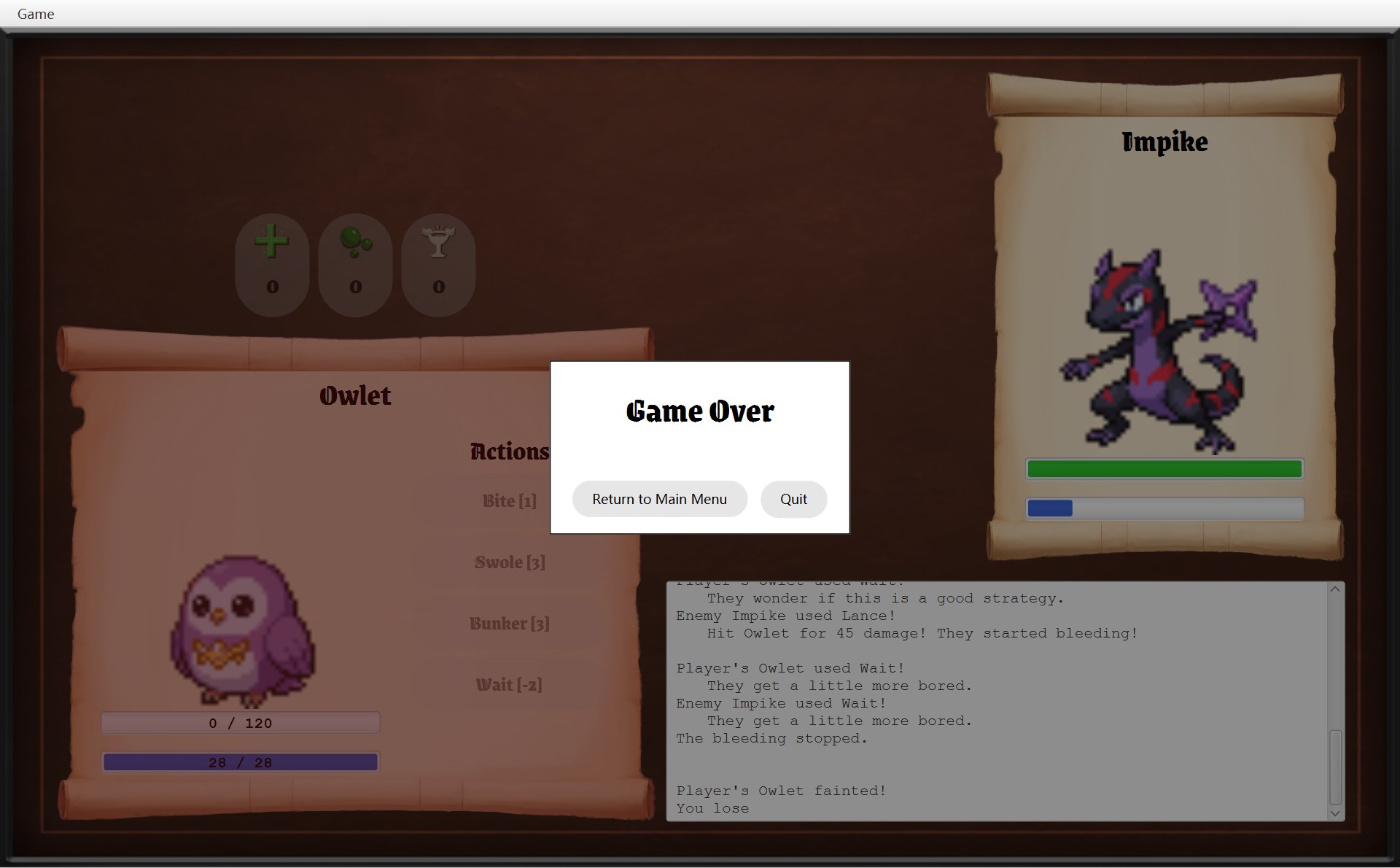
- 3标题:Game Over(第 177 行传进去的字)
- 5第 90 行:Return to Main Menu
- 6第 91 行:Quit
- 3标题:第 89 行用传进来的 heading
- 5第 90 行:Return to Main Menu
- 6第 91 行:Quit
167 /* Show the winning or the losing dialog.168 * The battle is over, so the menu is updated to turn off "Run away".169 */170 private void showResult() {171 getNavigator().updateMenu();172 if (battle.hasPlayerWon()) {173 ModalDialog dialog = new ModalDialog("You Win");174 dialog.addButton("Back to it!", event -> getNavigator().winBattle());175 showDialog(dialog);176 } else {1773 showDialog(createGameEndDialog("Game Over"));178 }179 }87 /* A dialog for the end of a game, with buttons to go back to the menu or to quit. */88 protected ModalDialog createGameEndDialog(String heading) {893 ModalDialog endDialog = new ModalDialog(heading);905 endDialog.addButton("Return to Main Menu", event -> navigator.returnToMainMenu());916 endDialog.addButton("Quit", event -> navigator.quit());92 return endDialog;93 }- 为什么写在父类?出口框是 COverworldScreen 要的,Game Over 框是 CBattleScreen 要的。两个都是 AGameScreen 的子类,把方法写在父类里,只写一次,两边都能用。不同的只有标题,所以标题做成参数
heading。这就是用继承复用代码。 - 为什么是 protected?只有画面自己(子类)需要造这种框,别的类用不着,所以不给 public。
- 输掉以后,COverworld 什么都没被调用:没有
runAway,没有winEncounter。这一局只能回主菜单(整局扔掉)或者退出。E 局点了 Return to Main Menu,回到选择界面,和第 6 节一样被清空。
8. 全图:整个游戏的状态图
现在把所有画面和所有箭头画在一张图上。这种图叫状态图(state diagram):每个框是游戏可能处在的一个“状态”(正在显示哪个画面、有没有框开着),每条箭头是让游戏换状态的事,箭头上第一行是你做了什么,第二行是运行的方法。它和类图不一样:类图画“谁存着谁”,状态图画“现在在哪、下一步能去哪”。
“程序结束”画了两个框,只是为了线不交叉,它们是同一个状态(UML 里的结束状态(final state)本来就可以画好几个)。动画的第 1 步是全图。后面按真实的三局走一遍:先走完 A 局,再看 B 局的菜单逃跑、E 局的输掉。图下面先是那一步运行的代码,再下面是那一步之后的真实屏幕。为了不乱,图上没画“随时都能走”的两条路:菜单 Main menu(Ctrl+B,地图和战斗中都能用)→ returnToMainMenu();菜单 Exit(Alt+F4)→ quit()。它们都在图后面的总表里。
39 menu = new GameMenu(this);40 root.setTop(menu.getMenuBar());41 selectScreen = new SelectScreen(mokepons, images, this);42 showScreen(selectScreen);56 /* Every new game starts with a fresh map, an empty inventory and no fights won. */57 @Override58 public void startGame(Mokepon playerChoice) {59 world = new Overworld(map, mokepons, playerChoice);60 overworldScreen = new OverworldScreen(world, images, this);61 world.addListener(overworldScreen);62 showScreen(overworldScreen);63 }65 @Override66 public void startBattle() {67 showScreen(new BattleScreen(world.createBattle(), images, this));68 }70 @Override71 public void winBattle() {72 world.winEncounter();73 showScreen(overworldScreen);74 }76 @Override77 public void runAway() {78 world.runAway();79 showScreen(overworldScreen);80 }82 /* The game being played is thrown away. */83 @Override84 public void returnToMainMenu() {85 world = null;86 overworldScreen = null;87 selectScreen.clearSelection();88 showScreen(selectScreen);89 }91 @Override92 public void quit() {93 Platform.exit();94 }80 public void onEncounter(Encounter encounter) {81 ModalDialog dialog = new ModalDialog("Encountered a " + encounter.getEnemy().getName());⋯ 省略第 82–92 行93 showDialog(dialog);94 }89 dialog.addButton("Run Away!", event -> {90 closeDialog();91 world.runAway();92 });108 @Override109 public void onExitReached(int fightsWon) {110 showDialog(createGameEndDialog("You finished the game! You won " + fightsWon111 + " fights!"));112 }170 private void showResult() {171 getNavigator().updateMenu();172 if (battle.hasPlayerWon()) {173 ModalDialog dialog = new ModalDialog("You Win");174 dialog.addButton("Back to it!", event -> getNavigator().winBattle());175 showDialog(dialog);170 private void showResult() {171 getNavigator().updateMenu();172 if (battle.hasPlayerWon()) {⋯ 省略第 173–175 行176 } else {177 showDialog(createGameEndDialog("Game Over"));178 }179 }88 protected ModalDialog createGameEndDialog(String heading) {89 ModalDialog endDialog = new ModalDialog(heading);90 endDialog.addButton("Return to Main Menu", event -> navigator.returnToMainMenu());91 endDialog.addButton("Quit", event -> navigator.quit());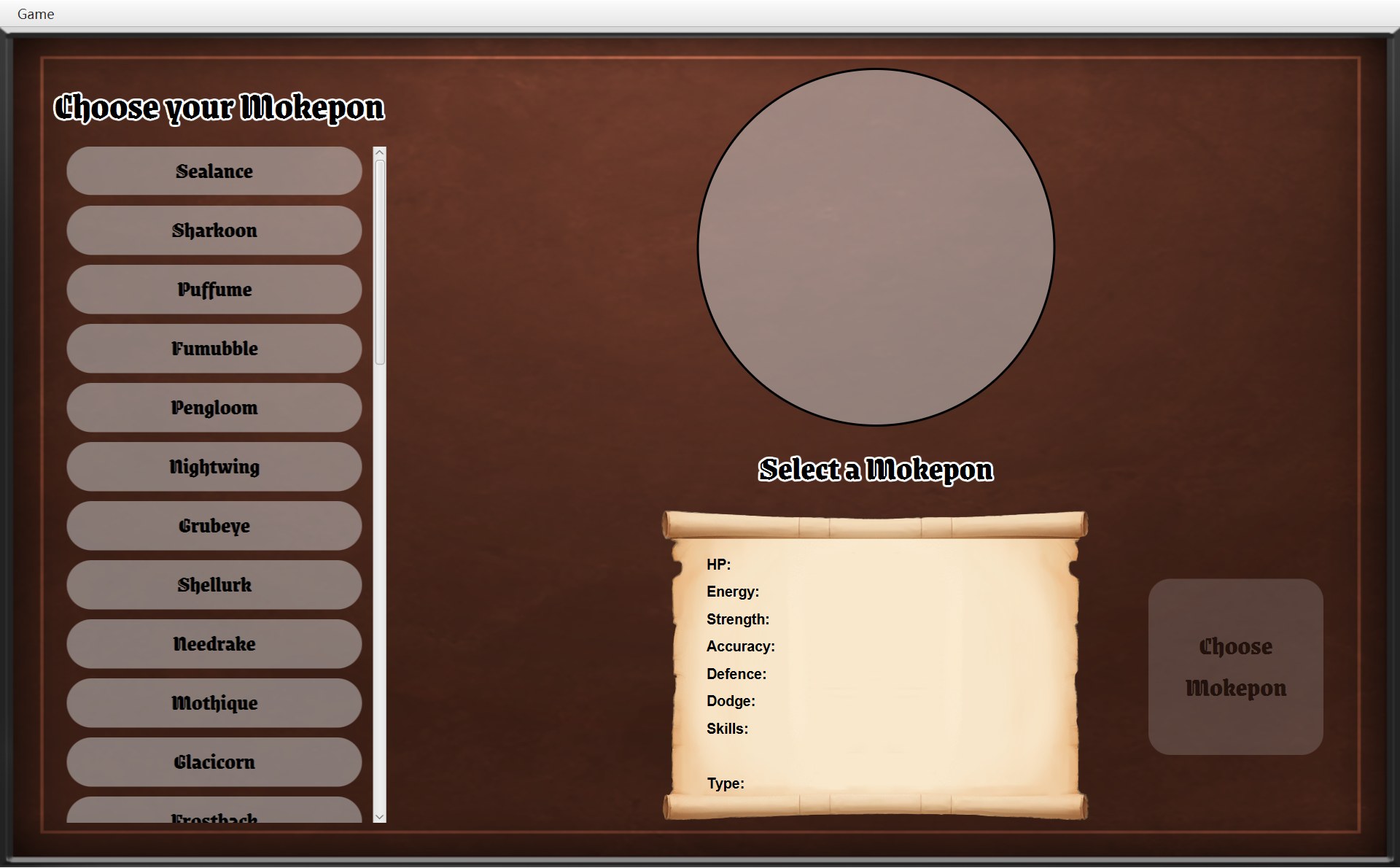
- 1程序打开:选择界面,还没选
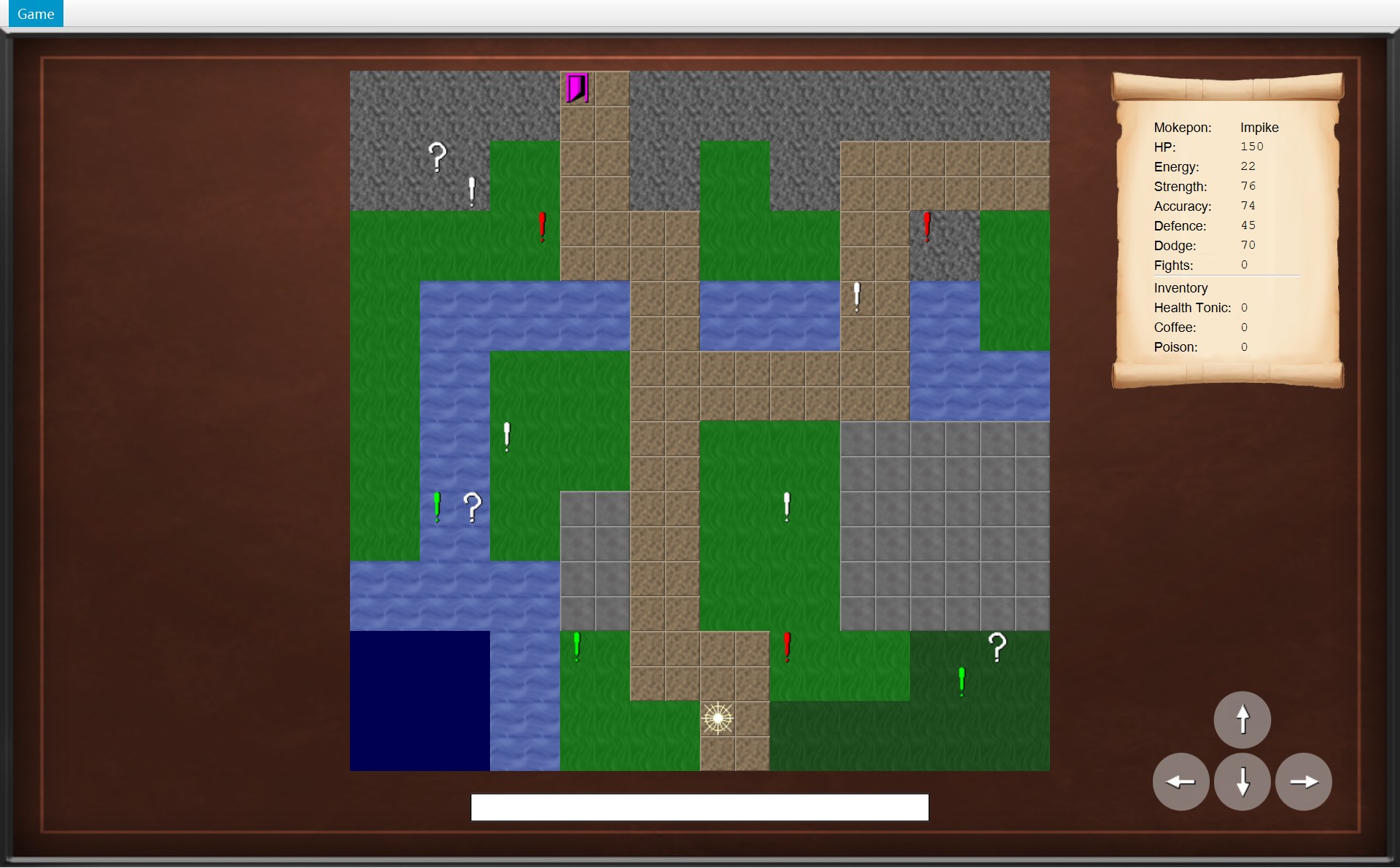
- 1起点 (10,18)
- 1遇敌框:Hexwing
- 1退回 (18,17)
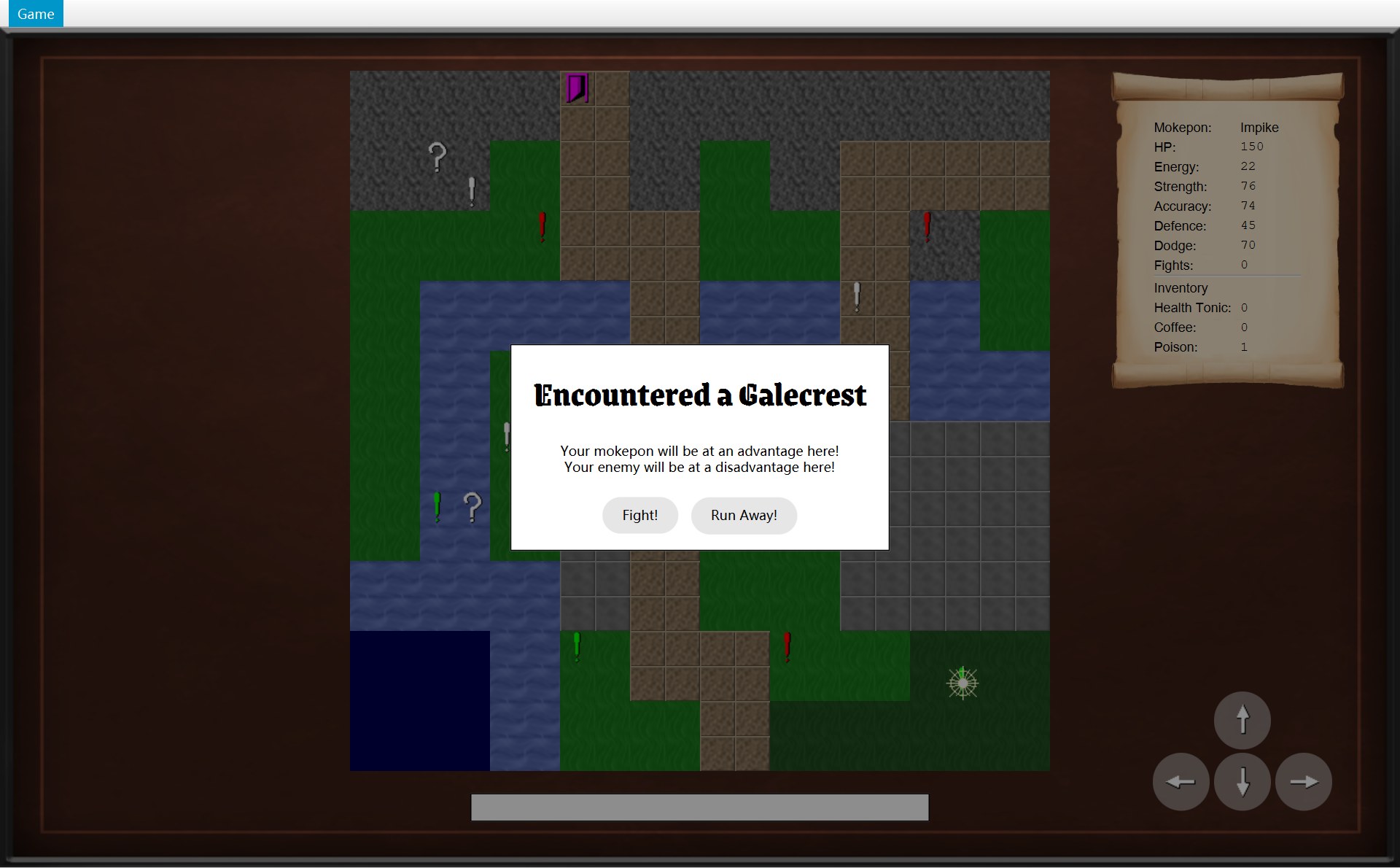
- 1又踩一次:Galecrest
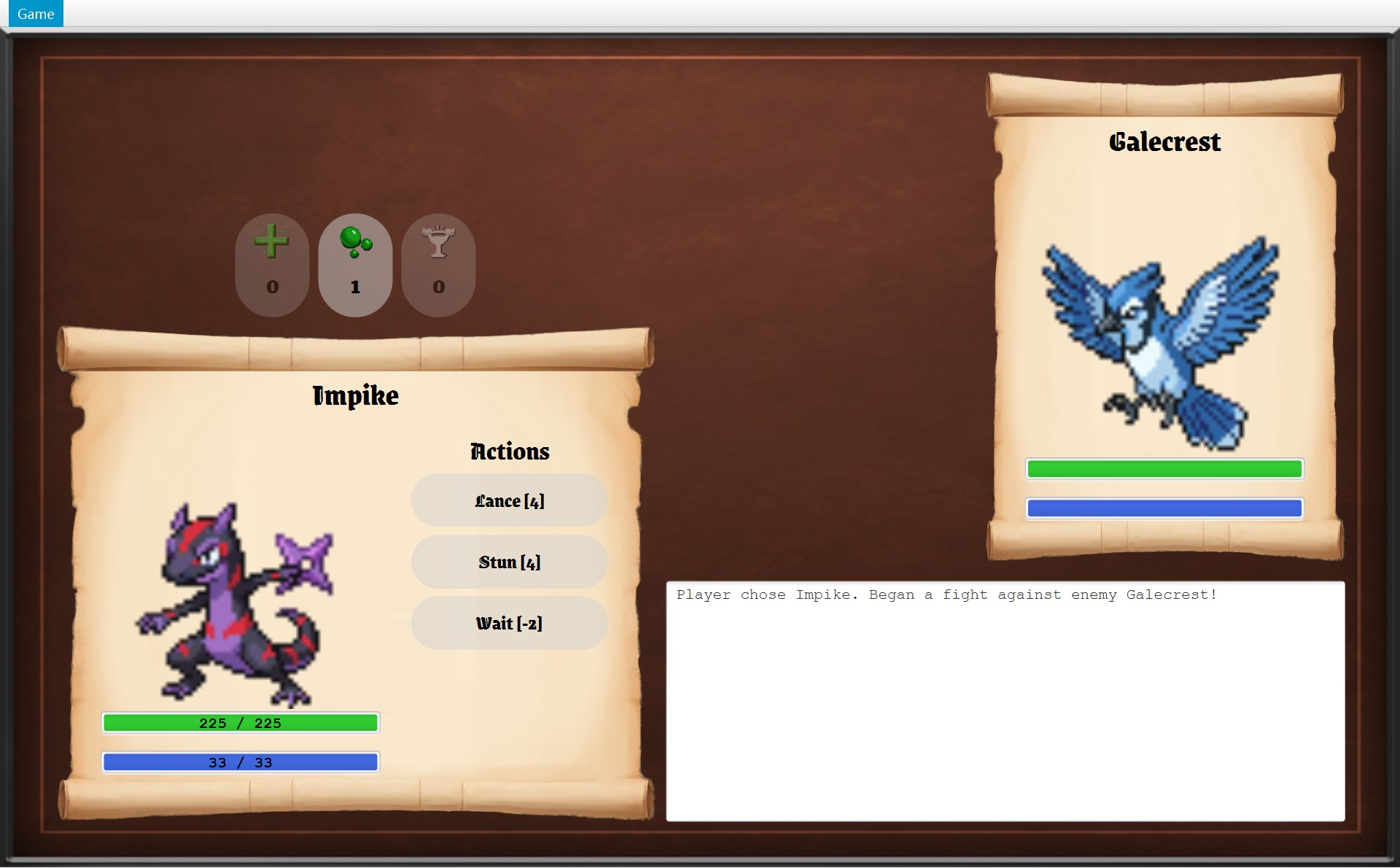
- 1新的战斗画面,日志只有第 1 行
- 1You Win 框
- 1You beat the enemy Galecrest!
- 1出口框
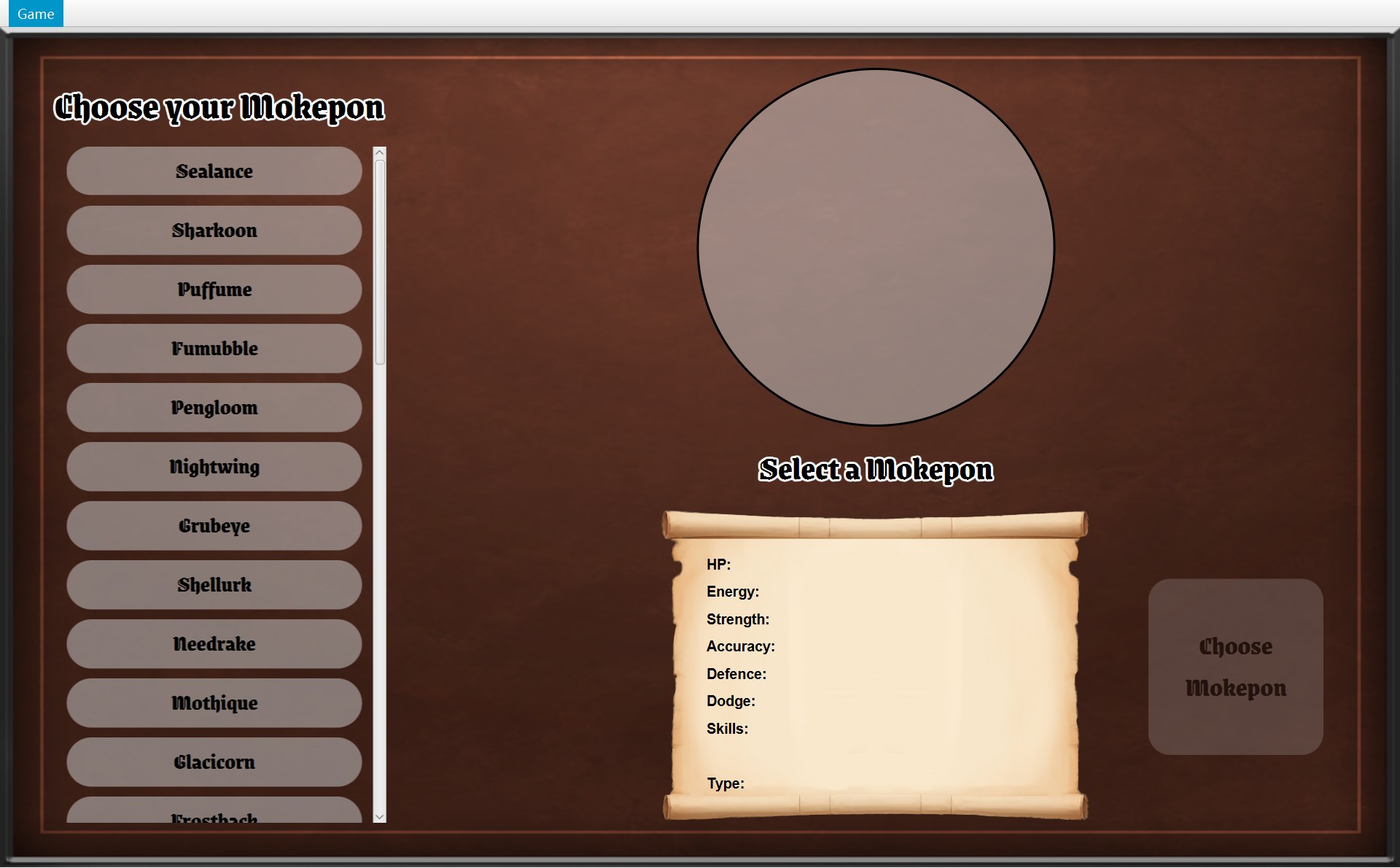
- 1回到选择界面,已清空:Choose Mokepon 又是灰的
- 1B 局:退回 (11,12)
- 1E 局:Game Over 框
- 1又回到选择界面,也清空了
- 1点 Quit:程序结束
- 全图。三个带 C 圆圈的框是三个画面;没有圆圈的框,四个是盖在画面上的对话框,两个是“程序结束”。程序一打开,CGameWindow 构造器第 41–42 行造好选择界面并显示它,游戏就停在左边中间的 CSelectScreen 这一格。下一步开始走 A 局。
- 选好 Impike,点 Choose Mokepon →
startGame():new 一个 COverworld 和一个 COverworldScreen,登记监听者,showScreen。(第 6 章第 8 节) - 踩上 (17,17) 的感叹号:COverworld 通知
onEncounter(encounter),地图画面造遇敌框并showDialog。画面没换,只是多了一个框。(第 9 章) - 1 号路:点 Run Away! →
closeDialog()+world.runAway()。框关掉,玩家退回 (18,17)。(第 2 节) - 再往左踩一次同一个感叹号:又是
onEncounter,这次挑到的是 Galecrest。 - 点 Fight!:lambda 先
closeDialog(),再getNavigator().startBattle()。CGameWindow 第 67 行:world.createBattle()交出一场新的 CBattle(真正 new 两个 CFighter 和 CBattle 的是 CEncounter.createBattle,第 9 章),再 new 一个 CBattleScreen 放进窗口。 - 几个回合以后 Galecrest 倒下:
showResult()先updateMenu(),再盖上 You Win 框。画面还是 CBattleScreen。(第 4、5 节) - 3 号路:点 Back to it! →
winBattle():world.winEncounter()拿掉感叹号、Fights 加 1,然后放回同一个地图画面。(第 5 节) - 走到门 (6,0):CExit.interact →
reachExit()→onExitReached(1),地图画面盖上出口框。(第 7 节) - 5 号路:点 Return to Main Menu →
returnToMainMenu():world和overworldScreen设成 null,选择界面清空后放回来。A 局到此结束。(第 6 节) - 换到 B 局:战斗中用菜单 Run away(2 号路)→
runAway():world.runAway(),再showScreen(overworldScreen)。Shellurk 退回 (11,12)。(第 3 节) - 换到 E 局:Owlet 倒下,
showResult()走下半边:showDialog(createGameEndDialog("Game Over"))。(第 7 节) - 在 Game Over 框点 Return to Main Menu:运行的是
createGameEndDialog第 90 行存进去的 lambda,和出口框是同一行代码,一样的returnToMainMenu()。 - 如果在 Game Over 框或出口框点的是 Quit(6 号路),或者任何时候用菜单 Exit(7 号路):
quit()→Platform.exit(),程序结束。这是图上唯一一个出不来的状态。
状态图上为了不乱,省掉了“随时都能走”的几条路。下面这张表把所有的换状态都列出来:
| 从 | 你做了什么 | 运行的方法(所在的类) | 到 |
|---|---|---|---|
| (程序启动) | — | CGameWindow 构造器 → showScreen(selectScreen) | 选择界面 |
| 选择界面 | Choose Mokepon | startGame(CGameWindow) | 地图 |
| 地图 | 踩到感叹号 | startEncounter(COverworld)→ onEncounter(COverworldScreen) | 遇敌框 |
| 遇敌框 | Run Away! | runAway(COverworld) | 地图 |
| 遇敌框 | Fight! | startBattle(CGameWindow) | 战斗 |
| 战斗 | 菜单 Run away / Ctrl+R | runAway(CGameWindow → COverworld) | 地图 |
| 战斗 | 敌人倒下 | showResult(CBattleScreen) | You Win 框 |
| 战斗 | 你倒下 | showResult → createGameEndDialog | Game Over 框 |
| You Win 框 | Back to it! | winBattle(CGameWindow)→ winEncounter(COverworld) | 地图 |
| 地图 | 踩到门 | reachExit(COverworld)→ onExitReached(COverworldScreen) | 出口框 |
| 出口框、Game Over 框 | Return to Main Menu | returnToMainMenu(CGameWindow) | 选择界面 |
| 地图、战斗、任何框开着时 | 菜单 Main menu / Ctrl+B | returnToMainMenu(CGameWindow) | 选择界面 |
| 出口框、Game Over 框 | Quit | quit(CGameWindow) | 程序结束 |
| 任何地方 | 菜单 Exit / Alt+F4 | quit(CGameWindow) | 程序结束 |
还有两条“走不了”的路,也要记住:遇敌框、出口框开着时,方向键和方向按钮都没用(isDialogOpen());You Win 框开着时,Run away 已经变灰(第 4 节)。
9. 样题 Q3:为了加上“逃跑”,从 Project 1 到 Project 2 改了什么
样题 Q3 是“扩展”类的题,围绕 run away:为了支持它,从 Project 1 到 Project 2 改了哪些类、哪些方法;Project 1 的设计哪里帮了忙,哪里碍事;现在的设计以后好不好扩展。下面用你两份代码一条一条分析。英文的完整参考答案在 第 17 章第 4 节。
Project 1:没有“逃跑”这回事
24public class GameWindow extends Stage {⋯ 省略第 25–550 行551 // Create the menu with reset and restart disabled before battle.552 private MenuBar getSelectMenu() {553 MenuItem reset = new MenuItem("Reset");554 reset.setDisable(true);555 556 MenuItem restart = new MenuItem("Restart Battle");557 restart.setDisable(true);⋯ 省略第 558–569 行570 // Create the battle menu with reset, restart and exit actions.571 private MenuBar getBattleMenu(List<Mokepon> mokeponList, Mokepon playerTemplate, Mokepon enemyTemplate) {572 MenuItem reset = new MenuItem("Reset");573 reset.setAccelerator(new KeyCodeCombination(KeyCode.R, KeyCombination.CONTROL_DOWN));574 reset.setOnAction(event -> resetSelectScreen());575 576 MenuItem restart = new MenuItem("Restart Battle");577 restart.setAccelerator(new KeyCodeCombination(KeyCode.R));578 restart.setOnAction(event -> battleScreen(mokeponList, playerTemplate, enemyTemplate));579 580 MenuItem exit = new MenuItem("Exit");581 exit.setOnAction(event -> Platform.exit());133 selectScene = new Scene(new VBox(getSelectMenu(), selectPane));134 setScene(selectScene);⋯ 省略第 135–430 行431 setScene(new Scene(new VBox(getBattleMenu(mokeponList, playerTemplate, enemyTemplate), selectPane)));⋯ 省略第 432–547 行548 setScene(selectScene);- Project 1 只有 5 个类。
GameWindow extends Stage:它自己就是窗口,591 行,选择界面和战斗界面都在这一个类里画。 - 菜单不是一个对象,而是两个造菜单的方法
getSelectMenu()和getBattleMenu(...)。选择界面的Scene和它的菜单在构造器第 133 行只造一次,以后回来就重复用(第 548 行setScene(selectScene));每开一场战斗,第 431 行都新造一个Scene和一个新的战斗菜单(getBattleMenu)。选择界面的菜单在第 554、557 行写死setDisable(true)。 - 战斗菜单第 572–578 行:Reset(Ctrl+R,回选择界面)和 Restart Battle(R 键,同样两只 Mokepon 重开一场)。lambda 直接调用 CGameWindow 自己的 private 方法
resetSelectScreen()和battleScreen(...)。 - 没有地图,没有位置。离开战斗只有 Reset:整局作废,回到选择界面。所以 Project 1 根本没有“退回上一格”的概念。
256 257 Mokepon player = copyMokepon(playerTemplate);258 Mokepon enemy = copyMokepon(enemyTemplate);259 260 Battle battle = new Battle(player, enemy);⋯ 省略第 261–529 行530 // Use copies to keep the original stats unchanged.531 private Mokepon copyMokepon(Mokepon template) {532 return new Mokepon(template.getName(), template.getImage(), template.getMaxHP(), template.getMaxEnergy(), template.getStrength(), template.getAccuracy(), template.getDefence(), template.getDodge(), template.getSkills());533 }7 private String name;8 private String image;9 private int hp;10 private int energy;⋯ 省略第 11–49 行50 public void setHp(int hp) {51 this.hp = hp;52 }⋯ 省略第 53–131 行132 // Apply damage and keep HP at zero or above.133 public void takeDamage(int amount) {134 this.hp = this.hp - amount;135 if (this.hp <= 0) {136 this.hp = 0;137 }138 }⋯ 省略第 139–150 行151 // Restore HP, energy and defence to their starting values.152 public void reset() {153 this.hp = maxHP;154 this.energy = maxEnergy;155 this.defence = originDefence;156 }Project 1 的 Mokepon 第 9–10 行自己存着会变的 hp、energy(不是 final),有 setHp(第 50 行)、takeDamage(第 133 行)、reset()(第 152 行)这些会改它的方法。所以 battleScreen 第 257–258 行先用 copyMokepon 复制两份,再 new Battle(player, enemy)。
1package au.edu.unimelb.swen.oop.mokepon;2 3import java.util.ArrayList;4import java.util.List;5import java.util.Random;6 7public class Battle {8 private Mokepon player;9 private Mokepon enemy;10 private List<String> battleLog;11 private boolean finished;⋯ 省略第 12–46 行47 public boolean isFinished() {48 return finished;49 }50 51 public void setFinished(boolean finished) {52 this.finished = finished;53 }Project 1 的 Battle 只 import 了 java.util(第 3–5 行),没有任何 JavaFX。第 11 行已经有字段 finished,第 47–49 行已经有 isFinished()。这两点在下面“帮了忙”里会用到。
Project 2:为逃跑出力的每一块
| 类 | 新加的东西 | 它在逃跑里做什么 |
|---|---|---|
| CGameMenu(新类) | 一个菜单对象,整个程序只造一次;Run away 菜单项 + Ctrl+R;update(screen) | 2 号路的起点:菜单项只调用 navigator.runAway();变灰变亮去问当前画面 |
| IGameNavigator(新接口) | runAway()、updateMenu() | 菜单和画面只认识这个接口,不认识 CGameWindow |
| CGameWindow(重新写的) | runAway();字段 overworldScreen 一直留着 | 先 world.runAway(),再放回原来的地图画面 |
| AGameScreen(新抽象类) | canRunAway(),默认 false | 每个画面回答“能不能逃” |
| CBattleScreen(新类) | 改写 canRunAway();showResult 里 updateMenu() | 只有战斗中能逃,打完马上变灰 |
| COverworldScreen(新类) | 遇敌框的 Run Away! 按钮 | 1 号路:直接调用 world.runAway() |
| COverworld(新类) | runAway() | 逃跑的规则只写在这一个地方,两条路共用 |
| CPlayer(新类) | previousPosition,moveTo 存旧位置,moveBack() | 知道该退回哪一格 |
| CFighter(新类) | 为一场战斗造的副本 | 扔掉战斗就行,Mokepon 从来没被改,不用恢复 |
哪些旧设计帮了忙,哪些拖了后腿
帮了忙
- Battle 早就和界面分开了。Project 1 的
Battle.java没有一行 JavaFX,而且已经有字段finished和isFinished()(上面的代码)。所以 Project 2 的canRunAway()只要一行!battle.isFinished()。 - 菜单项和快捷键的写法现成。Project 1 已经用
MenuItem+setAccelerator(Reset 的 Ctrl+R,第 573 行),Project 2 照着写,只是 Ctrl+R 换成了 Run away。 - “战斗用副本”的想法已经有了。Project 1 开打前
copyMokepon;Project 2 把这个想法变成一个专门的类 CFighter,扔掉战斗就等于扔掉副本。
拖了后腿
- 菜单写死在窗口里。菜单的 lambda 直接调用
GameWindow的 private 方法;加一项要改两个造菜单的方法;菜单也没法问“现在的画面允许什么”,只能造的时候写死灰不灰。 - 一个类管所有画面。
GameWindow extends Stage,没有“画面对象”可以回答canRunAway(),也没有地方把地图画面存起来、逃完再放回去。 - Mokepon 会被改。有 setter、
takeDamage、reset()(上面的代码)。要是直接拿原对象打,逃跑时就得把数值改回去;只能靠复制。 - 没有地图和位置。“回到上一格”要用的 CPlayer、CPosition、COverworld 全得从头写。
现在好不好扩展
容易的
- 新画面要不要允许逃跑:改写
canRunAway()就行,不写就是默认 false。菜单变灰变亮这部分,CGameMenu 一行不用改(开闭原则)。(“逃跑以后去哪”就不一样了,见右边第一条。) - 再加一个能触发逃跑的地方(比如战斗画面上放一个按钮):调用
getNavigator().runAway()就行。 - 逃跑的规则只在 COverworld.runAway 一个地方,两条路共用,改一处两条路一起变。
有限制的
- “逃跑以后做什么”只有一种:CGameWindow.runAway 不看当前画面是谁,永远
world.runAway()(退一格)再showScreen(overworldScreen)。如果新画面说canRunAway()= true,但它不是在遇敌之后出现的,选 Run away 照样会把玩家往回推一格、送回地图。想“逃”到别处,就得改 CGameWindow.runAway。 - 只记一个
previousPosition:只能退一步。要“退回进这片草地之前”或者多步撤销,得改 CPlayer(比如存一个位置列表)。 - CBattle 不知道有“逃跑”这回事:CGameWindow 直接把战斗扔掉。如果新规则是“逃跑可能失败”(比如按 Dodge 算概率)、“逃跑也给敌人一个回合”、“逃跑写进日志”,就要给 CBattle 加方法(比如
tryRunAway()),再由 CBattleScreen 按结果决定要不要调用getNavigator().runAway()。 - 每加一个菜单选项,就要在 AGameScreen 加一个
canXxx(),在 IGameNavigator 和 CGameWindow 各加一个方法。接口越来越大,而 CGameMenu 只用其中 3 个(接口隔离的讨论见 第 17 章第 3 节)。 world可能是 null:CGameWindow.runAway() 完全靠菜单变灰来保护。以后别的代码要是在选择界面调用它,就会 NullPointerException。- 背包是同一个对象:战斗里用掉的道具,逃跑后不退回。如果规则改成“逃跑就当没打过”,CBattle 得记下用了什么。
答题时的顺序可以是:① 说清现在的两条路(类、方法、谁调用谁);② 说 Project 1 缺了什么、哪些设计帮了忙;③ 说扩展性,至少举一个容易的、一个有限制的,每一点都带 “because”。下面的英文句子可以直接用。
自测
两种逃跑各经过哪些对象?哪一种不经过 CGameWindow,为什么?
遇敌框的 Run Away!:COverworldScreen 里的 lambda → closeDialog() → world.runAway()(COverworld)→ player.moveBack() → onPlayerMoved()。它不经过 CGameWindow,因为画面不用换,地图画面自己有字段 world。菜单 Run away:CGameMenu 的 lambda → navigator.runAway() → CGameWindow.runAway() → world.runAway()(同一个方法)→ showScreen(overworldScreen) → updateMenu()。要换画面,只有窗口能做。
English: Both paths end in Overworld.runAway; only the menu path goes through GameWindow, because only the window can change the screen.
如果把 CBattleScreen.showResult 里的 getNavigator().updateMenu() 删掉,会出什么问题?
打完以后画面没有换,showScreen 不会运行,菜单就不会再问 canRunAway(),Run away 会一直亮着。在 You Win 框开着时按 Ctrl+R,会运行 world.runAway():退回上一格、感叹号留着、Fights 不加,这场胜利白打;在 Game Over 框时按 Ctrl+R,等于输了也不算,可以接着玩。
English: The screen does not change when a battle ends, so showResult must call updateMenu(); otherwise Run away would stay enabled and the player could cancel a battle that is already won or lost.
逃跑以后感叹号为什么还在?打赢以后为什么没了?两种情况玩家各站在哪?
runAway 只 encounter = null 和 player.moveBack(),不碰 objects,所以感叹号还在,玩家退回上一格(A 局 (18,17),B 局 (11,12))。winEncounter 第 96 行 objects.remove(encounter.getMarker()) 把它拿掉,还 addWin(),玩家不动,站在感叹号那一格 (17,17)。MapView.update 只画列表里还在的物体,所以地图上就看不到了。
B 局 Shellurk 在战斗里 Accuracy 涨到了 78。逃回地图以后再打一场,Accuracy 从多少开始?为什么不需要写任何“恢复”的代码?
从 62 开始(Shellurk 是 NORMAL 类型,地形效果永远是 NEUTRAL,倍数 1,不会改它)。78 存在那场战斗的 CFighter 的 stats 里;逃跑以后那个 CFighter 没人指着了。CMokepon 从来没被改过:字段是 private final,构造器把 stats 和 skills 复制了一份(防御性复制),外面只能通过 getStat 拿到一个 int,也没有 setter。下一场 CEncounter.createBattle 会重新 new Fighter(playerMokepon, ...),从 Mokepon 的原始值抄起。
English: Battle changes are stored in Fighter objects created for each battle, and the Mokepon is immutable, so nothing needs to be reset.
选了 Main menu 以后,CGameWindow 的哪些字段变了?为什么 CSelectScreen 要 clearSelection(),而 COverworldScreen 不需要“清空”?
world 和 overworldScreen 设成 null,currentScreen 换成选择界面,selectScreen 不变。选择界面整个程序只有一个(构造器里造、final 字段),上次的选择还留在它身上,所以要擦掉。地图画面不会被重复用:下一局 startGame 会 new 一个全新的 COverworldScreen,旧的直接被扔掉。
出口框和 Game Over 框为什么长得一样?如果只想给出口框加一个 Play again 按钮(用同一只 Mokepon 再开一局),改哪里?
两个都是父类 AGameScreen 的 createGameEndDialog(heading) 造的,只有标题不同。如果把按钮加在 createGameEndDialog 里,Game Over 框也会多出这个按钮。只想改出口框,就在 COverworldScreen.onExitReached 里先拿到框,再 addButton("Play again", event -> getNavigator().startGame(world.getPlayer().getMokepon())),然后 showDialog。IGameNavigator 已经有 startGame(Mokepon),接口不用加方法。
Q3 风格:新规则说“逃跑有一半的机会失败,失败了敌人要打你一下”。要改哪些类?
现在 CBattle 根本不知道“逃跑”,菜单的 lambda 一调用 navigator.runAway(),CGameWindow 就直接把战斗扔掉了,中间没有任何地方能说“失败”。所以要改三处:① CBattle 加一个方法(比如 tryRunAway()):用自己的 random 决定成不成功,失败就让敌人出一招(像 playTurn 的后半段)、写日志,返回结果;② 菜单不能再直接跳到窗口,要先让战斗画面试一试,例如 AGameScreen 加一个方法 tryRunAway(),CBattleScreen 改写它:先调用 battle.tryRunAway(),成功才 getNavigator().runAway(),失败就 update() 重画;③ CGameMenu 的 lambda 改成调用当前画面的这个方法(菜单现在不存当前画面,要么让 CGameWindow 转交,要么在 IGameNavigator 加方法)。COverworld.runAway 和 CPlayer 不用改。
English: Battle would need a new method, for example tryRunAway(), because the current design simply discards the battle and Battle has no idea that the player ran away.
下一章 第 16 章把这几章里出现过的设计(观察者、模板方法、钩子方法、依赖倒置……)放在一起比较;第 17 章第 4 节给出样题 Q3 的完整英文答案。